What if I told you there exists a language, or a whole toolkit that:
- Can be used to create cross-platform Console and GUI tools or apps
- Those GUI apps look native on Windows, Linux and macOS
- Supports safe and efficient threading, non-blocking events and I/O
- Has a small footprint of about 100MB with most common packages installed
- Can produce very compact single-file apps for any supported platform
- Is capable of building robust cross-platform Web Apps
- Has existed and been in use by some of the largest corporations for over three decades
- Is free and BSD-licensed, so you can do whatever you want with it, or to it
Would you believe me?
Foreword
Documenting personal experiences on fascinating or useful topics is what I do. Real-time visualization, 3D simulation, data safety, energy efficiency, or even input devices, microcontrollers, and fitness — an endless stream of ideas for new studies and exploration is always on the To-do list.
This particular topic turned out to be quite a bit more involved than I originally planned. But I promise: all information here is what I myself would've loved to have known before I started my Tcl/Tk toolkit learning journey.
I'm writing this long after my honeymoon phase with Tcl/Tk ended, and will try to be as objective and honest as possible. For your benefit, and my own. I have nothing to "sell" except my personal experience, hoping to better inform you and simplify the "onboarding" process if you ever decide to give Tcl/Tk a try.
Due to its command-centric nature, Tcl is a powerful, yet widely misunderstood language. I want to contribute to the conversation, aiming to clear up this persistent confusion with concise explanations and concrete examples. And a bit of flair, of course, to keep you entertained.
Please note: We’re skipping the "Programming 101" talk here with the assumption that you already have a baseline familiarity with general programming logic. If you know your way around an if statement and know what a function is, you're probably ready to dive straight into Tcl-specific structures and syntax. Think of this article as both a "Tcl hands-on" and a primer, hoping to make you, too, discover and appreciate this almost 40-year-old technology that quietly powers the world. And maybe convince you to try it for yourself, and spread the word.
As for the "About the Author" — if you're interested, please visit the "About" page.
Table Of Contents
- Introduction
- The Why
- Meet Tcl/Tk
- "Heroes Don't Wear Capes"
- The SQLite Connection
- The Anatomy Of Tcl/Tk
- Tcl Basics
- Which One to Use — tclsh Or wish?
- Homoiconicity and the Extreme Flexibility of Tcl
- Basic Demo Of Tcl's Homoiconicity
- A Word for the Experienced Tcl Devs
- Language With a "Different Philosophy of Power"
- Tcl/Tk — Alive and Kicking With Tcl 9.0
- Tk GUI Toolkit
- Namespaces
- The "Everything Is a String" Conundrum
- Shimmering
- The Power of Tcl Dictionaries
- Tcl Arrays
- Object-Oriented Programming (OOP) With TclOO
- Why Isn't Tcl More Popular?
- Practical Tcl/Tk Use Case — Decent Espresso
- Tcl/Tk on Android With Androwish
- Tcl's Powerful Stackful Coroutines
- Threading in Tcl
- Standalone Apps. Starkits and Zipkits
- Web-Based Apps with Tcl Wapp
- More Cool Facts About Tcl/Tk
- Limitations (and "Quirks")
- Learning Resources
- Where to Get Tcl/Tk
- Afterword
- Useful Links
Introduction
There's a plethora of transformative inventions that ended up benefiting humanity as a whole: the Printing press, electricity, and the transistor. As for the intellectual commons, there are of course the Linux OS, the World Wide Web protocols, and the concept of Public-Key Cryptography. You know, the stuff we mostly take for granted, or aren't even aware of.
Tcl, or the "Tool Command Language", created and released by John Ousterhout in 1990, deserves a place among the greatest products of the human mind. Especially when combined with its better known graphical user interface Toolkit — Tk. In 1997 Ousterhout was awarded the ACM Software System Award for Tcl/Tk, an award given to institutions or individuals recognized for developing software systems with a lasting influence, reflected in contributions to concepts, in commercial acceptance, or both.
A good overall summary of what Tcl is could be found in the project's source code repository:
Tcl provides a powerful platform for creating integration applications that tie together diverse applications, protocols, devices, and frameworks. When paired with the Tk toolkit, Tcl provides the fastest and most powerful way to create GUI applications that run on PCs, Unix, and macOS. Tcl can also be used for a variety of web-related tasks and for creating powerful command languages for applications.
Tcl is maintained, enhanced, and distributed freely by the Tcl community. Source code development and tracking of bug reports and feature requests take place at core.tcl-lang.org. Tcl/Tk release and mailing list services are hosted by SourceForge with the Tcl Developer Xchange hosted at www.tcl-lang.org.
Tcl is a freely available open-source package. You can do virtually anything you like with it, such as modifying it, redistributing it, and selling it either in whole or in part. See the file "license.terms" for complete information.
Ok, Ok… But what does this all mean, and why should you care?
The Why
Some time ago I needed to develop a cross-platform desktop app with a graphical user interface which would run on Windows and Linux (X11/Wayland). Prior to this, I had spent years using AutoHotkey to build small Windows utilities, like the ones mentioned in my post on Alt ♫ Code ♥ Numpad Emulation.
AutoHotkey, specifically v2, is actually very capable, and suitable for the development of small GUI tools, not just doing "hotkey-related stuff". With the improved "C-like" syntax it's a pleasure to use for someone with an extensive background in JavaScript, PHP, or C#.
The only problem? it's Windows-only. Sure, with the Wine compatibility layer AHK scripts and single-file executables could be run in Linux, but there's no guarantee that all Windows-specific bindings and native library calls that AutoHotkey relies on would work well, or at all.
I looked at other options in pursuit of a cross-platform GUI framework and/or runtime:
- C# with WinForms — I considered the .NET ecosystem first, but WinForms remains fundamentally tied to the Windows API. Even with modern .NET cross-platform capabilities, achieving a truly native look and feel on Linux or macOS requires migrating to MAUI or Avalonia, both of which carry a giant dependency footprint and are a pain to develop "non-enterprise" software with
- Headless Local Web Server (The "Electron-like" approach) — I explored building a tool in a modern decoupled architecture. A headless backend that sets up a local HTTP API and provides a browser-based frontend. While this achieves an almost 100% compatibility with any OS, and is more or less considered a "de-facto standard" for modern apps, such complexity is a massive overkill for a small tool. You would need to manage frontend/backend comms, port conflicts, and security overhead just to render a button inside a browser tab that consumes over 100MB just to render an empty page. That's not to say that I wouldn't want to be able to create such apps. I simply don't want my options to be limited to only this type of an interface, which also heavily depends on how feature-complete the provided browser is
- Go (Golang) with Fyne/Gio — while Go produces efficient binaries, the developer experience with the UI libs available for it quickly descended into "dependency hell." Creating a simple "Hello World" window pulled in 40,000 indirect dependencies! And the resulting static binary exceeded 30MB, and looked nothing like a "native app"
- Qt (via C++ or Python) — of course I looked into Qt, "the industry standard". Alas, the complexity of its meta-object compiler (MOC), the mess of signals and slots across native boundaries, and the confusing licensing model (GPL/LGPL vs. Commercial) made it a no-go as well
This is when I realized that modern "cross-platform" solutions for GUI apps aren't actually cross-platform via portability. Instead, they are just packaged environments, carrying all of their crap to wherever they need to run, simply compiled to execute on the target OS/CPU combo. They don't tap into the native UI API calls of the OS, and instead "draw pixels on a canvas", which is why such GUIs rarely look like native apps.
There had to be a better way to develop cross-platform apps and tools!
And that was the moment when, by serendipity, I found a mention of some "Tk toolkit" and decided to look into it, ending up in a rabbit hole of amazing discoveries…
Meet Tcl/Tk
Before reading any further, please find 40 minutes to watch this video overview of Tcl. It will get you up to speed with the history and the current state of Tcl, whilst allowing me to avoid dumping all of that into this already large article. Don't sweat too much trying to understand all code examples in the video, it's enough to get the general idea of when, why and how Tcl came to be.
Long story short, Tcl was meant as a versatile "architectural glue", bonding high-performance compiled code with a flexible, human-readable logic layer.
In software, a "glue language" is a programming language used to connect, manage, and automate separate, pre-existing software components that weren't originally designed to work together. Rather than building the core logic from scratch, "glue" is used to:
- Bridge: Connect a high-level user interface to low-level, high-performance code (like C++ or Rust)
Orchestrate: Control the flow of data between different programs or modules
Wrap: Provide a simple, scriptable command to trigger a complex underlying process
"Glue" code doesn't do the heavy computation and instead coordinates the components that do.
At first, Tcl was implemented purely as a programming language with its own high-level interpreter, but Mr. Ousterhout quickly realized that command-line apps had their limitations when it came to user interaction, so the language was extended with Tk — a cross-platform Graphical User Interface Toolkit. This is why you often see the "Tcl/Tk" name used whenever the language is mentioned, both because Tk became very popular and because of its inherent ease of use.
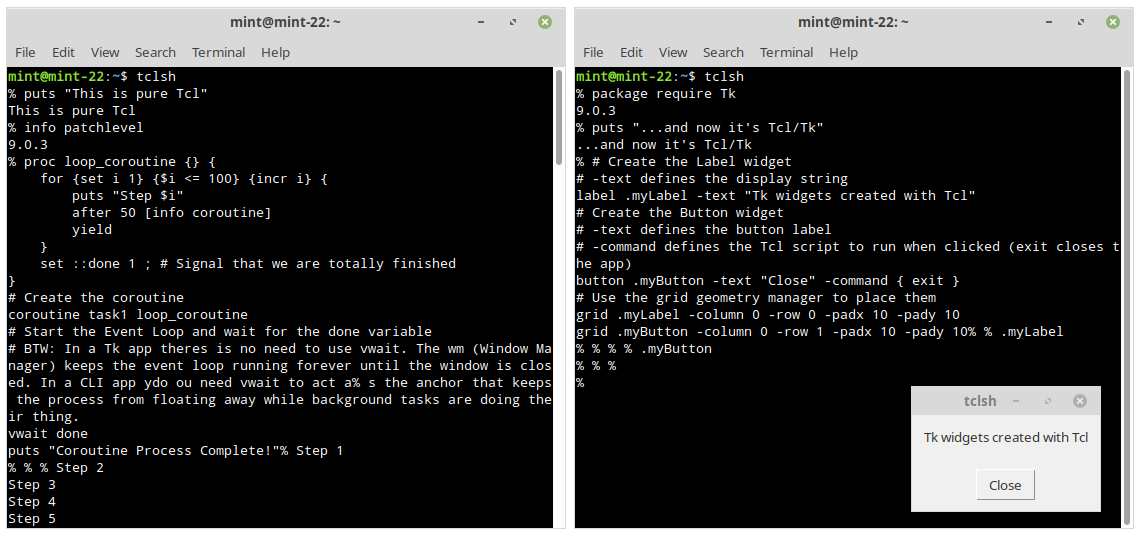
And since Tk is a core part of Tcl, to turn a console app into a GUI one, all you need to do is "request" the Tk package. Voila! You can now build a natively-looking graphical user interface with just a handful of code.
Yes, it's really that simple, look:
Think of the Tk to Tcl relationship as what Unity Engine/Unreal Engine are to OpenGL/Vulkan. Most game developers put "I'm a Unity developer" into their BIOs, and not "I'm an OpenGL developer." The abstraction layer (or the Tk extension in case of Tcl) is where the value and the community live, while the underlying language becomes a specialized "implementation detail". As a visual effects programmer, you are, of course, expected to at least understand the basics of the low-level OpenGL or Vulcan APIs, but in all likelihood 80% of your code will interface with the high-level abstracted APIs that the game engine you use provides.
Tcl is also a semantically simple language, with a very well-written C-implementation. Which is why it's available for most platforms: Windows, Linux, macOS, and Android with Termux for CLI Tcl apps, or Androwish (Android) and iWish (iOS) mobile apps to run GUI scripts, with a variety of CPU architectures supported — ARM, x86, RISC-V etc.
There's nothing that makes pure Tcl particularly… special as an interpreted language, compared to its counterparts. Even though there are features that make Tcl stand out: its event-driven philosophy, homoiconicity, the "everything is a string" approach — features we'll look at in this article — they aren't the only way of writing functional software. Actually, the extreme flexibility of Tcl, where code is data and data is code, is what makes it harder to grasp for a modern developer, compared to the more "rigid/structured" languages like JavaScript, Python, Lua, and Perl.
So then, where did and still does Tcl shine?
"Heroes Don't Wear Capes"
Don't worry, I'm not here to tell you that "the world of programming has unfairly forgotten about Tcl, whereas it's the best thing ever!"
You see. Tcl is just… there.
This is the most ironic thing about it. While being one of the least "popular" languages, for almost 40 years it has been and still is used everywhere: powering mission-critical systems, high-end networking hardware, or orchestrating transactions of the largest banks. Because Tcl is so small (the core is just C), it is embedded in things we all use every day without knowing it:
- Git: The
git guiandgitktools that come with every Git installation are Tcl/Tk apps. They look "old" because they still use the classic Tk widgets, but they are nearly "indestructible" and run on every OS without dependencies - FPGAs/Chips: Almost every major hardware design tool (Xilinx, Altera, Cadence) uses Tcl as its primary automation language
- Network Gear: Cisco IOS has a Tcl interpreter baked into the routers for "Embedded Event Manager" scripts
- Intel, NVIDIA, and AMD: Engineers at these companies use Tcl/Tk to build internal GUIs that control massive simulation farms and hardware testers
- Siemens EDA (formerly Mentor Graphics): Their multi-million dollar software suites (like Calibre or Virtuoso) use Tcl as the primary way for users to write scripts that interact with the GUI and the underlying hardware models
- ESA: the European Space Agency and its associated aerospace partners are massive users of Tcl/Tk. Major European aerospace laboratories like ESTEC in the Netherlands, or ESOC in Germany have Tcl/Tk apps running in the background of their most critical operations
Tcl is found everywhere where reliability, backwards-compatibility and cross-platform compatibility are priority No1.
Surprised? I sure was. With Tcl/Tk you can write CLI and GUI tools which reliably run on everything from a Nuclear Power Plant Terminal to a Raspberry Pi without needing to recompile anything. Wouldn't you love to have access to something that powerful, for free, no strings attached?
The SQLite Connection
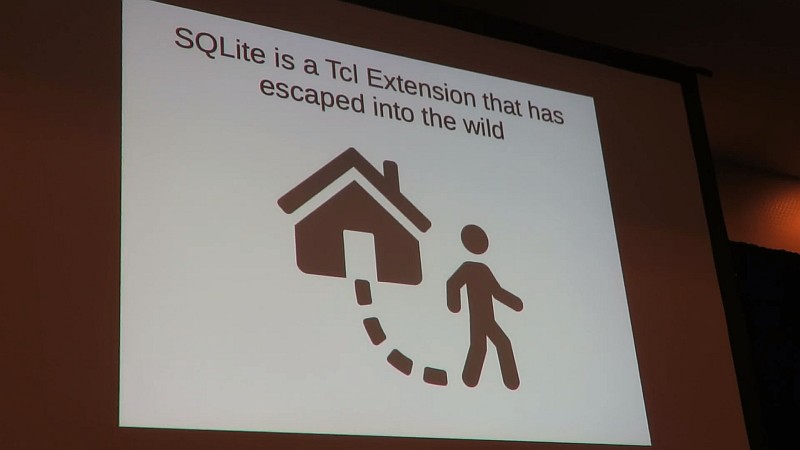
I should mention that Tcl and SQLite were devised by the same community of bright minds which includes Richard Hipp, the author of SQLite — the most deployed and used database engine in the world.
In fact, SQLite was created as a Tcl extension, first! Here's the talk by Hipp himself where he explains how SQLite came to be, and how the most important reason SQLite became so successful was its "Tcl past". Very cool talk, I highly recommend it.
Some cool facts about SQLite and Tcl before we move on:
- Half of all SQLite tests are written in Tcl
- The 3rd, current revision of SQLite, uses dual-ported objects during operation, similarly to Tcl (this concept will be explained later in the article)
- Tcl is used as the "assembler" of the final SQLite code, where it takes over 125 input source C files, does some serious post-processing on them, and generates the final source code of over 200K lines
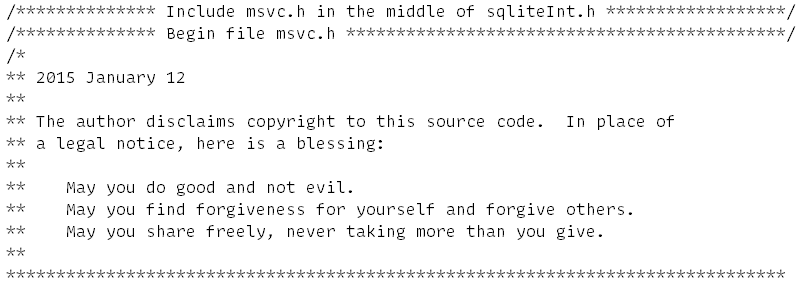
- SQLite devs are sweet, wonderful people. Here's a discovery I made while skimming through the combined
sqlite.csource code file:
The Anatomy of Tcl/Tk
Just like almost any other language, Tcl can be distributed in many different ways and bundled with all sorts of extra packages. The following components make up a functional Tcl/Tk installation:
- tclsh — as in "tickel shell" — a "pure" command-line Tcl interpreter. It can be run from within any console provided by the target OS, and is the main "workhorse" of the language
- wish — as in "window shell" — Tcl interpreter that starts up with the Tk toolkit package loaded in, meant for developing and running GUI applications. In Linux and macOS running the Tcl window shell from the console will pop up the default Tk window and start the "event loop" in the background (which we'll cover later), whereas in Windows it's compiled specifically as a "Windows GUI application"
- Tcl/Tk Libraries — a.k.a.
TcllibandTklib. A set of standard libraries that should always be bundled with a certain version of Tcl/Tk, to provide support for the out-of-the-core functions and add enhanced ability to the language and the graphical toolkit. Of course, the contents of the distribution may vary, but the library usually contains such vital extensions ashttp,csv,htmlparse,json,aesand many more for Tcl itself, and powerful extra widgets for Tk:tooltip, orwidget— a collection of "mega-widgets" includingdateentry(calendar picker),scrolledwindow, anddialog. - Extensions and Modules (or "Packages") — these extend Tcl with new functionality like threading, drag and drop, or SSL connectivity. Usually they either come as a part of a Tcl/Tk distribution, can be manually downloaded and installed, or created and shared between apps as needed. Extensions can be implemented in pure Tcl or utilize natively compiled libraries to provide a deeper integration into the target OS's APIs
Such simplicity, as well as a careful approach to version-to-version updates, is what makes Tcl a backwards compatibility champion. A Tcl/Tk script written in 1995 often runs just fine today, especially if it only relies on pure Tcl or Tk commands.
All of this is available for free thanks to Tcl's BSD-license model. I keep mentioning the license, because I want you to "internalize" what this licensing model means for Tcl and everyone using it:
- Tcl is forever. It's now a common "good". It "belongs" to everyone
- You can do almost anything with it, or to it. And thanks to the geological layers of almost 40 years of software engineering, done by some of the smartest people humanity had to offer, it still provides excellent cross-platform desktop GUI integration. You literally can't ask for a better tool development kit, especially considering just how compact it can be. So compact that Tcl remained one of the most embeddable tool languages for many years
- The recently released Tcl 9.0 is the bridge that will keep that 40-year legacy viable for another 40 years of 64-bit, Unicode-heavy computing. If you consider yourself a "power user", there's zero reason not to at least learn the basics of Tcl
Tcl Basics
Contrary to the popular belief, Tcl is not just "that weird obsolete command language with an alien syntax".
Tcl code looks like words separated by tabs or spaces. These words can either be typed in directly, or generated by various commands and procedures, which spit out other words and so on, while at all times, following one primary rule:
The first word is always a command.
What follows is zero or more arguments, forming a complete command string:
Command Argument Argument Argument …
As for the syntax — the language follows 12 basic rules, which are often called dodecalugue.
Notable Tcl fundamentals:
set=> Variable Value Set/Get. When called with 2 arguments — creates (if needed) and sets a value for a variable:set myStr "Time and Date". With just 1 argument — gets the value of the provided variable:set myStr; # => returns "Time and Date"$=> Variable Substitution. Replaces a variable's name with its value. Functionally, the$is just "syntactic sugar" for thesetcommand, so both can be used to resolve the value of a variableproc=> Procedure Definition. Your basic "function" that executes in its own isolated stack like in most other programming languages. With a twist: In Tcl, aprocis actually a command that creates another command! Soproc sayHi {name} {return "Hi, $name!"}creates a commandsayHiwith the specified parameters and body[]=> Command Substitution. Executes a nested script and replaces the brackets with the result of that script. In C terms — it's an inline function call that returns a value{}=> Grouping (Literal). Group words into a single argument without any substitutions. Everything except a\backslash inside is treated as a raw string""=> Grouping (With Substitutions). In this grouping$,[], and\are processed by the interpreter and their contents are replaced with the results of such processing or substitution
set myStr "Time and Date"
# This would execute the commands within [] brackets
# and replace the value of the '$myStr' variable with a previously defined value
puts "$myStr: [clock format [clock seconds]]"
# So the final string received by the 'puts' command would look something like this:
# => "Time and Date: Thu Mar 26 11:40:24 +0000 2026"\=> Backslash Substitution. Escapes special characters or continues lines. Useful to break up a long command string into several lines by literally escaping a newline character that follows it::=> Namespace Scope Operator. Used as a prefix, it references the global scope (e.g.,::myVar). Used as a separator, it defines the path to a command or a variable within a namespace hierarchy (i.e.::Namespace::Command){*}=> Argument Expansion. Treats a single list as multiple separate arguments. While data in Tcl is a string, this string can be interpreted as both a full "sentence" and a list of separate space-delimited items/words. The latter is what's needed, for instance, if you want to pass this data as a list, or as a command with arguments to Tcl. We'll look at its use cases later\nor;=> Command Separators. Allows separating commands with newlines or on one line with a semicolon; so you can write and format your scripts however you want without arbitrary restrictions#=> Comment. Tcl does allow comments, but they should always start at a position where a command can begin. The#and all characters till the end of the logical line are ignored. But that's not the whole story: since Tcl checks for comments after parsing the command into words but before substitutions, braces{must be matched even within comments. Otherwise Tcl will look for matching closing braces}across multiple lines and won't execute code or throw an error (depending on the mode of operation) until all closing braces are provided. It's just a quirk of Tcl as a result of Tcl's syntactic uniformity, and something any Tcl dev should be aware of
Couple of examples to demonstrate Tcl's command strings:
# Command 'concat' followed by two arguments
concat {Hello } "World!"
# => returns "Hello World!"
# This is also a command followed by arguments, with the difference that
# 'string' is an 'ensemble' command, which acts as a 'command dispatcher'.
# It looks at the first argument 'range' to determine which internal function to execute
# Think of it as a C-like 'String.range(str,start,end)'* or Git's 'git commit -m "Done"'
string range "Tcl Programming" 0 2 ; # => returns "Tcl"
The string range example highlights the functional nature of "pure Tcl", where you don't ask the string to "trim itself", and instead call the "range" tool inside the "string" ensemble to trim a piece of data you gave it. The tools to utilize object-oriented patterns are also available, something which we'll cover later in the article.
Which One to Use — tclsh Or wish?
Both kinds of the Tcl interpreter support 2 modes of operation:
- Interactive mode — when you run
tclshorwishwithout arguments, the interpreter enters the interactive mode of operation, also called a Read-Eval-Print Loop (REPL). It executes commands entered by the user in the console and prints out the result. This is similar to how the console shell itself functions (bashin Linux,PowerShellin Windows), and is intended for experimentation and immediate feedback. You can technically run complete scripts in this mode by either typing them line by line, pasting the whole script into the console, or using thesourcecommand to load and interpret a file with Tcl code, but there's a proper way to do this: - Batch mode (Script mode) — meant for execution and automation, and is activated by running
tclshorwishfollowed by the name of a script file —tclsh myscript.tcl. In this mode, the interpreter reads the entire file from start to finish, executes the commands non-interactively, and exits once the script completes. This is the standard way to deploy finished applications, automate CLI tasks, or run GUI programs, similar to many other interpreters and CLI apps which accept command-line parameters. Therefore, to run example scripts from this article, save those as files and pass them to the interpreter. Like this:wish mortgage_calculator.tkapp
While the file extension is irrelevant to the interpreter, as it only cares about the actual file contents, it's recommended to stick to standard conventions. Use .tcl for most of your scripts or follow specific environment associations like those provided by the Magicsplat for Windows Tcl/Tk distribution to distinguish between CLI and GUI entries (.tclapp or .tkapp).
As for which interpreter to go with — there are some "nuanced" differences between the CLI-focused tclsh and the GUI-oriented wish.
For instance, on Windows, the wish interpreter is compiled as a "Windows GUI Application", and can't interact with the console. In effort to provide one to the developer, it presents a "pseudo-console" on startup, known as "Tk Console". This technically means that you could run everything with wish, but there is a significant catch: the UI and the script logic live on the same thread. If a script performs heavy lifting, it "starves" the GUI of the idle time it needs to redraw. This means your puts statements are effectively queued, and won't actually display in the pseudo-console until the script pauses or finishes, leaving the console window "frozen" in the meantime.
Conversely, the tclsh interpreter is compiled as a "Windows Console Application", and therefore it integrates into the console (cmd or PowerShell). So if you try to run the same script with tclsh, you will see all of those puts messages logged into the console one after the other, as Windows does provide command-line apps with the standard input and output channels — stdin and stdout. That's why the system console can more reliably receive and display data sent to those channels in between heavy "thread-blocking" calculation loops.
In simpler terms: while learning Tcl/Tk just use tclsh:
- It will always provide your scripts with the standard input and output channels regardless of the OS, be it Windows, Linux or macOS, streamlining cross-platform tool development
- For GUI tool development —
tclshwill automatically load in the Tk GUI package and create the default top-level window if it's ever requested in a script withpackage require Tk, to let you practice building GUI apps when you're ready - Same for when learning Tcl's event loop — simply load the
Tkpackage to spin up the background event loop to play with file and channel events right inside an interactive session. While this is technically possible in the command-linetclshwith a custom event-driven REPL implementation, it absolutely isn't something you should worry about right away
Homoiconicity and the Extreme Flexibility of Tcl
Since Tcl code consists of "just words", for the language itself this means that Tcl doesn't drive a wall between code and data, and allows you to decide how to interpret a certain string. You can just treat it as data, like a paragraph of text, or a list of items, or modify it on the fly and pass the same string to the interpreter as a command string to execute as code.
Such concept is called "Homoiconicity".
In computer science, a language is homoiconic (from the Greek homo- "same" and eikon "image") when the program structure is identical to its data structure. In Tcl’s case, both the code and the data are strings, and there is no distinction between "keywords" and "functions".

Now, remember how in the introduction I promised full honesty? Well, here it goes:
In half of the books on Tcl this "homoiconicity" would at this point be praised as something amazing, ingenious. Or an outrageous claim would be made like: "This changes everything!!!11"
This is highly debatable. Claiming data-as-code is a benefit is like building a house where every brick is a potential stick of dynamite. It’s an architectural nightmare for anyone who values structural integrity and security.
Here's a simple demo of how a string can be interpreted as data and/or code, and how easy it is to make a mistake:
# Set or receive a string with data
set userinput {puts "Hello World!"}
# Treat it as a list of items, and count them
llength $userinput; # => returns '2', those being 'puts' and {Hello World!}
# Now interpret the same string as a complete *command string* instead
# Expand the contents with {*} to make Tcl interpret grouped words as list items
# This way Tcl will see a separate command 'puts' with an argument 'Hello World!'
{*}$userinput; # => returns "Hello World!"
# Now let's 'forget' to properly group data with quotes
# A simple typo in 'data' becomes a CRASH in 'code'
set userinput {puts Hello World!}
# Now 'puts' will see 2 arguments, treating the first one as a channel name,
# and try to send the string 'World!' to the "Hello" channel
{*}$userinput; # => ERROR: can not find channel named "Hello"
Note how the string contents are "just words" separated with an empty space, meaning any first word will be treated as a command call, followed by whatever else seen as arguments. You need to be careful and properly group arguments with spaces inside a command string. This is one of the reasons why more structured languages generally took over as the time passed. Since they clearly isolate program code from data, you need to go out of your way to execute something as valid code, by deliberately formatting it as a function call: console.log("Hello World!"). Such rigidity is what also makes robust static code analysis possible.
Besides, can you interpret a random string as a function in JavaScript? — Of course! You'd use eval for that:
let cmd = 'console.log("Hello World!")';
eval(cmd);
// => logs "Hello World!"
Experienced developers are already wincing at the mention of eval as they know just how dangerous it is to consider "dynamic" code evaluation a "good idea".
In reality, homoiconicity is a "side-effect" of Tcl's syntax. It's not some "magical" or "ingenious" feature. If your primary rule is whitespace-separated commands and arguments, and your only grouping mechanisms are braces {} and quotes "", your code is indistinguishable from a list of words. That's it. It's a structural inevitability.
So no, Tcl is not "amazing" as a result of its homoiconic nature. Instead, it's extremely malleable.
Therefore, let's go with a "safer" and more realistic example where Tcl's homoiconicity can be of use.
Basic Demo of Tcl's Homoiconicity
In C# or JavaScript while is a reserved keyword baked into the compiler’s grammar. But since everything in Tcl follows the command argument argument ... pattern, even such seemingly "core" commands as if, for, or while are just that — commands, no different from a command you would write to print text or move a file.
Let's take a look at the while loop in Tcl:
set x 0
while {$x < 3} {
    puts "Iteration $x"
    incr x
}
Here, while is just a command followed by 2 arguments:
{$x < 3}— the "condition" argument, that gets tested on each iteration{puts "Iteration $x" ; incr x}— the script to run on each loop iteration
As of the basic syntax rules, curly braces {} tell the interpreter to treat the contents as a literal string, and just pass them on to the while command. Therefore if, for, while and other commands simply accept {some data} as arguments to operate on. Which, again, proves that in Tcl even "default keywords" are not actually keywords, but commands, implemented by the Tcl language developers just like any Tcl script developer could.
In contrast, in JS/Python/C# and many C-like languages, there is a "hard wall" between the code you write (Syntax) and the strings/numbers your code operates on (Data). There, if, while, and for are indeed keywords. For instance, if you look at the JS source code for the V8 engine (Chrome/Node.js), the while keyword is handled by a massive C++ parser and a state machine. It's "static" code given to you to use "as is".
OK then… What if I want to make my own version of a while loop?
To make a custom while in JavaScript you have to wrap your code in functions to prevent them from executing immediately. This is because In JavaScript x < 10 is an expression. If you don't wrap it into an arrow function () =>, it evaluates to true or false before it even reaches your function. Therefore it's possible, but won't be pretty.
Look at this mess:
function myWhile(conditionFn, bodyFn) {
    while(conditionFn()) { bodyFn(); }
}
// You MUST use "() =>" (Lambdas) to "freeze" the code
myWhile(() => x < 10, () => { console.log(x); x++; });
Meanwhile, in Tcl, you could write your own procedure in a very straightforward manner. It could take two strings provided inside the {curly braces} and operate on them.
You just need to make sure not to run the provided condition script within the isolated scope of your new procedure, and use the uplevel command to "reach" the variables specified inside those curly braces from within the scope of the procedure that called your implementation of the loop. Which is essentially the same way it's done in the "default" if, for, while and many other Tcl commands.
For example, let's write a repeat command which accepts 2 strings, and also provides 2 modes of operation: until and while:
proc repeat {body mode condition} {
    while {1} {
        # IMPORTANT! Execute the body in the *caller's* scope
        uplevel 1 $body
        # Now evaluate the condition string in the caller's scope as well
        set result [uplevel 1 [list expr $condition]]
        # Switch logic based on the 'mode' provided, easy to extend
        switch -exact -- $mode {
            "until" {if {$result}  { break }}
            "while" {if {!$result} { break }}
            default {
                return -code error "Unknown operator '$mode': must be 'until' or 'while'"
            }
        }
    }
}
# Usage: "until"
set x 0; puts "Testing 'until' x >= 3:"
repeat {puts "x is $x"; incr x} until {$x >= 3}
# Usage: "while"
set y 0; puts "\nTesting 'while' y less than 3"
repeat {puts "y is $y"; incr y} while {$y < 3}
Voila! Here's your new fancy version of the "default" while command in Tcl.
This is similar to how the stock if command runs under the hood, just with a different order or arguments:
set x 7
# command argument argument argument argument
if {$x > 10} {puts "High"} else {puts "Low"}
# You can even generate 'else' dynamically, since it's just an argument string
if {$x > 10} {puts "High"} [string cat "el" "se"] {puts "Low"}
Even return is not a reserved keyword. It's not hard-wired into the compiler to halt execution like it does in C++, C#, JS and many others — instead it's just a command that directly communicates with the interpreter via integer codes:
0 (TCL_OK)1 (TCL_ERROR)2 (TCL_RETURN)3 (TCL_BREAK)4 (TCL_CONTINUE)
And you're free to specify any of these codes manually when calling the return command, changing Tcl's behavior as needed.
A Word for the Experienced Tcl Devs
This short section is aimed at the experienced Tcl devs who ended up reading this article and might be fuming with righteous rage after reading my criticism of Tcl's homoiconicity. Beginners may safely skip it.
Yes, I'm aware that Tcl's safe interpreters exist. I also know that you should [list] your callbacks. Lastly, in Cisco routers, for instance, EEM (Embedded Event Manager) policies are essentially lists of strings, and they work fine with the string-based Tcl. But as far as I know, Cisco went with Tcl primarily because it was a lightweight, string-based engine that let them treat user-provided text as hardware-level logic, fitting perfectly into the strict memory constraints of the 90s hardware. Well that, and also Expect. Those who know — they know. So aside from Tcl, there simply weren't many other options to choose from as "glue" for implementing flexible user access to system APIs.
Cisco's reliance on Tcl has evolved into a state of maintenance of a legacy technical debt. They are in the middle of a massive architectural pivot, and the danger of Tcl's string-based nature where "anything may be anything" is exactly why they are looking for alternatives. Instead of having Tcl scripts interact directly with the C-based control plane, Cisco now encourages running Python 3 inside a Guest Shell container, as it doesn't treat strings as hardware-level logic by default and instead interacts with the router via structured APIs (like cli.execute() or NETCONF/YANG models) rather than raw string evaluation.
Tcl's homoiconicity was a design shortcut that made Tcl easy to embed in the 90s but makes it less favorable today, when more and more focus is on security, even if it comes at a price of more rigid rules and structures. The world of modern networking is just way too vast and wild to ignore the risks that widespread use of a homoiconic language would carry. Modern CPUs and static analyzers are now far more capable of optimizing and securing rigidly structured languages. These tools reduce the cognitive load on developers by detecting errors and vulnerabilities much earlier in the development cycle. It's a safety net that a language as fluid as Tcl simply can't provide.
All in all, I'm not bashing Tcl for its extreme flexibility, I'm being honest and pragmatic about the potential risks as a result of an architecture where data is semantically indistinguishable from code.
And if you still disagree, please let me know what it is I'm wrong about, directly. Thank you.
Language With a "Different Philosophy Of Power"
Guess what — you don't have to treat data as code, unless you choose to! You can develop tools and GUIs with just the "default" set of Tcl/Tk commands and extensions. But the door is always open. In C#, JavaScript, Python and the like, such power belongs to the compiler team at Microsoft, Mozilla or the Python Software Foundation. In Tcl, the power belongs to whoever is writing a script.
Tcl's Homoiconicity will seem "weird" and sometimes confusing when you start your learning journey with it, especially if you have extensive experience with more "rigid" or "structured" languages. But over time, you'll understand it better, and might even use it to your benefit. For example — to create whole sets of custom commands, operators and program flows in the form of Domain Specific Languages (DSLs).
As you get more experienced with Tcl, you'll gradually transition into a "Tcl way" of thinking, and naturally steer more towards the initial purpose of this tool command language: from tool development, scripting and automation, to "gluing" application components together. Here Tcl/Tk truly shines, providing a portable, native-looking interface to help manage high-performance, natively compiled binaries doing the heavy lifting. We’ll explore how to bridge these two worlds later in this article.
Tcl/Tk — Alive and Kicking With Tcl 9.0
Although not very "popular", Tcl/Tk is still actively developed by the Tcl/Tk Core Development Team. On Nov 13, 2025, 12 years after the release of Tcl 8.6, they presented a new major version of Tcl — Tcl/Tk 9.0.
It's a truly milestone release, as it made Tcl a fully 64-bit-aware language. It might seem puzzling and even silly why this wasn't done sooner, but you can already guess what such a transition brings: it changes the pointer size from 32 to 64 bit. Meaning, some of the existing Tcl scripts, especially those embedding pure C code (critcl package) could either stop working or exhibit unexpected behavior. And since Tcl historically provided outstanding backwards-compatibility, the core team of devs had to be very careful while implementing and introducing such an update, while maintaining compatibility with as much of the existing, sometimes decades-old code-base, as possible. This takes time.
With this update Tcl is now even more "modern" and robust than ever:
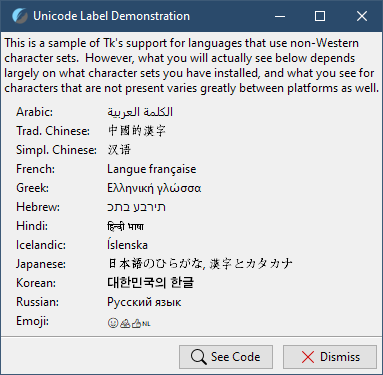
- Supports the full Unicode code point range. Tcl was already well-known for its superb ability for localization (or "internationalization"), and the new release streamlines its Unicode backbone, further improving Tcl's robust, industry-leading support for multi-language tools:
- Tcl now natively supports the ZipFS virtual filesystem. After years of having to rely on 3rd-party hacks and products to create self-sufficient apps or bundle data with scripts, you can now attach a zip file to a script and mount it as a virtual access point to access the files and the directories inside. We'll talk more about this important feature in the Tcl 9 And ZipFS section
- Tcl/Tk 9.0 significantly improved the graphical user interface (GUI) capabilities by introducing support for scalable vector graphics (SVG), as well as vastly improving Tk's high DPI display awareness, something I will demonstrate in the following section. Also, Tk 9.0 added native Desktop Notification support and better integration with system themes like Dark Mode on Windows/macOS
- Octal Literal Sanitization by default — in Tcl 8.x,
010was interpreted as octal (8), which led to endless "WTF is with this math?!" bugs when handling leading zeros, like zip codes or dates. Tcl 9 uses the0oprefix for octals, like0o10. A leading zero no longer changes the base of the number. If your legacy scripts rely on the old behavior, they will now treat010as decimal 10, so that's one of those very welcome, but potentially backward-compatibility-breaking changes - Overall more strict treatment of data. Tcl 8.x could sometimes try and "be smart" when reading text files by silently substituting invalid byte sequences with replacement characters or falling back to ISO-8859-1 (Latin-1) when it encountered encoding errors. While this prevented scripts from crashing, it often led to unexpected data corruption that was nearly impossible to debug once the data was saved. In Tcl 9.0, this behavior has been replaced by a formal Encoding Profile system. So while in Tcl 8.x, if you read a file as UTF-8 that contained a stray non-UTF-8 byte, Tcl would often just carry on, Tcl 9.0's default profile is now
strict. If Tcl encounters an invalid byte sequence for the specified encoding, it will immediately throw an error, which is paramount for cross-platform tool development. I know this, because for the past year I had to deal with lots of arbitrarily-encoded files, and am grateful that Tcl let me know right away when something was wrong with a file I was working with. A file that C# and Python deemed perfectly fine BTW, as "being smart" is a feature of both. TL;DR: Tcl 8.x assumed the programmer wanted the program to keep running at all costs. Tcl 9.0 assumes the programmer wants the data to be correct at all costs.
While you don't have to use Tcl 9.0 and can still develop CLI and GUI tools with the Tcl 8.6 branch, I highly recommend either starting out with, or updating to the 9.0 version. You get lots of benefits, additional fail-safes in regards to data processing, and a vastly superior Tk's UI ability.
Finally, the official Tcl/Tk source code isn't even the only way to use the language. Other devs offer their own interpreters with the least amount of C-code possible:
- Jim TCL is a small-footprint implementation of the Tcl programming language that implements most Tcl features in a very compact interpreter of about 100-200kB in size. All of that — with less than 10k of C code and plenty of extensions available
- Or, at the extremes, we can find projects like Picol — where with less than 1000 lines of C code the author was able to replicate Tcl's syntax and some of the key Tcl commands

OK, OK… Enough talk about "pure Tcl".
As interesting a topic as Tcl is, there's one feature of the Tcl/Tk toolkit that's so ubiquitous and versatile, that people often forget that it has any relation to Tcl at all:
Tk GUI Toolkit
Let's not beat around the bush and get to the key reason why Tcl is especially relevant today, just as it's been for the past decades — the Tk GUI Toolkit. Soon after the first public release of Tcl, John Ousterhout realized that the world of compute was rapidly moving towards more user-friendly graphical user interfaces. He also knew that there existed several competing operating systems, each — with its own implementation of the UI APIs. This led to the creation of Tk, which became an essential part of Tcl as we know it. So essential, that the "general identity name" of the language itself was changed to Tcl/Tk as a result.
Over time, Mr. Ousterhout chose to turn Tk into a cross-platform toolkit, making sure the same Tcl code could be used (with minimal changes) to create GUIs on different platforms.
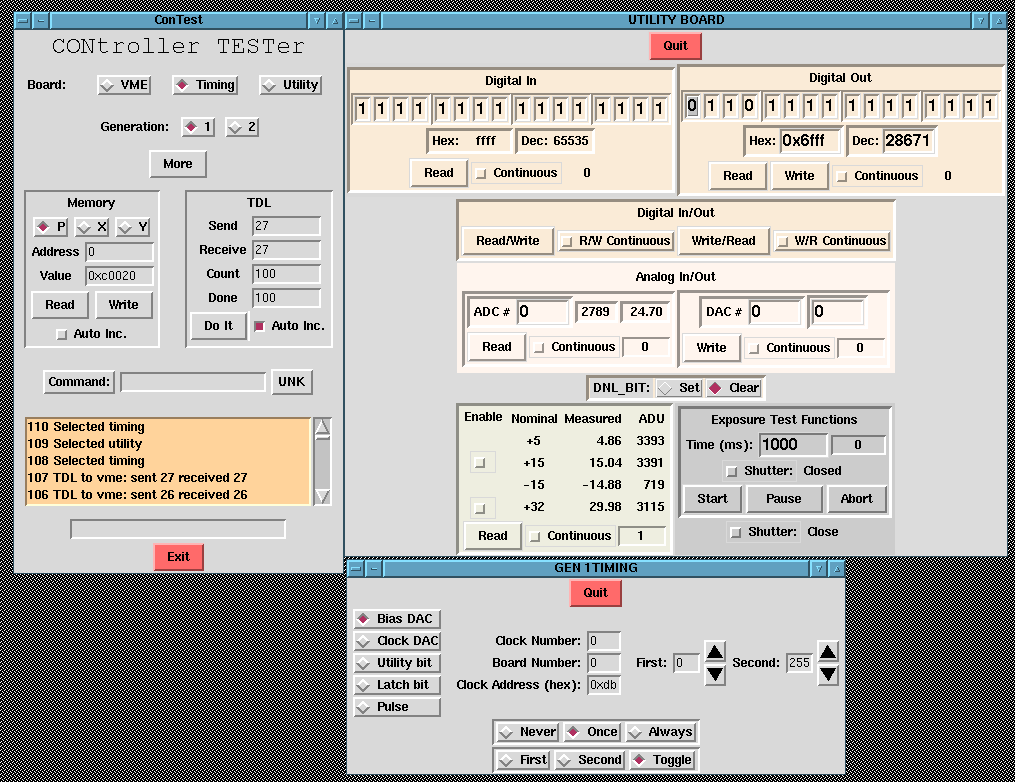
Tk is the original "Write Once, Run Anywhere" UI. Long before Electron was consuming all the RAM in the world, Tk was providing a lightweight bridge between Windows, macOS, and X11 with a footprint that makes an empty C# binary look bloated. Due to this fact, Tk has been so widespread in professional circles (automotive, chip industry, astronomy) that any attempt to estimate how many interfaces were implemented in Tk, as well as those that are still used, is completely futile.
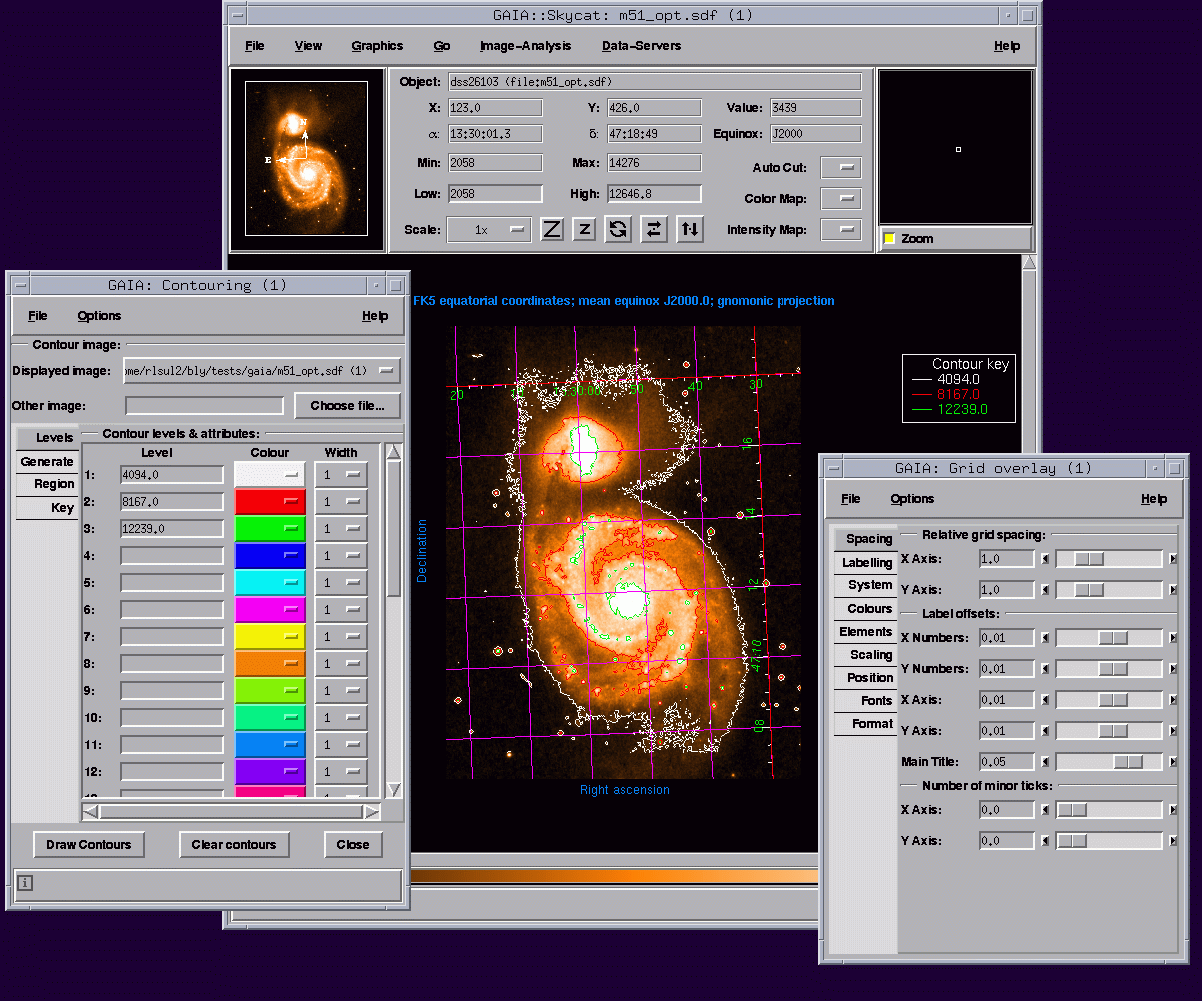
In fact, Tk became so powerful and portable, that languages like Python, Perl, and Ruby actually adopted it as their standard library, like Python's tkinter we'll look at later.
Tk's cross-platform support isn't even its killer feature. Development speed is. You can build a functional, cross-platform dashboard in 100 lines of Tcl that would take 1000 lines of C++/Qt.
However, if you only look at the screenshots of the decades-old Tk interfaces, you might get an impression that Tk GUI is ugly. Indeed, for 20 years since its inception, Tk didn't come with ttk — Themed set of Tk widgets. It looked like Windows 3.11 or 95 UI on every platform: gray, boxy, with very spartan decoration options. So over time most developers moved to the web or Qt before Tk finally got native-looking. They haven't looked back to see that it’s fixed.
It has long been fixed, and then some!
For instance, did you know Tk supports themes?
Out of these, alt, default, clam and classic are always present, with extra themes available depending on the OS and the packages offered by your Tcl/Tk distribution. In most cases you'll want to use the "default" (not "classic") theme, as it will look closest to native on each of the platforms supported by Tk via direct bindings into the Windows UI DLLs and X11/Cocoa's APIs. You can also create your own themes or download community-made ones if you like.
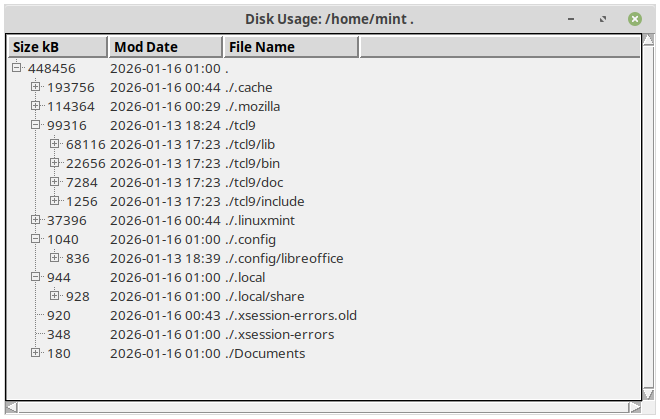
With the introduction of the ttk widget set, one can pretty easily port old Tk apps to update their looks. Here's an example of a very old tool that uses a "classic" Tk widget — treectrl running without any modifications using Tcl/Tk 9.0:
And here's the same tool after I ported it to use a Themed Tk widget — ttk::treeview:
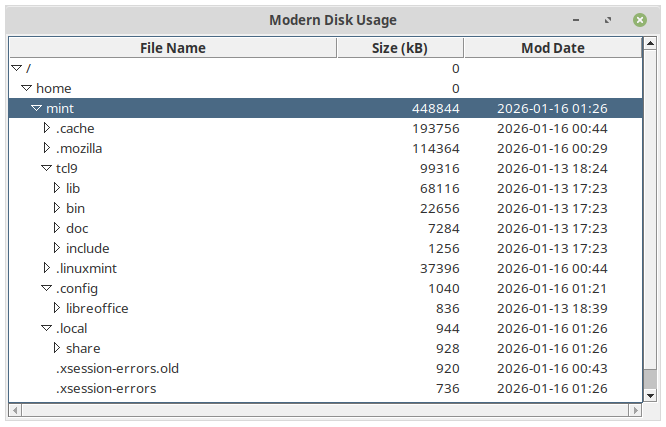
Contrary to the stereotype, Tk apps can look almost as native as, well… native ones, whilst still maintaining their cross-platform compatibility.
Allow me to demonstrate.
Tk Cross-Platform GUI Showcase
While exploring the Tcl browser plugin demos, I stumbled upon a "mortgage calculator applet". It was last updated in 1996, and yet still ran perfectly with Tcl 9.0.3. Of course, being that old, it relied on legacy techniques: canvas size was hard-coded, as were some value thresholds, the GUI used the pack geometry manager instead of grid, and relied on the classic Tk widget set for the inputs and the button, which look like they came straight from 1996, as well.
Here it is in its full glory:
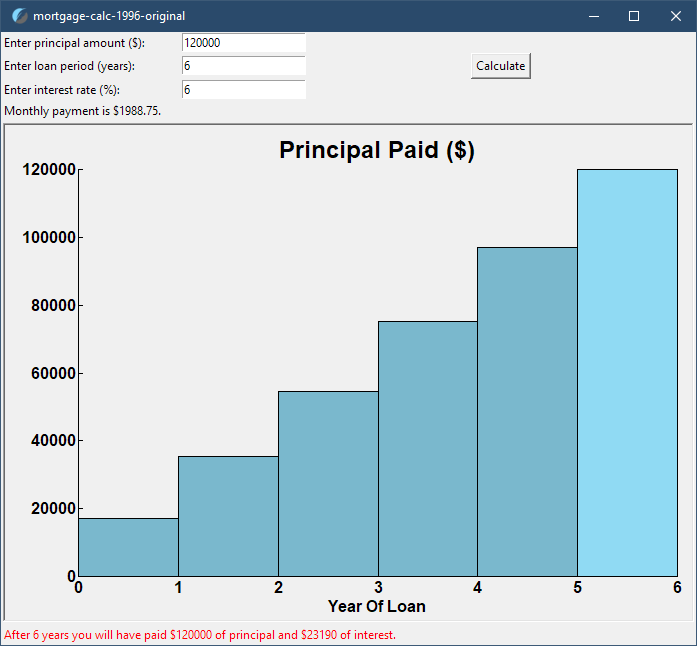
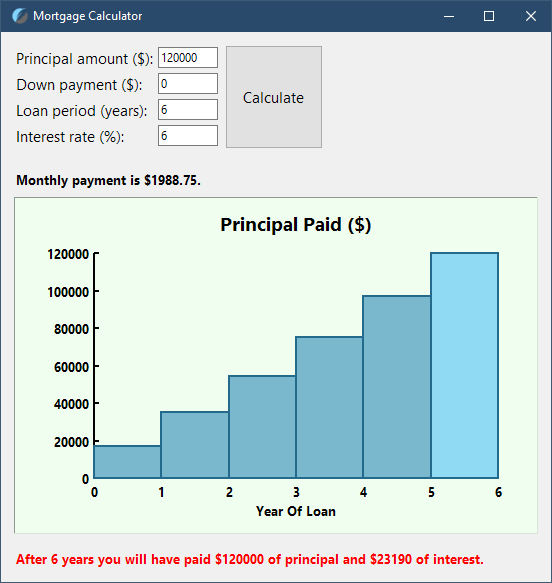
I decided that updating it could become a good Tcl/Tk learning exercise. One thing led to another and I ended up rewriting it almost entirely as a "modernized" version, which contains a bunch of changes:
- Uses the grid geometry manager
- Allows specifying a down payment
- Implements extensive input validation and re-fitting
- Supports high DPI screens, including Android mobiles
- Implements rate-limited canvas resize
- Has 100% cross-platform consistent UI layout
- Uses namespaces and arrays instead of a messy, flat variable structure
- Comes with plenty of comments to explain random things
💾 Download the latest version here to check out how I implemented all of the above.
Stripped of all comments and empty lines, the original version would contain 188 lines of code. Mine comes close at 250 lines, which I'd say is fair, considering all the new features and updates.
Here it is running on Windows 10:
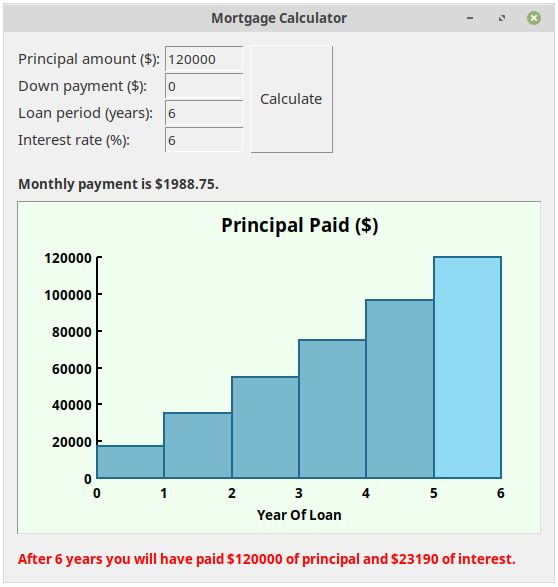
And on Linux Mint MATE 22.2:
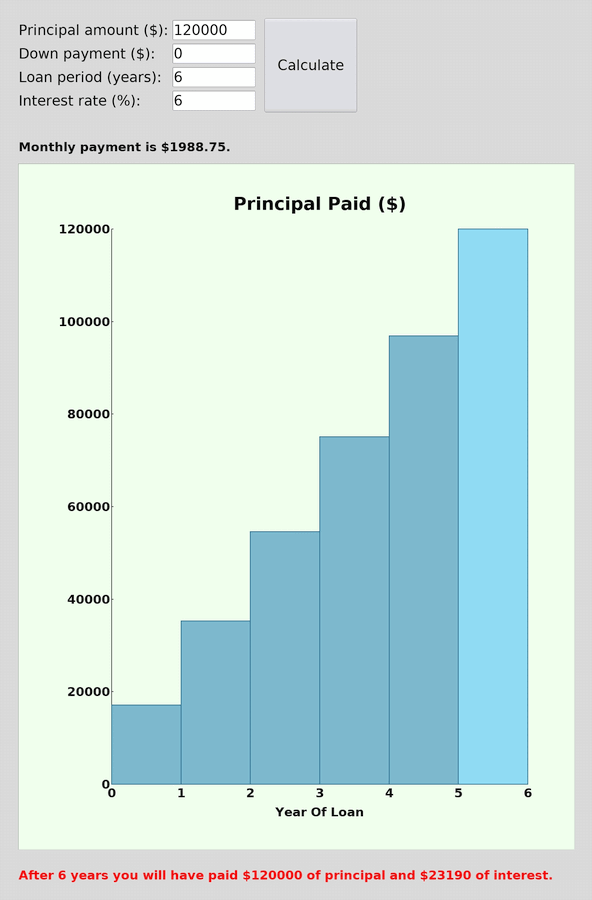
Looks good on my Android tablet in Androwish in portrait orientation (scaled down from 1600x2560):
And in landscape orientation as well:
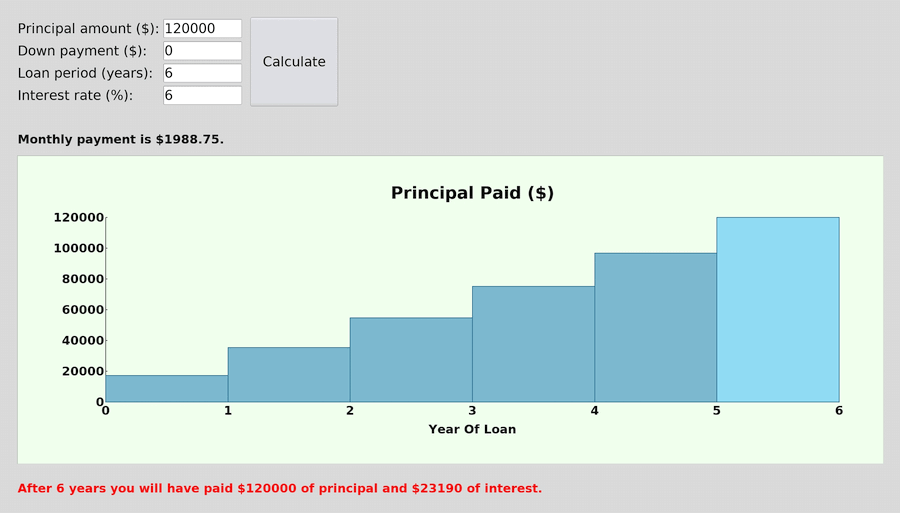
Also fits my narrow Android phone screen (scaled down from 1080x2340):
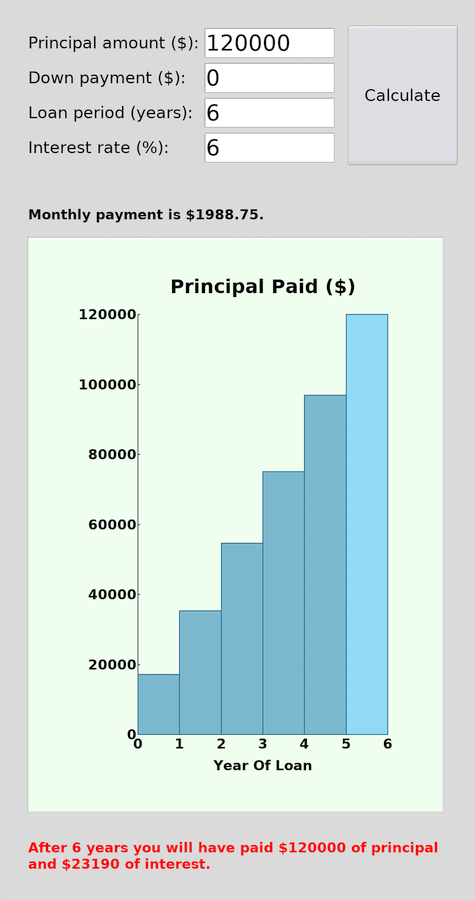
All of the screenshots were taken by running the same script.
Hard to believe, right? Here's a decades-old time- and battle-tested, truly cross-platform, free and open-source GUI framework, waiting to be used, while less and less developers are aware of it.
And here are some Tcl and Tk scripts on a miniature Arm-based single-board computer with an Arch Linux-based OS, presented on a 5-inch 1024x600 screen:
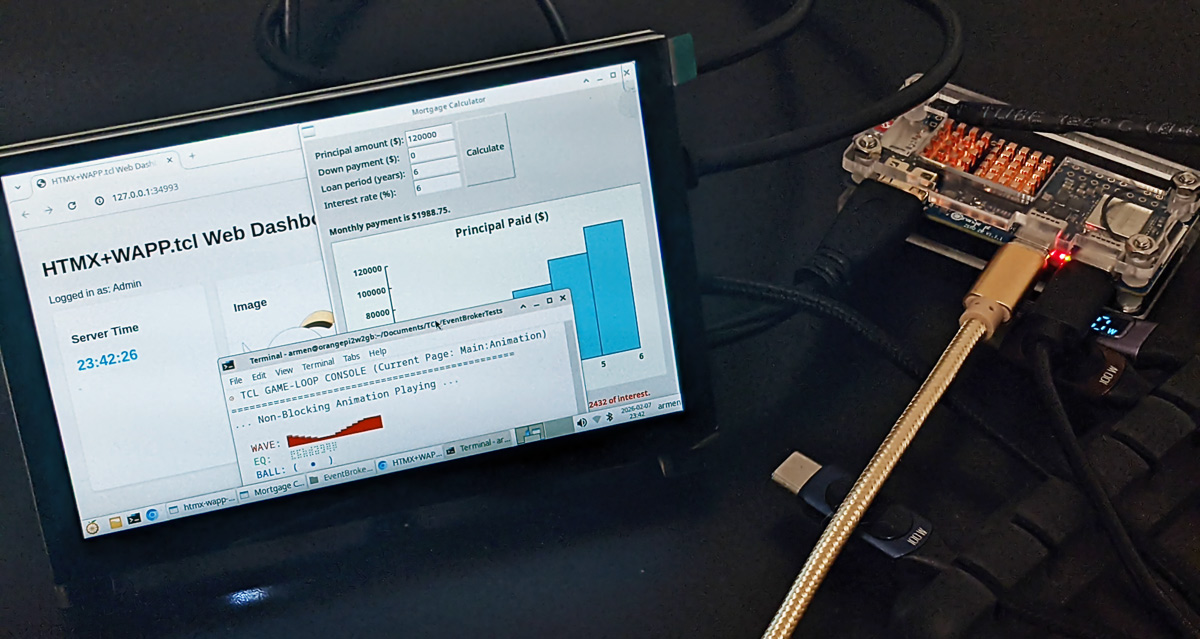
But wait, there's more!
Tk — High DPI/4K Ready
Tcl/Tk 9.0 has significantly improved high DPI support compared to the previous major releases. Now, the modern ttk:: widget library completely shatters the stereotype of Tk apps looking "old" and "ugly", or not capable of displaying correctly on high DPI screens, like 4K ones.
Here's the same "modernized" Mortgage Calculator script running on a Windows 10 machine with a 1080p display, with system scaling set to 100%, which corresponds to the default 96 DPI pixel density:
And here it is in Windows 10 with 150% scaling, which corresponds to 144 DPI:
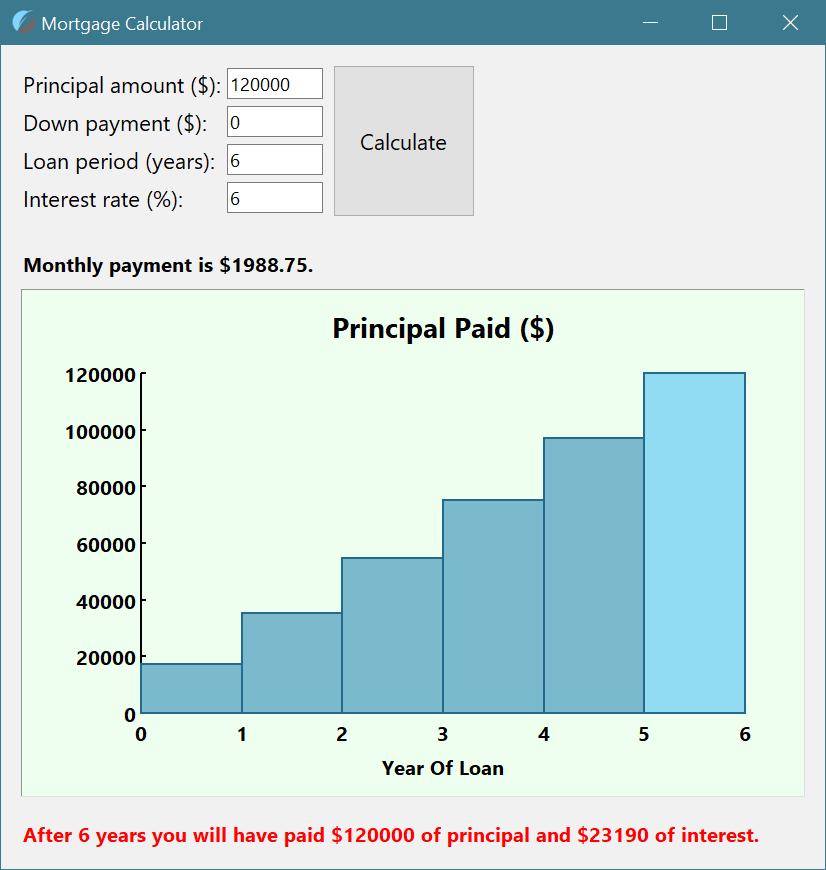
Did you really think I'd forget about macOS? Here's the same script running on a Mac with a high DPI screen. It also shows just how "opinionated" macOS is, refusing to scale the button vertically, and how Tcl/Tk can easily deal with this, neatly placing the button widget in the middle:
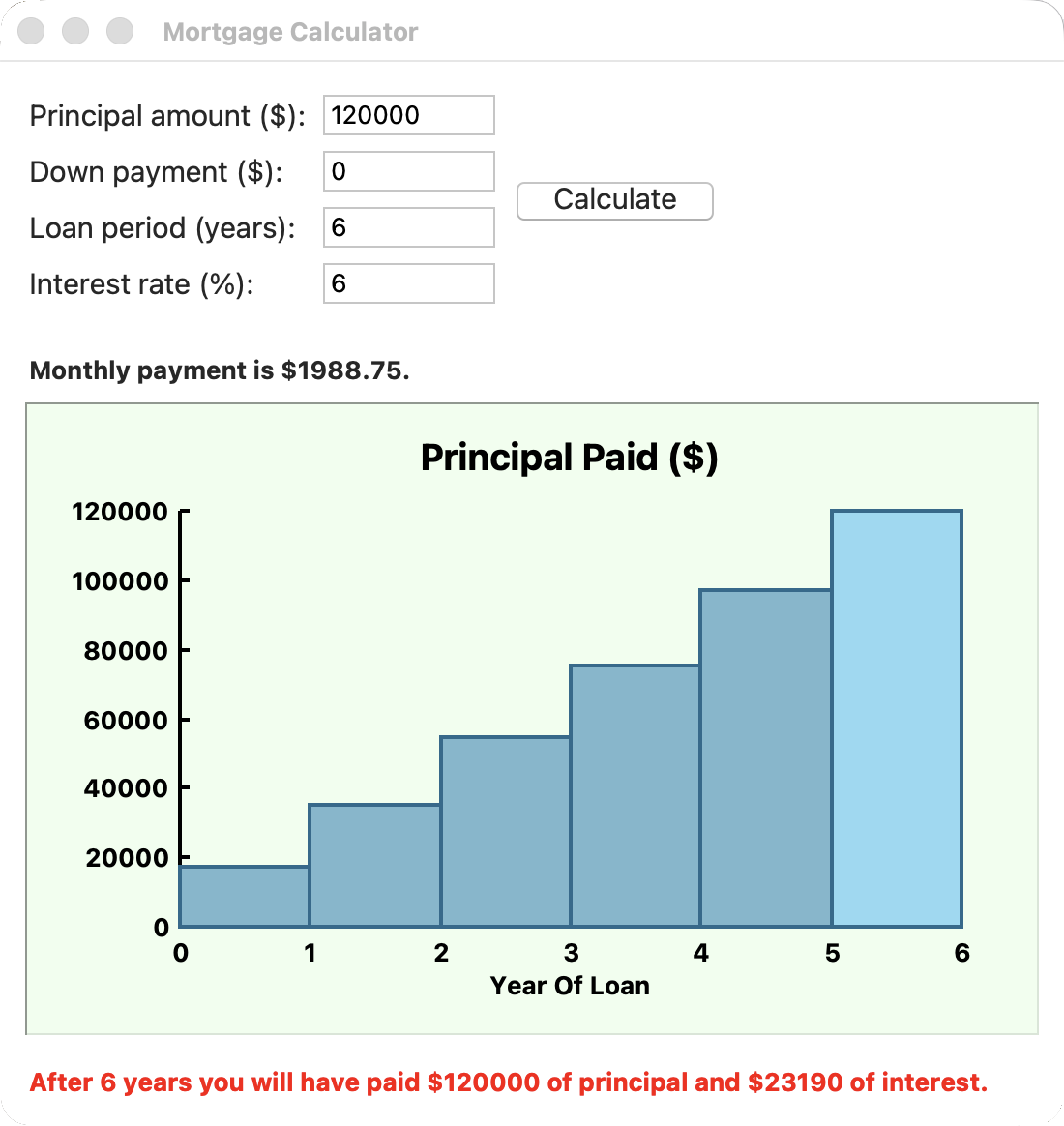
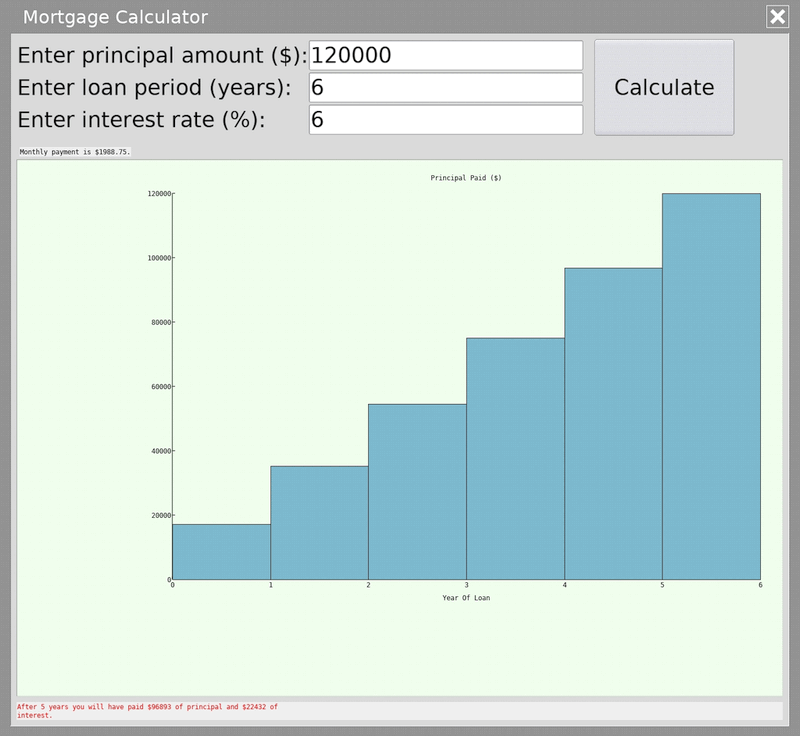
With Tcl/Tk 9.0 I was able to achieve an almost perfect 1-to-1 scaling in both cases! With a proper approach to UI development you, too, can make Tk GUIs maintain their look across many devices regardless of the screen pixel density.
In fact, you should always prefer sticking to relative units for fonts, widget sizes, paddings and offsets, otherwise seeing something like this on a high DPI screen will be almost guaranteed:
Tk Basics
Having seen pretty pictures, let's dive deeper under the hood and see how Tk UIs are built.
Being cross-platform, Tk UI kit doesn't expose native Win32 DLL calls or Linux X11/macOS Cocoa inner workings, and therefore any interaction that any interaction that must occur must be programmed in explicitly. Thankfully, Tk provides high-level abstractions, also known as "widgets", which do most of the heavy-lifting, while exposing the necessary controls for the programmers. The way these widgets fall into the Tcl architecture is also extremely elegant — each Tk widget exists as a command! They aren't static elements, but in a way "objects" with their own "methods" which they provide to be configured.
Most importantly, widgets generally don't exhibit hard-coded behaviors and expect developers to define bindings and callbacks. And since Tk UI programming is event-based, just like native OS UIs are, by learning Tcl/Tk you'll get a better understanding of how graphical user interface programming is done under the hood in desktop operating systems.
As for Tk basics, there already exists a Tk-related resource with an excellent tutorial. Please, do head over to TkDocs.com and go through at least the first 4 chapters, to learn about the specific preceding "." (dot) naming scheme used by Tk, and how windows and widgets are structured overall. This is pretty much required if you want to understand the rest of the examples on Tk in this article.
Long story short: to make anything in your UI do anything, or to react to events and inputs, like changing states of UI elements, scrolling with a mouse scroll/touchpad, or resizing widgets together with the window, you need to define such behaviors and bind widgets and events with callbacks. Most of these are shared behaviors and are well documented, with plenty of demos and samples available.
Speaking of demos, let's inspect this example from Tcl 9.0.3 widget demos (here's how to access them):
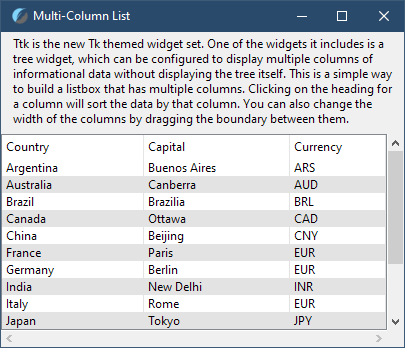
Here we see a ttk::treeview widget with 2 scrollbars (comments added for clarity):
# 'treeview' widget created as a child element of .mclist window
ttk::treeview .mclist.tree -columns {country capital currency} -show headings \
    -yscroll [list .mclist.vsb set] -xscroll [list .mclist.hsb set]
# Two scrollbars simply created as siblings of the treeview widget
ttk::scrollbar .mclist.vsb -orient vertical -command [list .mclist.tree yview]
ttk::scrollbar .mclist.hsb -orient horizontal -command [list .mclist.tree xview]
The first observation you can make is that the two scrollbars aren't "embedded" into the treeview widget. The author of the demo chose to make them siblings of the widget, as it's commonly done. Meaning that the treeview widget can be equipped with just one, or even no scrollbars if needed, and instead be controlled through other means, like keyboard arrow keys or purely through logic (think a search function that auto-scrolls to a result). But as soon as additional control elements are added to the window, they need to somehow be able to interact with the scrollable widgets.
Let's look at how all of this works under the hood:
- Widget to Scrollbar: When the view inside the treeview changes via mouse wheel or data insertion, the widget executes the command string assigned to
-yscroll, in this case —.mclist.vsb set. It appends two fractions representing the visible range, commanding the scrollbar to update its slider's size and position. And of course,.mclist.vsbitself is a command, created by thettk::treevieworttk::scrollbar, which are commands as well - Scrollbar to Widget: When a user interacts with the scrollbar, the scrollbar also receives the command prefix assigned to its
-commandoption. For vertical scrolling it's.mclist.tree yview. Depending on how the user interacted with the scrollbar, the scrollbar supplies theyviewcommand with the appropriate scrolling arguments, likemoveto 0.5orscroll 1 units. In other words, the scrollbar takes that.mclist.tree yviewcommand and appends arguments to it, like so:lappend command "moveto" 0.5, ending up with the complete command string{.mclist.tree yview "moveto" 0.5}, which it then executes (in a way similar to theeval $command) instructing the treeview to shift its internal coordinate system to a new position
See how Tcl hides nothing from you? It literally builds up command strings, and executes them as instructed. This means that you can both replicate "native" window controls, as well as make any elements control any number of other elements, while building a portable, cross-platform GUI. Most modern frameworks like Electron, Flutter or SwiftUI hide this "handshaking" logic behind Reactive State or Data Binding, acting like "black boxes", stifling growth of developers and leading to all sorts of hard to find bugs and performance issues. Not to say that you won't have bugs in your Tcl scripts, but in the vast majority of cases those will be entirely your fault, easy to diagnose and fix. Very refreshing!
Also, note how the -command callbacks are passed as lists in the example. This is considered good practice when building up callbacks for Tk widgets or Tcl commands like eval, after, bind, subst, because [list …] items are "atomic". In Tcl, this prevents word-splitting bugs if callback arguments ever happen to contain spaces or special characters. In languages like JS, you pass a function reference with arguments: setTimeout(myFunc, 1000). In Tcl, you pass a string that the interpreter will parse and execute at a later time. You need to ensure that at the time of the call, that string would contain a valid command string, where the command and all its arguments are properly grouped. A list will automatically enclose contents with whitespaces into {} braces, maintaining the required order and the number of items. It's one of those "Tcl'isms" you'll get used to as the time passes, and is the aforementioned "side-effect" of the "Everything is a String" principle, and the overall Tcl's syntax, where commands and arguments are separated by whitespace.
To understand "callback listing" better, try running these commands and observe the results:
# Load in Tk to ensure the Tcl event loop is running
package require Tk
# Create data with spaces
set data "Data with spaces!"
# Set up a callback that FAILS, because $data is replaced with the value,
# and the resulting command and arguments are NOT properly grouped
after 1000 "puts $data"; # Sets up a callback 'puts Data with spaces!'
# ERROR: can not find channel named "Data"
# Callback that SUCCEEDS, because [list] will automatically brace the string
# that contains spaces or special chars, generating a valid command call
after 1000 [list puts $data]; # Sets up a callback 'puts {Data with spaces!}'
# SUCCESS: "Data with spaces!"
As for the widget interaction, such rigid coupling works well for closely-related elements (like a scrollbar in a window, or an array of checkboxes on a canvas). However, to set up communication between systems you should look for another approach. Building UIs with separate windows and contexts with tight couplings via -command parameters is OK for small tools or while learning Tk. As soon as your program grows beyond 2-3 windows, you'll notice how managing those dependencies becomes more difficult.
Thankfully, there's an elegant and robust solution.
Tcl/Tk — Data-Oriented and Event-Driven by Design

Here's where Tcl/Tk really shines, and why I chose to spend almost half a year writing this article to demonstrate how the toolkit could become a "manager's best friend" as a powerful, cross-platform programmatic "glue" to robustly tie together systems and components.
In the code block above I mentioned some "event loop". It's a special control mechanism that manages the processing of tasks and external inputs in a non-blocking, single-threaded environment.
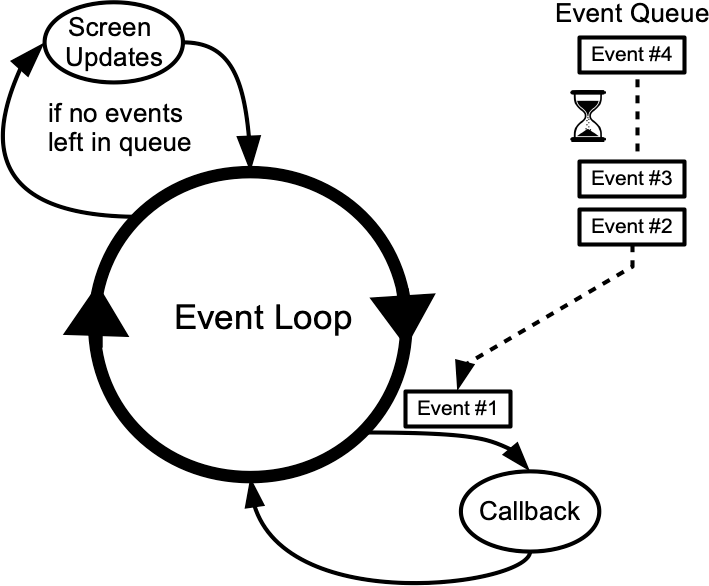
Simply speaking, Tcl's event loop continuously processes events, pulled from the event queue, usually dozens of times a second. It watches for mouse or keyboard events, invoking command callbacks and event bindings as needed. Most importantly, event loop works with queues — either you, or some commands in your code, or the OS itself can queue certain actions as events or callbacks, which the event queue then processes in an orderly manner.
To understand the specifics of Tcl's event loop implementation refer to TkDocs, as they provide a well illustrated explanation.
Event loop is a part of "pure Tcl", it's not something applicable only to Tk, but Tk cannot exist without the event loop. That's why each time you load in the Tk package, the event loop is started in the background for you.
For developers this means that with Tcl/Tk you can both react to system events (key presses, window size changes, mouse clicks and hovers etc.), as well as generate custom "virtual events" with data! Think of it as sending an envelope with a message to subscribers of a certain event. The contents of that envelope? — You get to both define and interpret it however you like.
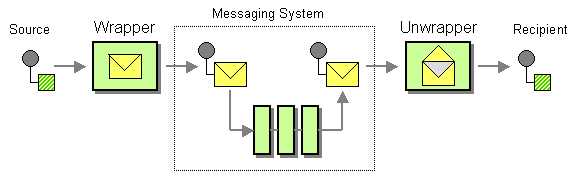
Here we generate an event <<UI:Request:Submit>> straight "into" the .mywidget widget (you may also think of it as a "channel") and pass a dict with data to it:
package require Tk
grid [ttk::label .mywidget -text "My Widget"]
# Define the binding to handle a manually "namespaced" event and the payload
bind .mywidget <<UI:Request:Submit>> { .mywidget configure -text \
    "ID: [dict get %d id], User: [dict get %d user]" }
# Generate an event with a dictionary data payload
event generate .mywidget <<UI:Request:Submit>> -data [dict create id 42 user "Jake"]
Or better yet — build a reusable class with methods to "subscribe" widgets to events, and then iterate over a list of subscribers and emit events with data (or a "payload") if needed:
# Publish a generic event with a payload to all subscribed widgets
# Imagine this as some 'EventManager' class
method publish {eventName {payload ""}} {
    if {![dict exists $subscribers $eventName]} return
    foreach w [dict get $subscribers $eventName] {
        if {[winfo exists $w]} {
            event generate $w $eventName -data $payload
        }
    }
}
# Subscribe a widget to listen for a specific virtual event
method subscribe {w eventName} {
    # Ensure the event entry exists to avoid "key not found" errors
    if {![dict exists $subscribers $eventName]} {
        dict set subscribers $eventName {}
    }
    # 'ni' (not in) check prevents the same widget from being added twice
    # This ensures a single 'publish' doesn't trigger the same widget multiple times
    if {$w ni [dict get $subscribers $eventName]} {
        dict lappend subscribers $eventName $w
    }
}
And on the a subscriber's side, whether it's a TclOO "object" (using Tcl 9 callbacks) or a simple procedure:
# Object-oriented TclOO way
# Imagine this as a method in some class
method onUpdate {data} {
    puts "Method received: [dict get $data user]"
}
# Subscribe: in the constructor, inform event manager 'evt_mgr' that .mywidget wants to subscribe
[my evt_mgr] subscribe .mywidget <<UI:Request:Submit>>
# Bind: Connect the virtual event to the callback
# Pass %d so the event's -data reaches the method's 'data' argument
bind .mywidget <<UI:Request:Submit>> [callback onUpdate %d]
# === OR ===
# Via a standard procedure (with global scope pollution, ew!)
proc myGlobalHandler {data} {
    puts "Proc received: [dict get $data user]"
}
# Subscribe and bind
$evt_mgr subscribe .mywidget <<UI:Request:Submit>>
bind .mywidget <<UI:Request:Submit>> {myGlobalHandler %d}
# Publish the event with a data payload to all subscribers
evt_mgr publish <<UI:Request:Submit>> [dict create id 42 user Jake]"
This way your widget(s) can subscribe to a virtual event <<UI:Request:Submit>>, which your Event Manager would then publish with or without a "payload" attached.
Think of this like C# Events and Delegates, or CustomEvent dispatch in JavaScript, or PyPubSub and blinker signals in Python.
By emitting your own <<Virtual>> events and subscribing (or "binding") UI items and logic to those, you can build very complex GUIs without having to deal with hard coupling, whilst having all view elements independently react to anything happening to data in your program.
In the following demonstration the ValidationResult event's payload is sent to subscribers as a dict. Here it contains just 1 key-value pair {isValid 1}, but as you've seen, it can hold many more types of validation booleans or even free-form text messages depending on your goals. Here virtual events are used to set up communication between different widgets and windows, allowing any number of them to listen to events: popup windows, validators, the inspector window, the "Send" button. Or emit them with key presses and button clicks:
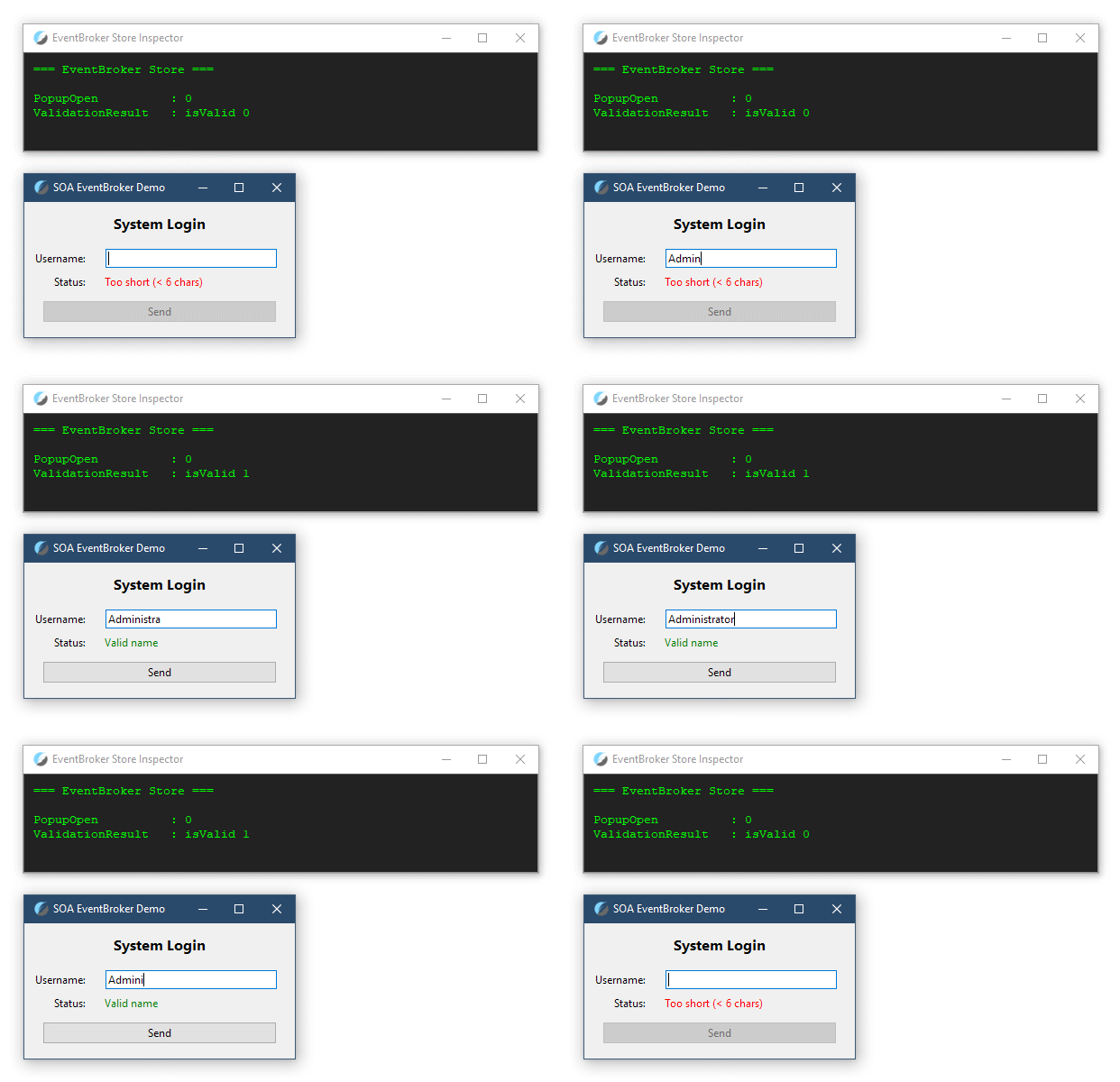
Virtual events are a part of the Tk package and hence unavailable in "pure Tcl", because they need to bind to specific widgets. But this doesn't mean you can't extend your your EventManager class to make it go through a dict of subscribers and call the provided callbacks as commands, and not as Tk's virtual events.
With such an event management class, you can do some cool things. How about a CLI tool with a pseudo-graphical interface driven by a "game loop"? Here a tick event is triggered every 50ms, and the appropriate commands are subscribed to it to draw their animated graphics into the console independently. The tick_count variable acts as a global timebase, allowing subscribers to calculate their animation phase by comparing the current tick to their internal "start" tick. Screen transitions are driven by an event that captures and broadcasts the input string.
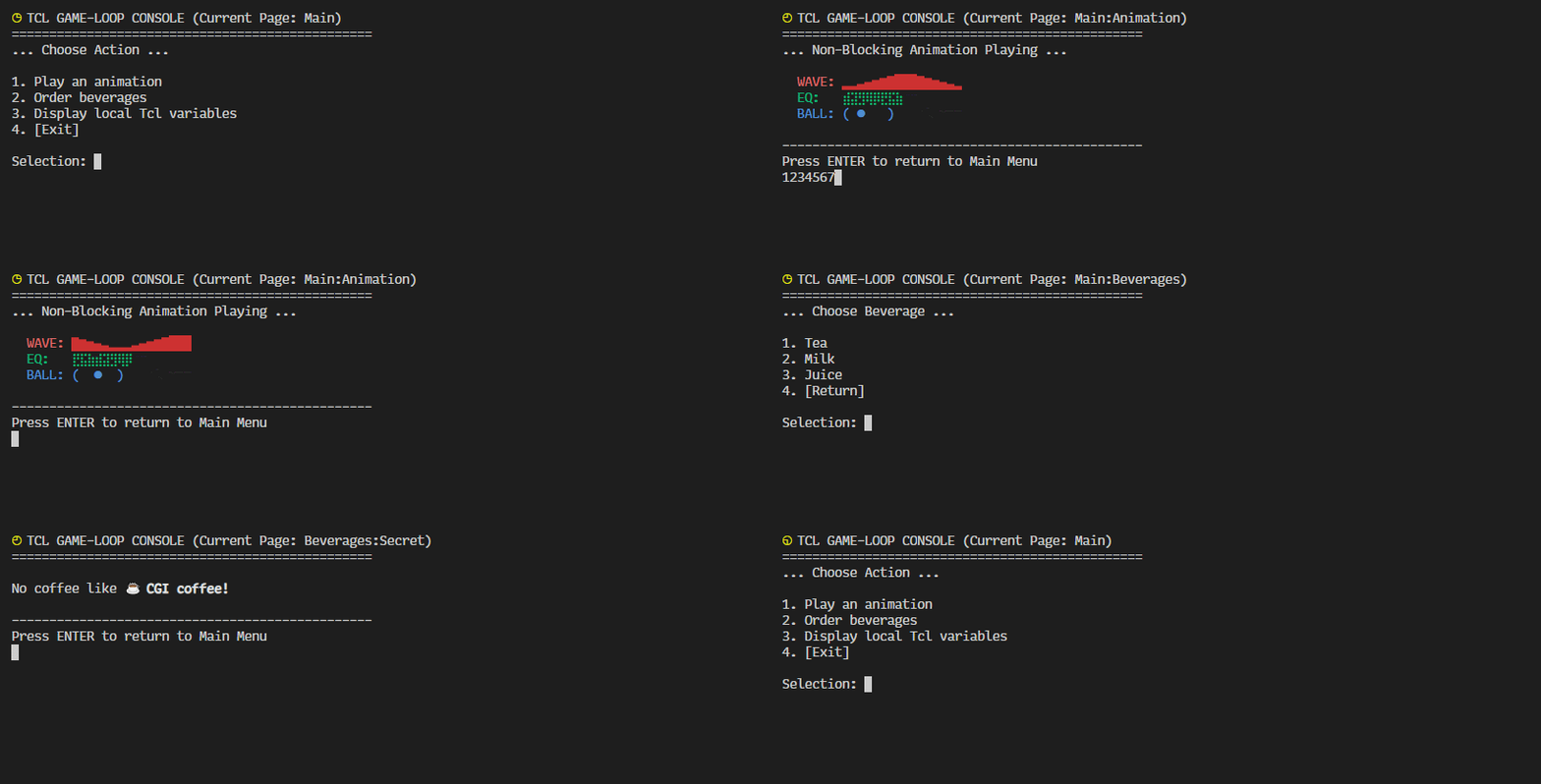
All of this non-blocking goodness is running in a single thread. And we haven't even covered Tcl's threading capabilities yet! How many smoothly animated and responsive console apps have you seen as of late? Tcl excels in this regard due to its "event-first" philosophy.
By making systems communicate via events, you can create types of components, which would be very difficult to do with an imperative, tightly-coupled approach.
In the following example, the scrollbar widget is wired to act as a driver, or a "slider". It doesn't care who listens, and simply broadcasts how far its handle has traveled. Canvases have no clue that the scrollbar exists at all, and are simply listening to a certain event, expecting a data "payload" with a 0-1 fraction multiplier. They take that value and independently calculate how far each one needs to travel. We could create ten windows with ten more canvases of different height, and they would auto-subscribe to a shared event and scroll together, or await some "private" events.
At any point we can destroy any of these UI components, and the program will continue to run without exceptions or "missing references", because there are none. There are only subscribers and events.
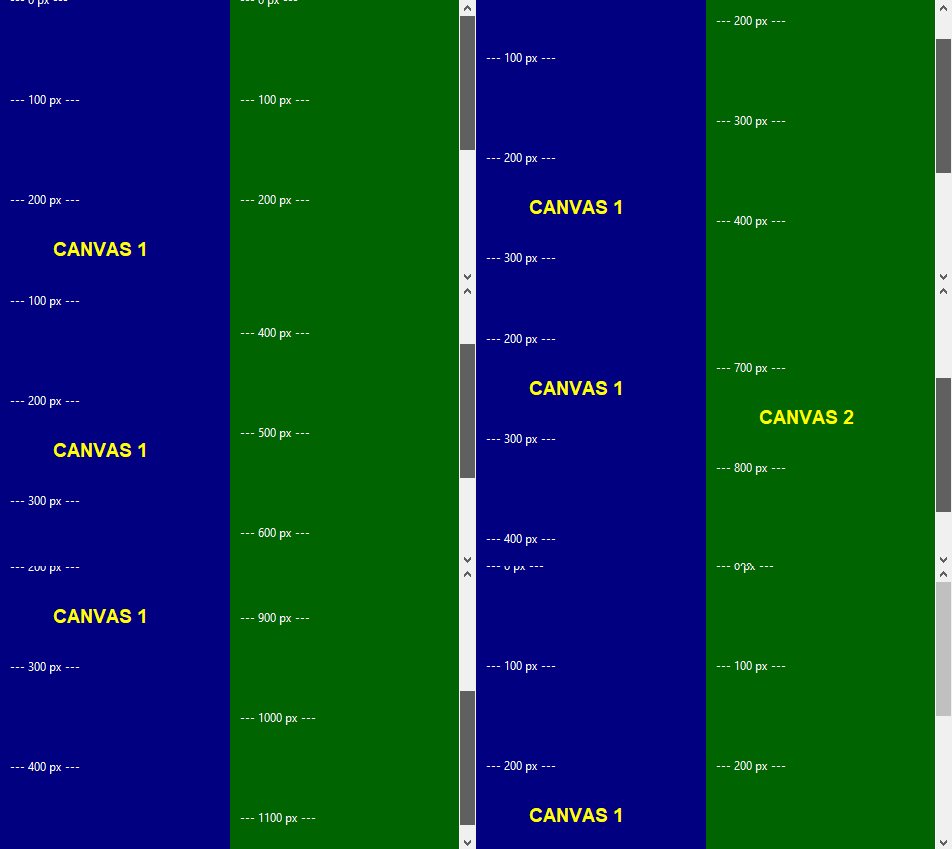
Such data-oriented, event-driven design lands itself perfectly into areas where high-performance, reliable, decoupled, and robust dual-sided synchronization of state is required. Particularly when building systems with clearly defined MVC-like roles. For instance, this is precisely why the Unity game engine team is so hell-bent on promoting their Data-Oriented Technology Stack, for it's the only type of architecture that can realistically be scaled almost infinitely, while allowing developers to transparently manage large systems.
Tcl/Tk is a perfect fit for this since its very first release!
This approach is super effective and intuitive simply because Nature itself has already fundamentally "solved" systems communication, and the event-driven architecture is very close to how the real world "works". Like when humans and animals react to events and create new events, based on the information they receive and the skills, knowledge, resources and goals they have.
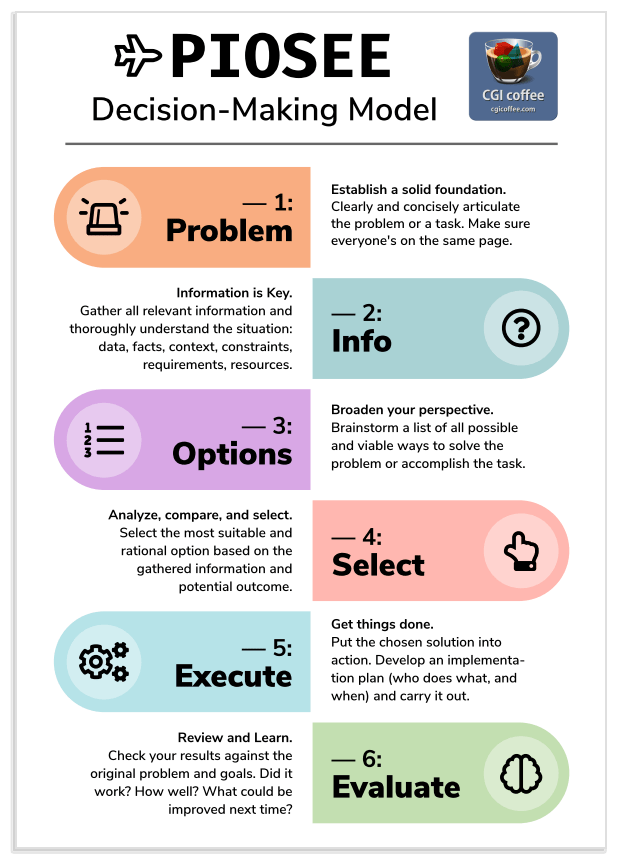
In fact, ✈ PIOSEE, a simple and effective decision-making model I covered on the blog, is fundamentally an "event-driven" decision pattern:
- An event happens which you may choose to react, or "subscribe" to ("bind")
- You gather information related to the event, or that the event carried directly ("data")
- Based on this information you decide on the strategy ("callback")
- The chosen action is performed ("eval")
- The results are evaluated and future strategies adjusted as needed ("try/on error")
Beautiful, is it not?
With such an organic approach and Tcl's stable, reliable, non-API-breaking foundation you can develop "timeless" interfaces for modern, platform-native backends, ensuring that your logic stays fast and your UI stays decoupled, regardless of how the underlying OS evolves (or regresses in case of Windows 11). Tcl/Tk code written 20 years ago still runs today. By building your UI with Tcl, you'd be building a tool that would likely one day run on a server on a Lunar colony, with little to no code changes needed.
Python, Tkinter and Tk
Did you know that Python comes bundled with Tcl/Tk wrapper called "Tkinter"?
Indeed, Python can actually run Tcl code. The problem is — executing Tcl commands inside Python scripts is awkward, but even worse is the fact that for a long time the bundled Tk installation defaulted to the classic, "ugly" widget/font set rather than the Ttk Themed Tk widgets.
Thankfully, Python added Tcl/Tk 8.5 ttk widget support in versions 2.7 and 3.1, but many Python tutorials still use the old label and button instead of ttk.Label and ttk.Button. If you follow those old guides and just do from tkinter import * , any Tk GUIs you create via Python will look like they came straight from the 90s. You need to explicitly request the ttk version with from tkinter import ttk and use ttk widgets in Python scripts to make your apps look "OS-native".
And yet still, even with ttk, Python doesn't automatically pick the best theme for the OS! It often defaults to "clam", "alt", or the dreaded "classic" on Linux, which look dated. The Tk bridge is a mess! To "fix" this, Python developers waste hours trying to get PyQt or PySide to work (and deal with licensing and bloat). They assume Tk is incapable of modern UI, simply because the provided bridge to it is clunky, ultimately giving both languages a bad reputation!
All of this leads to confusion, and an endless wave of complaints on the web, like this one:
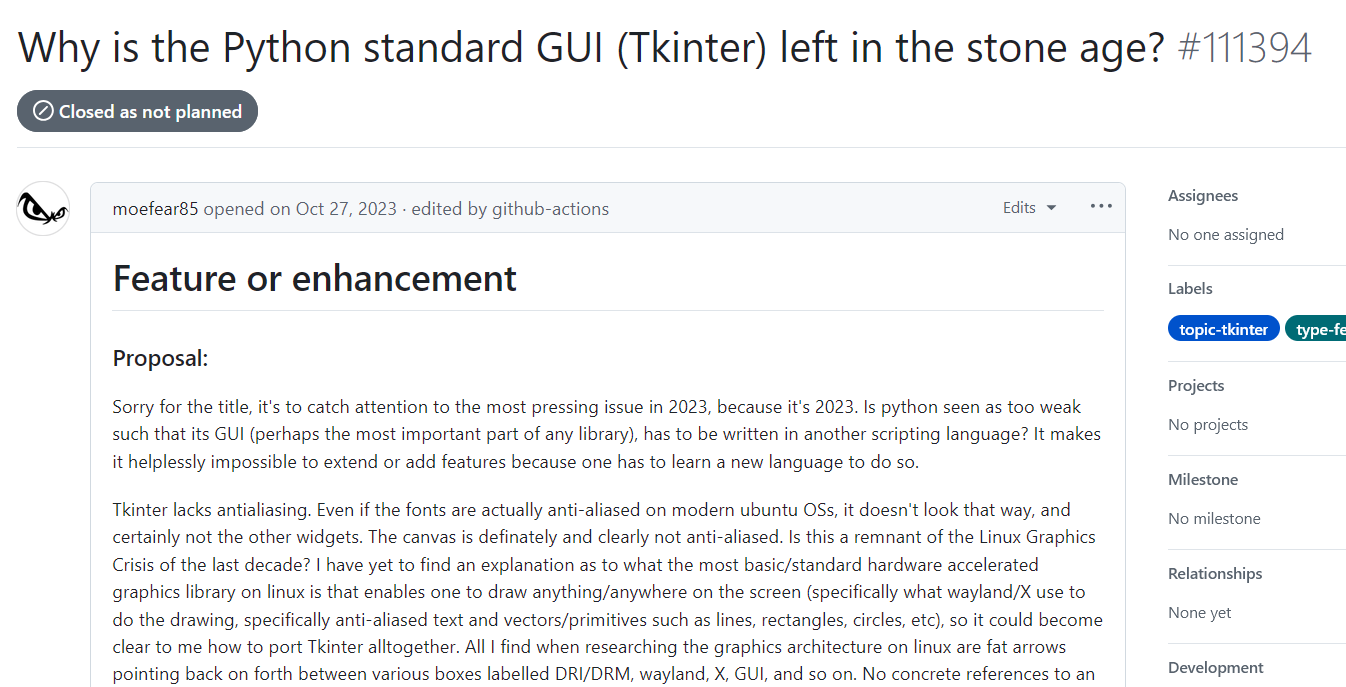
If you want the smoothest, "native" Tk experience, whenever possible, pair Tk with what it was originally designed for — Tcl. In Python, the GUI is still an afterthought, while in Tcl, the GUI is the key feature of the language.
Then, if at any point you need to call Python scripts from your Tcl/Tk tools, trigger those a command-line scripts with exec. Or better yet — write your Python programs to support standard streams — stdin/stdout. By using the open command with a pipe symbol | in Tcl, you can spawn a Python process as a persistent child. This will let you to call Python functions by sending data to it with puts, and receiving processed results via fileevent or gets. Such asynchronous bridge will keep your Tk GUI responsive while utilizing Python’s massive library ecosystem like NumPy or Pandas for heavy math, skipping the headache-inducing tkinter altogether.
Here's an example how this could be achieved.
In your Tcl "host" script:
# Open Python as a *persistent pipe* for bi-directional communication
# The 'r+' mode allows to read and write to the process
set py_bridge [open "|python3 -u your_script.py" r+]
# Ensure the pipe is *non-blocking* so the Tk GUI doesn't freeze forever
fconfigure $py_bridge -blocking 0 -buffering line
# Create a handler to react when Python sends data back
fileevent $py_bridge readable {
    if {[gets $py_bridge data] >= 0} {
        puts "Received from Python: $data"
        # Update your Tk UI widgets here...
    }
}
# Use this to *send* a command to Python
puts $py_bridge "calculate_data_chunk_1"
And in your your_script.py you'd have this:
import sys
# Listen for commands from the Tcl pipe
for line in sys.stdin:
    cmd = line.strip()
    if cmd == "ping":
        # Send data back to Tcl stdout
        print("pong")
    elif cmd == "exit":
        break"
This is similar in essence to the "Thin-Client UI", discussed below. Sure, technically this means that your app would contain 2 codebases, but you'd end up with a professional, structured approach where you'd have a UI Layer and a Logic Layer, and a clear separation of concerns:
- Use Tcl/Tk for what it does best — rapid, stable GUI deployment, which being widely cross-platform perfectly compliments Python's cross-platform capabilities
- Utilize Python for what it does best — data processing and a vast amount of available libraries
And if you don't need to call those Python libraries, you could, you know… write your logic right there, in your Tcl scripts, without any extra dependencies. Tcl is a very capable language, as I demonstrate through numerous examples below. Considering that it's cross-platform, CLI/GUI capable, interpreted, relatively easy to learn and purely BSD-licensed, you may want to choose to learn at least the basics of Tcl/Tk, to complement your software development toolkit, and avoid those wonky Python<>Tcl API bridges for good.
Where to Learn Tk
As you now know, Tk is just a Tcl extension. It's fairly easy to learn, as long as you have a basic understanding of Tcl itself. Tk provides widgets and events, and you can combine them in any way you want to build almost any UI your application needs. For the logic — "pure Tcl" will provide the means to interact with channels, perform calculations, create and manage child processes and threads etc.
As mentioned previously, TkDocs has all the info you'll ever need to build your GUIs, and offers best practices for building Tk interfaces: i.e. using the grid layout manager instead of pack, and addressing important quirks or needing to set a legacy command option add *tearOff 0 to disallow tearing top window menus off — a relic of Motif-style X11 UI that is an alien concept to modern operating systems.
As a bonus — TkDocs provides examples in several languages: Tcl, Ruby, Python and Perl, so you can still try and build your UIs from within Python, if you wish.
Tcl 9.0 UI Widget Demos
As I mentioned above, you don't need to hunt for Tk apps on the web in search for demos to learn from.
Most "batteries included" Tcl/Tk installers come with the standard Tcl and Tk library folders. You can easily check if your Tcl install has those, and where they are located. To do this, run wish and use the following commands:
puts $tk_library
puts $tcl_library
That tk_library directory in most cases contains a folder full of great UI widget demos! Most importantly — you can quickly jump to the source code of each one, to see how it's put together:
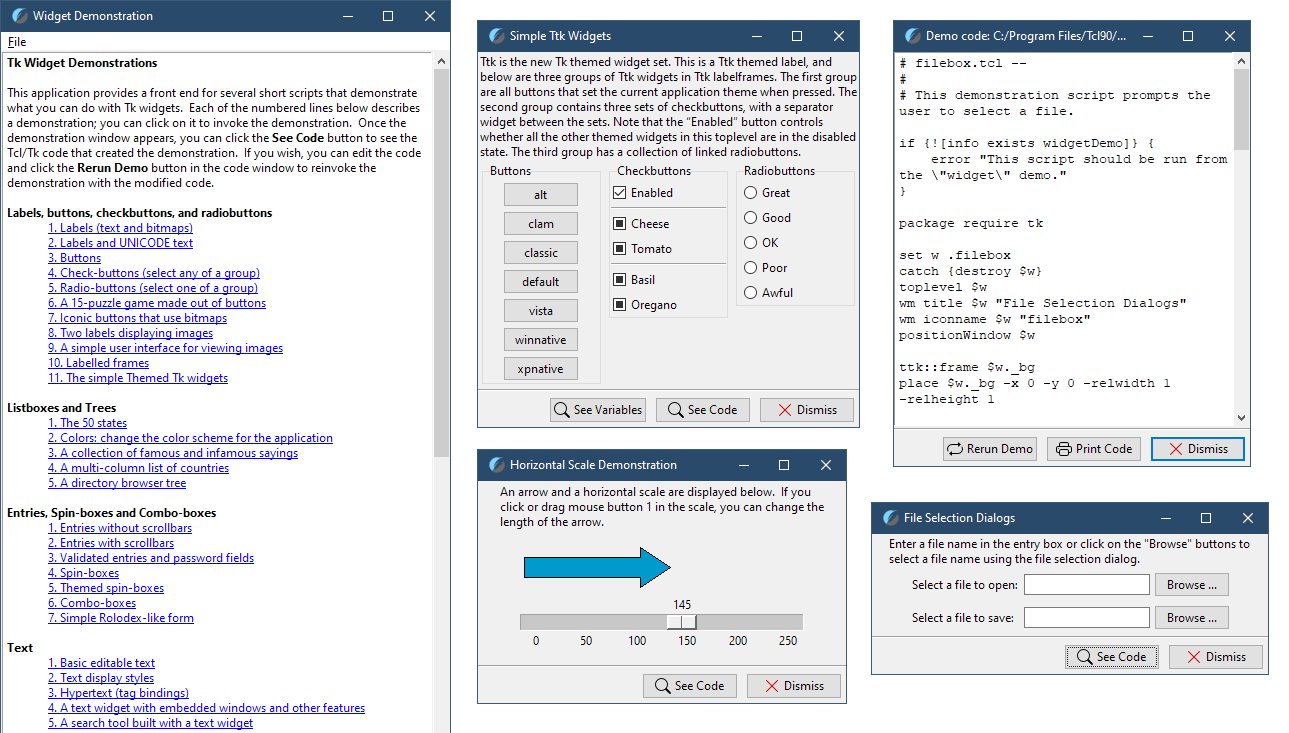
I say "usually", because there can be differences between Tcl/Tk 9.0 installations, as well as standalone Tclkits and Zipkits. Demos are stripped out from Zipkits, but may be found in Tclkits. You could just download a Tk Tclkit, run it and access demos with source [file join $tk_library demos widget], but why settle with half-measures when you can just install Tcl/Tk properly?
You're now probably confused, because we haven't discussed Tclkits and Zipkits yet. No worries.
Just follow my lead: get and deploy a "batteries included" Tcl/Tk 9.0 package. To do this, jump to the "Tcl/Tk for Windows", "Tcl/Tk for Linux" or "Tcl/Tk for macOS" section, and install the appropriate Tcl/Tk package for your OS.
Then, to access the demos, create a platform-agnostic demos_launcher.tcl file with the following contents:
package require Tk; set tkver "tk$tk_version"; # Identify Tcl version
# Try the standard Tk library variable (works for standard installs/Homebrew)
set locations [list [file join $tk_library demos widget]]
# Add the Tcl 9 ZipFS internal path (for bundled Zipkits/Starpacks)
lappend locations "//zipfs:/app/tk_library/demos/widget"
# For "portable" BAWT installs: go up from 'bin' to 'lib'
set base_dir [file dirname [file normalize [info nameofexecutable]]]
lappend locations [file join $base_dir .. lib $tkver demos widget]
# macOS Homebrew specific fallback (sometimes the symlink structure is deep)
lappend locations "/opt/homebrew/opt/tcl-tk/lib/$tkver/demos/widget"
set found_path ""
foreach loc $locations {
    if {[file exists $loc]} { set found_path $loc; break }
}
if {$found_path ne ""} {
    puts "Sourcing demos from: $found_path"; source $found_path
} else {
    puts "Error: 'widget' missing. Checked the following locations:"
    puts " - [join $locations "\n - "]"
}
Finally, run it with wish or tclsh — the demo showcase window should pop right up.
Thanks to these demos, I found out that Tk 9.0 natively supports creating tray icons and menus, without the need to use platform-specific libraries. See the "Common Dialogs" => "5. System tray icon and notification" demo. These demos are very useful, but they utilize only the "standard" Tcl/Tk libraries. So be on a lookout for custom packages like TkDND that you might find on the web, or already have available with your Tcl/Tk installation, to expand your GUIs with even more cool features.
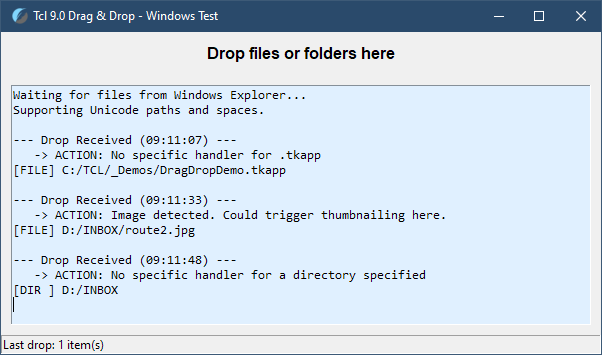
OK, now. Having familiarized ourselves with the GUI toolkit, let's take a look at other notable Tcl features and advanced topics.
Namespaces
As with other programming languages, it's always a good idea to avoid polluting the global program scope with functions and variables.
Tcl was created by John Ousterhout in 1988. For the first nine years of its life (versions 1.0 through 7.6) everything was global: there was exactly one global namespace for procedures, and one global scope for shared variables. Because managing massive codebases with just prefixes was painful, Michael McLennan created a wildly popular object-oriented extension called [incr Tcl] (often stylized as iTcl). It was iTcl that pioneered its own namespace mechanism to isolate classes and methods.
The Tcl core team adapted the concept, and officially rolled native namespaces (the :: syntax we use today) into the core language with the release of Tcl 8.0 in August 1997.
Usually, to achieve isolation in C# or JavaScript, you'd create static classes or namespaces and nest methods and variables inside those. Since Tcl doesn't really support "static classes", the true "Tcl way" to prevent name collisions is through namespaces. However, there is a key distinction between Tcl namespaces and those found in C-style languages:
- In C#, a namespace is a logical grouping for types (classes, interfaces). You don't "run" or "execute a namespace" (since there's nothing to run), and instead instantiate or reference the types within it
- In Tcl, a namespace is a container for commands and variables. It is more akin to a JavaScript object used as a module, rather than a simple "logical path"
Namespaces were available as a way to "nest" data in Tcl, long before object-oriented programming patterns took over the world of programming. And, in contrast to the C-like languages, where static classes or properties are created at the start of the program and exist until application exit, in Tcl namespaces can be created and deleted at any time, furthering their role as the "ancestors" to the OO pattern in Tcl.
Namespaces are created as children of the root namespace, known as :: — and, unlike commands and their arguments which are separated with spaces and tabs, the namespaces and their contents are normally accessed with the same namespace separator, i.e. ::SomeNamespace::somevar. These are known as "fully qualified paths".
Being "containers", namespaces in Tcl are created with the eval prefix in Tcl, while commands and variables are declared inside the scope of a namespace, and the code within the namespace body executes the moment the namespace is defined:
# Tcl Namespace Pattern
namespace eval Logger {
    # 'variable' defines a var scoped to this namespace (like a 'static' field in C-like languages)
    variable count 0
    proc log {msg} {
        variable count
        incr count
        puts "\[$count\] $msg"
    }
    # We can choose what to "export" or expose to the outside scopes
    namespace export Log
}
# Access namespace elements via the fully qualified path
::Logger::log "Hello Tcl"
# Delete the namespace, as if it were a command or an 'object'
namespace delete Logger
You also don't have to declare all elements and procedures when creating a namespace, and can add new items to one just by addressing them via a fully qualified path to the namespace. Doing this may not be the best idea, because you can accidentally create a "spaghetti state" by defining namespace variables and procedures in 15 different files, but it's technically possible:
# Add a variable to a namespace from any place in the script
set ::Logger::timestamp [clock seconds]
# Access the new variable via a fully qualified path
puts $::Logger::timestamp
Namespace Ensembles
Now, wouldn't it be cool to not have to type the ::fully::qualified::path to access the procs and variables inside the namespace all the time?
It totally would, and it's perfectly possible. You can create a "Namespace Ensemble" command with the same name as the namespace, which would act as a "command dispatcher" to help group some functionality under a shared name. Sort of like string! Indeed, this is what all of those "default" Tcl command groups are — list, dict, file and others, provided by various packages — these are namespace ensembles where commands with similar purposes are grouped together for clarity and to avoid name clashes.
The key distinction is that a namespace ensemble is registered as an actual command, transforming a static container into a dynamic, modern "interface".
So to avoid having to type the ::fully::qualified::path use namespace ensemble create:
# Tcl Namespace As Ensemble Pattern
namespace eval Logger {
    variable count 0
    proc log {msg} {
        variable count
        incr count
        puts "\[$count\] $msg"
    }
    namespace export log
    namespace ensemble create
}
# Access namespace elements like you would with any standard ensemble
Logger log "Hello Tcl"
This is starting to look more and more like a "method" call on an "object", doesn't it?..
Well, that's no accident. That's why unless you are simply grouping a few commands into an ensemble or building a very basic utility, you are better off using a much more modern addition to the language: the object-oriented TclOO extension. This extension became an integral part of the Tcl core starting with version 8.6 and provides a native, high-performance object-oriented framework that brings Tcl's flexibility into the modern era.
But before we dive into TclOO, there is one foundational concept we must clarify.
The "Everything Is a String" Conundrum
One of the most misunderstood aspects about Tcl is the "Everything is a String" (often abbreviated as "EiaS") expression casually thrown around, which causes unnecessary confusion. This is a more technical topic, but trust me: you simply must have this knowledge. Overlooking it would inevitably stifle your growth as a Tcl programmer.
Technically, this expression could be:
In Tcl, the Canonical Form of Every Value is a String*
*The asterisk here means: while every value can be represented as a string, it isn't always stored as one. Tcl is smart enough to store data in pure binary, integer, or list formats internally, only generating a string representation when absolutely necessary. So there's really no good way to phrase this concept in a "one-liner", so instead one must understand the underlying mechanics of Tcl to see where the confusion comes from.
You access everything with strings, and get/set values. However, under the hood it's more involved:
- Tcl uses a hierarchical namespace system
- Each namespace is a distinct object structure that consists of its own lookup hashtables
- Strings effectively act as keys in key-value pair hashtables that store pointers to
Tcl_*C-structs created for each of the available Namespaces
And here are the hashtables in question:
varTable | <String, Tcl_Var*>— Hash table for Variable EntitiescmdTable | <String, Tcl_Cmd*>— Hash table for Command/Proc logicchildTable | <String, Tcl_Namespace*>— Hash table for nested child Namespaces
Each Tcl_Var acts as a manager that points to a Tcl_Obj.
So get this: Tcl_Obj object is "dual-ported"! It holds a string representation and an internal representation:
- The String Representation: a UTF-8 version of the data, the "what it looks like" for the interpreter
- The Internal Representation: where the "Binary Byte Array/List/Integer" lives, the actual type and contents for generating and executing fast C-code. It can only hold one internal type at a time, and contains a union of pointers to efficient structures (like a C-array for lists, or an integer/double for math)
Here's the Tcl_Obj struct definition taken directly from the Tcl's source code (tcl.h file):
typedef struct Tcl_Obj {
    Tcl_Size refCount;      /* When 0 the object will be freed. */
    char *bytes;        /* This points to the first byte of the
                 * object's string representation. The array
                 * must be followed by a null byte (i.e., at
                 * offset length) but may also contain
                 * embedded null characters. The array's
                 * storage is allocated by Tcl_Alloc. NULL means
                 * the string rep is invalid and must be
                 * regenerated from the internal rep.  Clients
                 * should use Tcl_GetStringFromObj or
                 * Tcl_GetString to get a pointer to the byte
                 * array as a readonly value. */
    Tcl_Size length;        /* The number of bytes at *bytes, not
                 * including the terminating null. */
    const Tcl_ObjType *typePtr; /* Denotes the object's type. Always
                 * corresponds to the type of the object's
                 * internal rep. NULL indicates the object has
                 * no internal rep (has no type). */
    Tcl_ObjInternalRep internalRep;
                /* The internal representation: */
} Tcl_Obj;
This indirection is what allows the variable's name and its traces in Tcl to remain constant even when the underlying internal data type is swapped or updated based on the type of the operation: when the data is treated as a string, or a list, or a dictionary or as a byte array — whenever needed, the internal representation of the data changed (or "shimmered") into a new type that the C-engine can work with.
Ergo, the fact that values are canonically strings, doesn't mean that Tcl can't deal with numerals, structured data or custom data types. It also doesn't mean that all data is stored as strings internally.
What also fuels the confusion around the "everything" in the "Everything is a String" principle is that it only applies to values. Whereas Tcl supports a special variable type that contains pointers to other variables with values stored in memory — Arrays.
Let's see what happens if we apply the same "Everything is a String" philosophy to an Array:
# Create a "standard" variable and read it
set var_a "String inside"
puts $var_a; # SUCESS => "String inside"
# Create an array
array set var_b {fruit apple price 100}
# Let's print it!
puts $var_b; # ERROR! => "can't read "var_b": variable is array"
What?! That's not a string at all! Have we been lied to?
Not really. An Array is not a value, you cannot pass it as an argument to a command (you can only pass its name). So the EiaS principle doesn't even need to apply to it. The variables that the Array points to are value-type, and are accessed with strings, so the EiaS principle applies to them as expected:
# Create an array
array set var_b {fruit apple price 100}
# Access a string value using a string name (or "key")
puts $var_b("fruit"); # SUCCESS => "apple"
Now here's something about Tcl that blew my mind:
The Same String Can Represent Both Data and a Command
Remember how each Tcl namespace contains hashtables for commands and variables? Well, since these Tcl_Obj and Tcl_Cmd* hashtables are separate, they can independently contain identical keys!
Nothing's stopping you from having a string "myStr" to be present in both the Variable hashtable AND the Command hashtable!
Check this out:
# Create a VARIABLE 'foo' with some value
set foo "some value"
puts "'foo' initial value is '$foo'"
# Create a PROCEDURE 'foo'
# Give 'arg' a default value so the call doesn't fail without any args
proc foo {{arg "~nothing~"}} {
    puts "Received '$arg' with the command call"
}
# Call 'foo' as a *command* without arguments
foo
# Call 'foo' as a *command* with arguments
foo hello
# Use 'foo' as a *variable*, as DATA is unchanged
puts "'foo' value is still '$foo'!"
And here's the output:
'foo' initial value is 'some value'
Received '~nothing~' with the command call
Received 'hello' with the command call
'foo' value is still 'some value'!
The difference is where Tcl looks for the provided "string key":
foo— the string becomes the key for the Command lookup, because it's placed first in the command stringputs $foo— the string becomes the key for the Variable lookup, as it sits after the command that expects an argument
You could never do this with JavaScript, Python, C#, or C++ and the like due to their unified namespaces. If you define let foo = 5, you can't then follow it up with function foo() {} in the same scope without overwriting the first declaration or triggering an error. I'm not saying this makes Tcl somehow "better". If anything, Tcl needs to be structured this way due to its homoiconic nature, stemming from its spartan set of syntax rules.
Native Introspection
At any moment you can inspect the contents of the aforementioned hashtables:
info vars— looks up all variables in the current namespaceinfo commands— returns all commands, in the current namespaceinfo procs— a subset of the above which only returns commands created with theproccommand in scripts, excluding C-implemented built-ins likesetorputs
puts [namespace children ::]— will output all child namespaces of a specified namespace. In this example — all namespaces existing under the root::namespace
Pure Binary Data? Not a Problem With Tcl!
Here's definitive proof that Tcl is not limited to only ASCII strings, and you can manipulate the internal representation of the Tcl_Obj directly. You now know that Tcl stores data in Tcl_Obj structures. This in fact allows it to hold a raw byte array without corrupting or losing data, even if those bytes would be "illegal" characters in a standard string (like a null terminator \0).
In this example Tcl reads a binary file, transforms it to hexadecimal and back, and writes it into a new file:
# Do this in a NON-interactive session (as a "one-shot script")!
# Open a file for binary data
set fh [open "image.png" r]
# CRUCIAL: Need to prevent Tcl from messing with the line endings
# Explicitly set both translation AND encoding to binary
# -translation binary: Prevents CR/LF (\r\n) translation
# This ensures the Tcl_Obj created by [read] is a pure ByteArray
fconfigure $fh -translation binary
set rawData [read $fh]
close $fh
# Binary Manipulation via the 'binary' ensemble
# Use 'binary encode hex' to transform the data to a hex string
set hexData [binary encode hex $rawData]
# Then decode it back into binary
set restoredData [binary decode hex $hexData]
# Verification of the first 8 bytes (PNG Signature) from the hex string
puts "PNG Hex Signature (Transformed): [string range $hexData 0 15]"
# => RESULT: 'PNG Hex Signature: 89504e470d0a1a0a' (which is valid for PNGs)
# Open the new file and write the resulting byte array data into it
set out [open "same_image.png" w]
fconfigure $out -translation binary
puts -nonewline $out $restoredData
close $out
# => RESULT: the same PNG image, without a single byte changed!
There's a whole binary ensemble, full of commands for efficient binary data manipulation, so you aren't forced to use Base64 encode/decode to move your bytes around as UTF Strings.
Avoid commands like subst or regexp to operate on binary data, for they force string interpretation. If you call these on a binary Byte Array, Tcl might have to generate a String Rep to perform the task (depending on Tcl version and encoding) and convert the internal binary data into a UTF-8 string rep, discarding the binary representation.
As long as you never treat binary data like a standard string, you will not corrupt it. To handle binary data, Tcl must keep the Internal Rep as a bytearray and the String Rep uninitialized and untouched to avoid memory bloat. So just do fconfigure $channel -translation binary when dealing with anything that's not a text.
Can you feel the power? Are you now seeing how Tcl is way more than just a "string processor"?

As for performance considerations, although Tcl is a command language, it doesn't just re-parse strings every time. Once a variable is used as a statement, Tcl's engine caches the compiled bytecode within the data object itself, so it doesn't have to re-parse the characters every time it hits that loop.
But when it does need to re-parse the data — it's called…
Shimmering
As a result of Tcl being a dual-ported language, and the fact that the underlying C-engine of the interpreter still needs to know the type of data it's dealing with, as a high-level interpreted language Tcl supports type conversion. In Tcl world this is called "shimmering". The funny name is due to the fact that depending on the type of the operation being performed, say — string trim or lreverse — the interpreter has to completely re-generate the internal representation of data, as the former operation happens on data as a string, and the latter must see it as a list. So the underlying data type is constantly flickering or "vibrating" between different states to satisfy the commands you are running.
Thankfully, shimmering only occurs when the expected data type doesn't match what's already stored in the internal representation of the Tcl_Obj. To keep your code fast and data safe, treat data like a specialized object of the expected type. If it starts as a dict, keep using dict commands. If it’s binary, stick to the binary ensemble. The moment you use a "generic" string command on any non-string data type, you’ve initiated a shimmer, slowing down the program and potentially changing the data.
You can observe shimmering in action by monitoring the internal representation pointers. This allows you to diagnose whether unnecessary data transformations are occurring in "hot paths" or compute-heavy sections of your code. To peek under the hood, Tcl provides a "hidden" diagnostic command: tcl::unsupported::representation. Here is how you use it:
puts "=== Create a list and append to it. Fast and no shimmering"
set listA [list a b c]
puts [tcl::unsupported::representation $listA]; puts "DATA: $listA"
set listA [lappend listA "d" "e"]
puts [tcl::unsupported::representation $listA]; puts "DATA: $listA"
puts "=== Sorting a list recreates it, causing internal rep to update entirely ==="
set listA [lsort $listA]
puts [tcl::unsupported::representation $listA]; puts "DATA: $listA"
puts "=== Calling 'string' causes shimmering AND generates a string rep! ==="
set listA [string trim $listA]
puts [tcl::unsupported::representation $listA]; puts "DATA: $listA"
Output:
=== Create a list and append to it. Fast and no shimmering
value is a list with a refcount of 2, object pointer at 0x16ecf4a77f0, internal representation 0x16ecf47a7f0:0x0, no string representation
DATA: a b c
value is a list with a refcount of 2, object pointer at 0x16ecf4a77f0, internal representation 0x16ecf47a7f0:0x0, no string representation
DATA: a b c d e
=== Sorting a list recreates it, causing the internal rep to update entirely ===
value is a list with a refcount of 2, object pointer at 0x16ecf4a7a30, internal representation 0x16ecf47a470:0x0, no string representation
DATA: a b c d e
=== Calling 'string' causes shimmering AND generates a string rep! ===
value is a pure string with a refcount of 2, object pointer at 0x16ecf4a70d0, string representation "a b c d e"
DATA: a b c d e
Hence the Golden Rule of Tcl Performance: an object is at its fastest when it has a valid Internal Representation and No String Representation. Ideally, only strings should have a string representation. Data that's not strings should not be operated with any string commands, including being interpreted as a string simply by reading it as one, with puts for instance:
puts "=== Create a list. No string rep"
set listA [list a b c]
puts [tcl::unsupported::representation $listA]; puts "DATA: $listA"
puts "=== 'Peeking' at data using 'puts' generates and stores a useless string rep! ==="
puts "Just logging the contents of $listA..."
puts [tcl::unsupported::representation $listA]; puts "DATA: $listA"
Here's the result: Passing any variable to a command that expects a string forces Tcl to generate a string representation. leading to memory bloat, unless it's already a string — notice below how no string representation turns into string representation "a b c":
=== Create a list. No string rep
value is a list with a refcount of 3, object pointer at 0x1fabd84c8a0, internal representation 0x1fabf385700:0x0, no string representation
DATA: a b c
=== 'Peeking' at data using 'puts' generates and stores a useless string rep! ===
Just logging the contents of a b c...
value is a list with a refcount of 3, object pointer at 0x1fabd84c8a0, internal representation 0x1fabf385700:0x0, string representation "a b c"
DATA: a b c
Such "Lazy String Generation" perfectly illustrates the "EiaS" principle, as the canonical form of every value is indeed a string, and if one is requested, it will be generated on the fly. So this is not a bug, this really is an architectural decision, aimed at performance. By caching the string once it is generated, Tcl avoids the overhead of re-calculating that representation on every subsequent call.
Developers with extensive experience with C-like languages are probably worried after reading this. But fear not, this short summary should set things straight:
- As long as you treat your variable as having a "static" type, Tcl is as fast as any other purely interpreted language. If a variable is a list, use
lappend,lindex,lrangeetc., and avoid usingstringorregexpon it. This prevents the overhead of reallocating memory and ensures Tcl operates on the existing internal representation of the data directly - For large datasets that require modification — pass the name of the variable to procedures using
upvarrather than passing the value itself. This creates a local alias pointing to the variable in the caller's scope. Much like therefkeyword in C# this allows the procedure to operate directly on the original storage. This avoids the massive overhead of copying the entire data structure into the procedure’s local scope — something that JavaScript handles automatically for objects, but fails to do for primitive values, for instance - Finally, similarly to JavaScript, Python and the like, Tcl gives you the freedom to… not care what the variable is, and instead just focus on what you do to it. It will shimmer it into a new data type for you under the hood. Tcl is a "glue" language after all, its goal is to be as hassle-free as possible to let you get things done
BTW, Tcl provides plenty of hidden optimizations. For example, if you declare one variable and set the value of another other one to it:
set listA [list a b c] ;# Refcount 1
set listB $listA ;# Refcount 2 (Both variables point to the same Tcl_Obj!)…Tcl also doesn't create a copy right away. It points listB to the same Tcl_Obj as listA. And since Tcl has its own reference counting system in place, if you later try to change variable listA, Tcl will realize that there are 2 variables pointing to the same address space. And if you were to modify the memory in place, listB would also change, which would break Tcl's value-semantics. So only in this case does it clone the data object, modifies the clone, and points listA to the new one. Yep, it's the good old Copy-on-Write (CoW) pattern.
Tracing Shimmering With the "Trace" Command
One of the signature features of Tcl is its ability to trace things. You can, for instance, place a trace on a variable or a command, to trigger a script when a certain event occurs with/to it: writing, reading, execution etc. It's commonly used to perform clean-up when a certain variable goes out of scope (like a file reading procedure reaching its end). Or when you want a certain block of code to run each time text changes inside an entry field. Or some UI state variable changes, which might call a series of commands in return etc.
# The callback procedure
# 'name1' is the variable name, 'name2' is the index (if it's an array), 'op' is the operation
proc logChange {name1 name2 op} {
    # upvar lets us look at the variable in the caller's scope
    upvar 1 $name1 var
    puts "TRACED: Variable '$name1' modified with operation '$op'. New value length: [string length $var]"
}
# Define a variable and set up the trace for 'w' (write) operations
set myData "Initial binary-like data"
trace add variable myData write logChange
# Now, any modification triggers the proc
set myData "Updated data"
# => RESULT: TRACED: Variable 'myData' modified with operation 'write'. New value length: 12
# To stop tracing:
trace remove variable myData write logChange
By wrapping this command into a one-file shimmer module, we can create a custom diagnostic tool to hunt down shimmering in real-time. It would essentially act as a runtime type-checker for your data-critical paths, ensuring your variables stay in their optimized internal representations during development.
💾 Download the module here. It's documented in-code and contains usage examples.
How to use "Tcl modules": if you don't yet have a dedicated directory for all of your Tcl modules — make one. Or just test by creating a sub-directory next to your script and placing this .tm file into it. Source it like so:
# Generate the path to the 'modules' subdir
set baseDir [file dirname [file normalize [info script]]]
set devLib [file normalize [file join $baseDir "modules"]]
if {[file isdirectory $devLib]} { tcl::tm::path add $devLib }
# Source in the custom module
package require shimmer
Then use the package to instrument your variables.
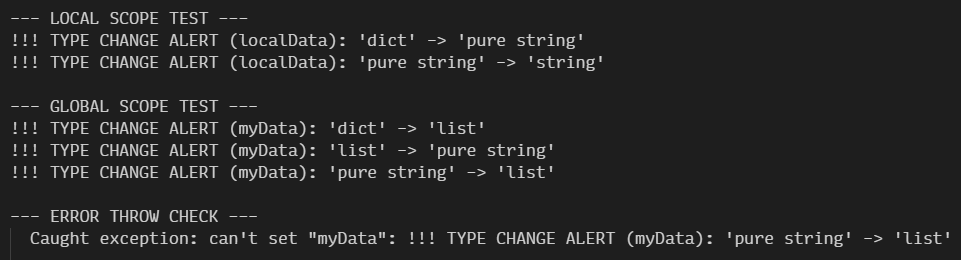
Consider this an elaborate demonstration on how the trace command could be used to extend Tcl's "self-diagnostic" abilities, and as an aid to use during development of large tools where data integrity is paramount. Otherwise, just embrace the flexibility of "EiaS". Tcl is a dynamically-typed language after all.
The Power of Tcl Dictionaries
You might assume that because Tcl uses strings for its interface, it lacks JavaScript’s ease of use when working with nested data. To see the challenge, look at how nesting is handled in JavaScript:
conf.ui = {}; conf.ui.themes = {};
conf["ui"]["framework"] = "JQuery 3.7.1";
conf["ui"]["themes"]["selected"] = "System";
console.log(conf["ui"]["themes"]["selected"]);

Except… In JS everything is an object, and each level of a multi-level key-value hashtable links to another object. This means you need to explicitly initialize each level of your nested hashtable. So if conf["ui"] or conf["ui"]["themes"] don't exist by the time you try to set a value for conf["ui"]["themes"]["selected"], JS will throw a TypeError.

Here's the same, done in Tcl:
dict set conf ui framework "JQuery 3.7.1"
dict set conf ui themes selected "System"
puts [dict get $conf ui themes selected]
Oh. So it can do this. And you can even omit quotes for single-word arguments.
Also note how we skipped all that object initialization boilerplate. That's because Tcl's hashtable, or dict performs auto-vivification with the dict set command. If conf is empty, Tcl creates all of the nested "levels" for you instantly.
"But," you might ask, "how is this possible in a string-based language?"
The cool thing is that unlike JavaScript, Tcl doesn't hide anything from you. You could peep into the string representation of any variable to see how something like a multi-level dictionary can be expressed as text, by simply calling puts $conf.
You'll see this:
ui {framework {JQuery 3.7.1} themes {selected System}}Nested braces!
- If your key or value has a space, Tcl wraps it in curly braces
{} - If your value is a nested dictionary, it's wrapped in braces as well
Tcl considers any string with an even number of elements a valid dictionary, so it doesn't matter how deep the nesting goes. Each "value" in a pair is simply another string that can be interpreted as a dict by the next dict command.
Thankfully, Tcl doesn't force you to manually sift through this nested data. There's a whole dict ensemble of commands for you to play with:
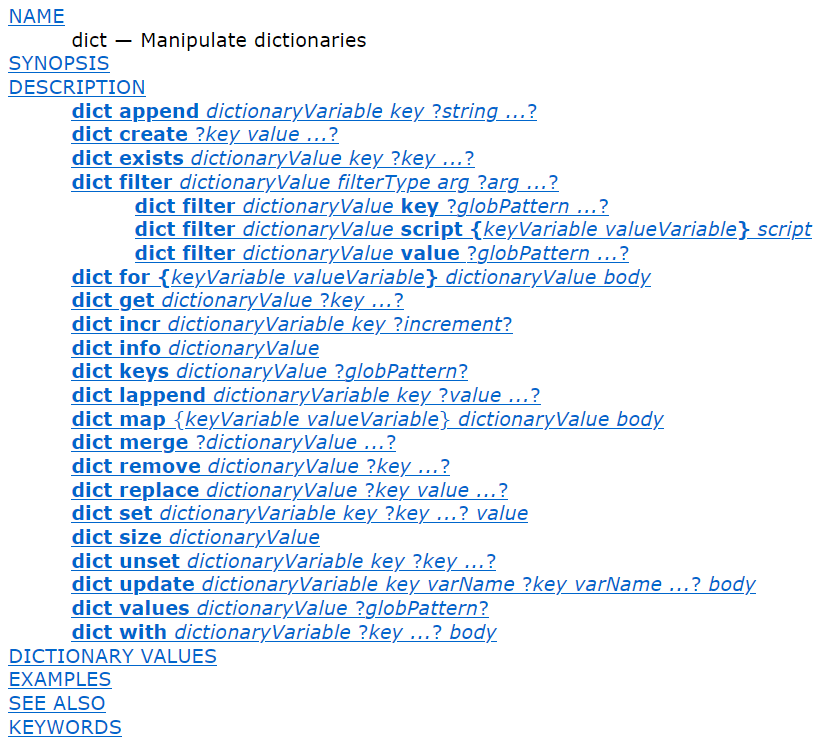
As for lists, several commands starting with "l" like lindex, lset, lassign provide support for accessing nested elements within lists. Lists are mostly good for matrices/grids, ordered collections or bulk processing of data. However, as you can imagine, working with them can get quite complicated as soon as you introduce nested data, regardless of the language used. So in many cases you're better off with a dictionary, where an element can contain a list that you can access using a dict get command, and then interpret the value of that dictionary element as a list.
You can perform complex operations by having Tcl treat your data as a nested key-value dictionary. And it’s fast! As long as you stick to only dict commands and avoid generating a string representation, Tcl operates directly on the internal dictionary representation within the Tcl_Obj struct, avoiding the double overhead of re-parsing and storing (!) the string rep.
Tcl also offers high-level commands that let you modify nested values without performing a tedious, C-style manual hierarchy walk, i.e. dict with:
dict with conf ui themes {
    # Inside these braces, 'selected' is now a *local* variable
    set selected "Dark"
    set last_changed [clock seconds]
}
# As the block ends, the 'conf' dict is now automatically updated!
Since dict with unpacks all keys straight into the scope where it's called, you may opt for more "precise" dict update command, which maps certain dictionary keys to local variables:
# Only map 'selected' to a local variable named 'current_theme'
dict update conf ui themes selected current_theme {
    puts "Changing from $current_theme to Light..."
    set current_theme "Light"
}
# Only 'selected' was updated back into 'conf'. Fast, safe and explicit.
Ideally you'd want to do this inside an isolated scope — like a procedure — to completely avoid variable name conflicts.
And, if you ever find yourself struggling with a list full of duplicate key-value pairs — simply shimmer it into a dict! This will automatically filter out all duplicate keys, following the "Last Writer Wins" rule:
set duped [list fruit apple fruit cherry color yellow fruit banana brand "Momo Banano"]
# Use the expansion operator to process the value as a list
set deduped [dict create {*}$duped]
puts $deduped
# RETURNS => fruit banana color yellow brand {Momo Banano}
As mentioned before, Tcl implements a Copy On Write (CoW) mechanism, so you can pass a dictionary to a command without the program requiring to make a duplicate copy of the data, until it's actually changed. This is a key fact to learn by heart: unlike JS or Python, where you pass references to variables, in Tcl you pass values. Therefore if you change some incoming data inside a Tcl procedure, it will die with that procedure, unless you deliberately export it to the outside scope. This puts another nickel into the "honesty jar" of Tcl — it will only work with the data you gave it, but does support reference counting and provides optimizations to avoid unnecessary memory bloat.
Of course, if you need to work with data from outer scopes directly — Tcl has you covered. By using upvar as a ref or a "pointer", you can map an external variable to a local alias. This allows you to mutate the original value directly while ensuring that commands still receive exactly what they expect: a value. Always a value.
Tcl dictionaries are very useful! I could go on and on, but you get the idea. Tcl is perfectly capable of dealing with nested dictionaries (and lists), so you can cleanly organize data in your tools without having to resort to specialized storage engines like SQLite.
Tcl Arrays
When you work with strings, you're free to interpret them however you like. Hence the shimmering, and its outcomes:
- Want to operate on data as if it were a list — use the
listensemble of commands on it - Does this data contain an even number of space-delimited strings? — use
dictcommands on it. Except keep in mind, that as soon as you tell Tcl to treat a string as a dictionary, it will automatically remove duplicate "keys" upon shimmering the internal data representation into thedicttype. Is this something you wanted? Well, it's what you get, because dictionaries, by definition, can't have duplicate keys - Then, should you interpret this data as a simple
listof items again, and remove one of the items, you'll turn it into a list of an odd number of items. It's no longer a valid dictionary
This hypothetical scenario shows just how malleable Tcl is when it comes to data processing. But with great power comes great responsibility:
- If you needed to have a set of key-value pairs that is always valid, you'd have to remember to never shimmer it into any other type, to avoid unexpected data loss
- If you ever wanted to bind a certain "dictionary key" to a UI widget as a "variable" — you can't do that, because the "key" might exist only at the moment of interpreting a random string as a dictionary. It might also… not exist. Hence the inability to bind anything to such "virtual"
dictkeys - And, if you ever needed to utilize Tcl's powerful
traceon a particular key of a collection, you'd need to guarantee that such a key exists as an actual pointer in memory, and not an ephemeral "maybe there's a key X in this dictionary" joke
To solve this conundrum and get a certain "type-safety" in a non-strictly typed Tcl, you can utilize an Array, which has special behaviors, because:
Tcl Array is a flat hashtable of references to variables.
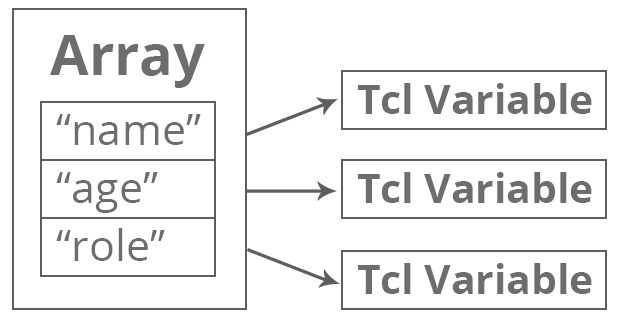
This means that its keys are unique strings, just like in a dict, but they point to separate variables in memory, instead of interpreting one long string like a dict would.
Such a variable type can be created and used like this:
# Setting individual elements
array set user {}; # Optional, but instantly 'locks' the type
set user(name) "Jason Bourne"
set user(age)  31
# Accessing an element
puts $user(name); # Outputs: Jason Bourne
# Initialize multiple elements at once
array set colors {
    red   #FF0000
    green #00FF00
    blue  #0000FF
}
# Accessing an element
puts "The hex for red is $colors(red)"
Surprisingly, this is one of the few places where Tcl is actually as strict as pure C, and even stricter than C#, JavaScript or Python, where you can overwrite an array variable with a new object at will.
Let's see what happens if we try to shimmer a Tcl array into a dict:
set user(name) "Jason Bourne"
set user(age) 31
set user [dict create name "David Webb" age 31]
# ERROR: can't set "user": variable is array
The error "can't set "user": variable is array" effectively means: "You have a hashtable key, linked to an array structure here. Tcl won't let you overwrite it with a simple string, because it would lead to a memory leak." So the variable cannot be overwritten by a scalar like set myArray "foo", you need to explicitly unset it first.
set user(name) "Jason Bourne"
set user(age) 31
# Unset the array variable first
unset user
set user [dict create name "David Webb" age 31]
# SUCCESS: 'name {David Webb} age 31'
This is why you can't "pass" an array to a procedure in Tcl. In C#, when you pass an array, you are copying the pointer (the "reference variable"). In Tcl, there is no pointer to copy. There is only the string name, while every command expects a value.
Therefore, to access an array in a procedure you need to use the upvar command:
# This procedure doesn't 'take an array', it takes a *string name* of an array
proc update_session {session_array_name status_code} {
    # 'upvar' links the name in the caller's scope (1 level up)
    # to a local variable name 'local_session'
    upvar 1 $session_array_name local_session
    # Now, any change to 'local_session' happens to the original array
    set local_session(last_seen) [clock seconds]
    set local_session(status)    $status_code
}
# Global Scope
# Initialize the array
set my_session(id) "USR_99"
set my_session(status) "idle"
# Pass the NAME of the array (as a string)
update_session "my_session" "active"
# Proof of mutation:
puts "New status: $my_session(status)" ;# Outputs: active
Once a variable name is "linked" to an array (via upvar or array set), it becomes locked to the Array type for the life of that variable, or until it's unset. If you go with an array, the Tcl interpreter itself will prevent you from accidentally shimmering an array into a string.
Because of this, with arrays you get a free "type lock" and a convenient way to set and get values of a collection with $myArray(element) instead of [dict get $myDict element].
Still, both an array and a dict have their appropriate use cases:
- Use Dictionaries for data. Use these to store key-value pairs of customer data, or any organized data structure, including nested dictionaries
- Use Arrays as a "mini-namespace" for states. For example, you can have a
ui_variables()array, and bind its keys to several widgets, without having to deliberately create a separate namespace with flat variables. But what's even more important, and what makes arrays relevant to this day in Tcl, is the fact that arrays don't support copy-on-write. Therefore, to access array elements outside of the scope where the array was created, you mustupvarto that scope, to reach the array, and map a local variable to work with its contents, preventing you from accidentally changing a copy instead of the source data- Note: if you create an array variable inside a TclOO class, you don't even need to bother with
upvarat all! When TclOO creates an "instance" of a class, it generates a dedicated namespace for it. So when you then call$my_Array($key), the TclOO resolver will see the name, check the object's namespace, find the array, and retrieve the value
- Note: if you create an array variable inside a TclOO class, you don't even need to bother with
"Boo! Namespaces Are Better!"
As it turns out, there is a long-standing debate in the Tcl community: Arrays vs. Namespaces.
In many modern Tcl architectures, developers prefer to nest flat variables inside a namespace instead of using an array for the following reasons:
- "It's just a namespace"
- Flat variables are just actual namespaced variables
- Flat variables can be traced and bound to UI widgets, just like array elements
- If you want to pass a bunch of variables to a proc like you would with an array, you can pass the name of the namespace instead. And then you'd build a qualified path to the variable in the procedure
- You no longer need to use
upvarand can just work with variables, which are still a single source of truth, because if you write to them — you change them, unless you deliberately make a copy and mutate it
So should you ditch "obsolete" arrays and go with namespaces? Not really. There are a few "low-level" and "ergonomic" reasons why arrays still win in specific scenarios:
- Indexing. Here's the difference between passing a name of a namespace into a proc
myproc {data_source, dynamic_key}instead of an array reference:- Array —
set data_source($dynamic_key) "value"— This is native, fast, and easy to read. Just make sure toupvarto thedata_sourcebeforehand - Namespace —
set ${data_source}::${dynamic_key} "value"— This requires double substitution and looks "hacky", whilst also being harder for the interpreter to optimize (and a pain to read!). Note to the experienced Tcl devs: no, shortening this with aliases everywhere is not a great idea either
- Array —
- Arrays come with functions that namespaces don't have:
array names— Instantly get a list of keys using glob patterns:array names ui "button_*". To do this in a namespace, you have to useinfo vars ${ns}::button_*and then manually strip the namespace prefix off the results. Every timearray getandarray set— you can benefit from actual serialization. Dump an entire array into alist, pass it around, shimmer into adict, and restore it instantly. Conversely, doing a "bulk dump" of a namespace requires looping throughinfo varsand manually building a list. Every time
- Creation and memory cleanup:
- Arrays — you can create arrays inside procs like normal variables. When a procedure ends, a local array is wiped from memory instantly
- Namespaces are permanent. If you create a namespace for a short-lived UI dialog, you must manually call
namespace delete. If you forget, you have a memory leak
- Finally, with arrays you can have more granular traces — you can set a trace on the whole array. It will fire whenever any key is created, deleted, or read, whereas in a namespace, you can only trace variables that already exist
It's understandable why some devs consider namespaces a "cleaner" approach for high-level application state (like a "UserSession" or "AppSettings"), as using a namespace with flat variables is a very "C-like" way of thinking. It is essentially a "Singleton object".
However, don't make a mistake of dismissing arrays entirely:
- Use Namespaces for "singletons" and global states with fixed keys
- Use Arrays for collections of states, where keys are dynamic or grouped
Otherwise, if you try to cosplay as a "purist" and try to use a namespace to store a dynamic collection of 50 UI elements, you will waste valuable time writing string-concatenation wrappers for set and get, effectively fighting the language's built-in collection tool just to avoid an upvar to "look cooler". Nobody cares.
Global Arrays and Namespace Upvar
Finally, here's an example of a pattern to work with "global state arrays" from anywhere in your code.
Use namespace upvar to tell the interpreter to always look for a variable stored in a particular namespace, and build the fully qualified path to the array from there, like so:
# Create a namespace to act as a 'singleton' or an 'isolated container'
namespace eval AppConf {
    # Initialize the array inside the namespace
    variable Settings
    array set Settings {
        theme    "dark"
        version  "9.0.3"
    }
}
# A procedure located *anywhere* (another namespace or global)
proc apply_theme {ns arr} {
    # Check if the namespace exists
    if {![namespace exists $ns]} { error "Configuration error: Namespace $ns does not exist." }
    # The 'namespace upvar' approach:
    # Link the global/absolute path '::AppConf::Settings' to a local short handle 'cfg'
    # 'namespace upvar' will build a fully qualified path to the array
    namespace upvar $ns $arr cfg
    # Ensure 'cfg' is actually an array before accessing keys
    if {![array exists cfg]} { error "Configuration error: '$arr' is not an array in $ns." }
    # Now we can use array commands on 'cfg'
    if {$cfg(theme) eq "dark"} {
        puts "Applying visual styles for version $cfg(version)..."
        set cfg(last_applied) [clock format [clock seconds]]
    }
}
# Execute the proc and pass the absolute path to the namespace and the array name
apply_theme "::AppConf" "Settings"
# Verify the change
puts "Theme was applied at: $AppConf::Settings(last_applied)"
This approach follows the dependency injection pattern, gives you the benefits of a namespace isolation with the convenience and a set of commands provided by the array ensemble.
This is something Tcl devs have relied on for decades. But, nowadays, when one mentions "singletons" and "data isolation/encapsulation", the natural and commonly-used pattern for these would be called…
Object-Oriented Programming (OOP) With TclOO

Although Tcl began as a purely procedural, string-based language, modern Tcl (8.6+) includes TclOO, a high-performance, flexible object system built directly into the core of the language.
And the way the OO pattern was implemented in Tcl is very elegant.
What is the bare minimum needed to make OOP possible? Encapsulation, Inheritance and Polymorphism. In C-like languages, classes are a "compile-time illusion." The CPU has no idea what "objects" are, it only works with memory addresses and jump instructions. To bridge this gap, C++ and C# use two primary mechanisms: Memory Layout and the Virtual Method Table (vtable). On the other hand, Tcl has no vtables, no fixed memory offsets, and no pointers. Shocking, I know.
What it did have since its first release is the following:
- Recall that Tcl has namespaces. Those are containers for data, and they do, in fact, encapsulate data and procedures inside their scope, so this can be useful. In a way, procedures declared inside namespaces can even be seen as "methods" in OOP terms
- Tcl commands can also be made to act as "Command Dispatchers", akin to the aforementioned namespace ensembles, so that you could mimic C-like
Object.Method(argument)with Tcl's whitespaced syntaxobject method argument. - Finally, since Tcl is extremely malleable, polymorphism is no issue at all: you can create, destroy and freely redefine commands, namespaces and variables, extend them with new procedures and variables etc.
For a long time, all of the parts to implement an OOP-like pattern were already there. All that was missing was a robust abstraction to tie it all together. You can imagine that since in Tcl any first word of a sequence is a command with logic, it can be treated as a custom "object" of sorts. Well, the creators of Tcl realized this as well, and after a long history of various 3rd-party implementations, the official, built-in TclOO class extensions became available in Tcl 8.6 released in December 2012. These gave us oo::class and oo::object commands, effectively providing a way to work with Tcl "OOP-style". However, the "trick" of emulating OOP by using command-routing strings has been possible since the conception of Tcl 1.0 in 1988!
Here's how it was done:
TclOO is essentially a high-performance "bookkeeping" system built on top of Tcl's existing namespace architecture. Instead of changing Tcl's fundamental rules (and breaking backwards compatibility with decades-worth of existing code), the Tcl foundation implemented oo::object in the form of a sophisticated Command Dispatcher (or Command Router).
When you define a class with oo::class create MyClass and call [MyClass new], TclOO does the following:
- Generates a unique string name, like
::oo::Obj42. Tcl can't have "anonymous objects". Every "object" must have a name because it is essentially a command - Creates a namespace and a command inside. The new command is the entry point to the "object", and the namespace provides a container for the variables and the methods
- Hooks it into a Method Map. Instead of a table of pointers, Tcl stores a list of its method names and their corresponding implementation bodies (which are essentially Tcl procs)
And there you have it. A way to implement OOP-like pattern in a language that originally prioritized procedural simplicity. What's also cool about TclOO is that it does really combine the best of both worlds in Tcl:
- To use variables inside procedures declared within the native Tcl namespaces, you need to "pull" the variables into procs manually with the keyword
variable. But since TclOO "objects" store their data and procedures in a private namespace, this boilerplate has been abstracted away: once a variable is declared in the class, it is automatically resolved within the scope of its methods. You get the isolation of a namespace with the ergonomics of a C# class. You can always inspect the name of the namespace the "object" exists in withinfo object namespace $my_obj, which is also a preferred way to do so, since at any time the command (or the "object") can be renamed manually, which doesn't automatically rename the namespace - Working with arrays becomes effortless: they are defined inside the namespace the "object" exists in, and the methods are executed within the context of the "object’s" private namespace as well, so you can manipulate arrays directly without the constant
upvargymnastics required in procedural Tcl - TclOO provides the industry-standard
constructoranddestructorcommands, so you don't need to write you owntrace-based logic to free up resources before the destruction of a namespace — simply write a destructor and destroy an "object" with$my_obj destroy. - Just like in other languages, you can access the methods of the class within itself with a special call:
[my methodname]. In TclOO, if you don'texporta method that has a Capitalized name, it will be private, and external callers wouldn't see it.myis the only way to trigger these private behaviors from within the class - Naturally, you still have access to Tcl's powerful tools to redefine everything, so you can create base classes, inherit classes from those, call parent classes' methods and constructors with commands like
nextornextto, and change classes at runtime withoo::define. Hell, you can modify the "DNA" of a specific object without affecting its siblings withoo::objdefine!
As a result, if we rewrite the code from the Global Arrays and Namespace Upvar section using TclOO, check out how much cleaner and more readable it becomes:
oo::class create AppConf {
    variable Settings
    constructor {} {
        array set Settings {theme "dark" version "9.0.3"}
    }
    method apply_theme {{t "dark"}} {
        # 'Settings' is automatically available here. No upvar needed.
        if {$Settings(theme) eq $t} {
            puts "Applying styles for v$Settings(version)..."
            set Settings(last_applied) [clock format [clock seconds]]
        }
    }
    # A 'getter' for 'private variables'
     method get_setting {key} {
        return $Settings($key)
    }
}
# Create an "instance" of the class and call a method
set ac [AppConf new]
$ac apply_theme
# Verify the change
puts "Theme [$ac get_setting theme] was applied at: [$ac get_setting last_applied]"
# => Theme dark was applied at: Fri Apr 03 06:45:17 +0000 2026
When you create any "object" this way, Tcl literally generates a new command in the current namespace with the name of your "object". If you run puts $myObj, you will see that very ::oo::Obj42 string sent back to you. That string is the name of a newly registered command. This is why I kept placing any mentions of "objects" and "instances" in quotes: they describe the same thing — a command, nothing more.
TclOO provides several useful helpers which make sense in the context of Tcl. For instance, whenever needed, you can generate a fully-qualified name to any of the object's methods within its namespace using mymethod. This is necessary for the commands that always execute in global scope, like after. In C#, you might use a delegate or an event handler, but there are no "handlers" in Tcl, only string names, so any script you give it to such commands to eval as callbacks must contain fully-qualified paths to commands and variables, like so:
method schedule_update {} {
    # This generates a handle that 'after' can use later
    set callback [mymethod apply_theme]; # Generates '::oo::Obj42::my apply_theme'
    # After 5 seconds, run the apply_theme method on THIS object
    after 5000 $callback
}
While modern frameworks add layers of black box-like abstraction, Tcl keeps things simple. By treating every object as a command and every command as a string, it eliminates the need for complex reflection, serialization, and vtables. It doesn't get in your way because it has fewer ways to do so.
But, there's one important matter to keep in mind at all times: Tcl has no auto garbage collection! Therefore, when you create new "objects" you can't simply "set a handle to null" and expect Tcl to clean up the command:
# Create the object and store its name in the variable 'ac'
set ac [AppConf new]
puts "Variable 'ac' holds the command name: $ac"
# Verify the command exists in the interpreter
puts "Does such command exist? [expr {[info commands $ac] ne "" ? "Yes!" : "No"}]"
# Clear the variable 'handle'
set ac ""
puts "Variable 'ac' is now empty (null-equivalent)"
# But the command is still there!
puts "All active TclOO objects: [info commands ::oo::Obj*]"
# If you know the name (e.g., ::oo::Obj42), you can still call it manually:
# ::oo::Obj42 hello
Here's the output:
Variable 'ac' holds the command name: ::oo::Obj42
Does such command exist? Yes!
Variable 'ac' is now empty (null-equivalent)
All active TclOO objects: ::oo::Obj42
Therefore, if you create a new "instance" of a class inside some procedure, it will not get cleaned up as soon as the procedure finishes! You must explicitly call $my_obj destroy to make TclOO clean up the command and its namespace without a trace.
Wait a minute… trace! We can utilize it to add a "managed" way to instantiate "objects" and have them "clean up after themselves"! We'll see how to do this in a later section.
On the bright side — with Tcl you're effectively equipped with a deterministic destruction model, similar to C++'s "delete" or Rust's "ownership", but wrapped in the syntax of a high-level script. There's no background thread "scanning" application memory, so if you don't destroy it, it stays there. But if you do, it’s gone instantly.
All in all, I personally prefer coding in Tcl with TclOO. It "abstracts away" a lot of "Tcl'isms" and house-keeping boilerplate. Old-school Tcl purists might call this blasphemous, but to me — this is the way to go. Besides, the Tcl Core Dev Team did make TclOO an official part of Tcl after all, so maybe there's a good reason for that?
Why Isn't Tcl More Popular?
Let's take a short breather and contemplate a little:
How come Tcl (not just Tk) isn't more popular today?
Well lets see: Tcl is BSD-licensed, lacks a centralized package repository, and even if it did, the simplicity of its source code means that many adopters (in the corporate world especially) would tailor Tcl's source code to provide different sets of commands to suit their needs. But ultimately it boils down to one key factor:
There's no money to be made by promoting Tcl/Tk.
People and companies who use it are well aware of what a powerful tool they have on their hands, while the lack of a "casual coder community" reduces visibility of modern Tcl features like TclOO, and ultimately stifles widespread adoption. The fact that there's no one sweeping the web to correct "wrong opinions" is because Tcl foundation has better things to do. You know, like improving the language and fixing bugs. They also don't have time to promote Tcl "to the masses" because it makes little sense to do so. People mostly discover Tcl when they stumble upon Tk, and then they either quietly adopt it after reading books and docs, or get spooked by Tcl's unfamiliar command-like nature.
As for the users, Tcl is a workhorse in EDA (Electronic Design Automation) and high-end networking, where the people using it are also busy making 💲 💲 💲 with Tcl, without having to justify or advertise their use of it to anyone. When you are designing a microchip with 10 billion transistors, you don't care about "UI trends" or GitHub stars. You care about Zero-Regression and need a language that worked in 1995 and will work in 2045 because the cost of a mistake is a $100 million "tape-out" failure. If anything, I'd argue it's in the interests of large-scale Tcl adopters to stay quiet. Why help the competition discover such a powerful, stable framework when you can just keep making bank in peace?
I on the other hand have no conflict of interest, and want you to try Tcl out. Hence this ginormous, novel-sized article on Tcl 9.0.
Tcl is like the electrical grid. Nobody tweets about the power staying on. They only tweet when it goes out. Because Tcl doesn't break, it doesn't generate the "outrage" or "how to fix it" content that drives the hype cycles of JS or Python. Especially JS. Yeah, JS… On, boy, especially JS…
Any business can take the Tcl source, bake it into a $500,000 piece of hardware or software, and never mention Tcl again anywhere. There’s no GPL requirement to share source code or proprietary changes to the Tcl interpreter. Thousands of high-end products are "Powered by Tcl" under the hood, and the end-user never knows it.
Tcl existed, Tcl exists, Tcl will continue to exist. It is over 38 years old now, and it will outlive the vast majority of hyped up languages and frameworks that regularly pop up here and there, trying to reinvent the wheel.
If you go with Tcl, you will essentially adopt the robust and reliable Industrial Architecture of the Fortune 500 tech giants for your own projects, while the rest of the world plays "Framework Musical Chairs", losing their minds and trying to hide their tears from exhaustion.
Practical Tcl/Tk Use Case — Decent Espresso
However amazing Tcl/Tk is for automation and systems orchestration, you'll rarely see it openly and deliberately used in consumer products. Which makes the following example even more fascinating.
Decent Espresso, the makers of the famous Decent Espresso DE1 Series coffee machines developed their Decent Espresso Machine software in Tcl/Tk.
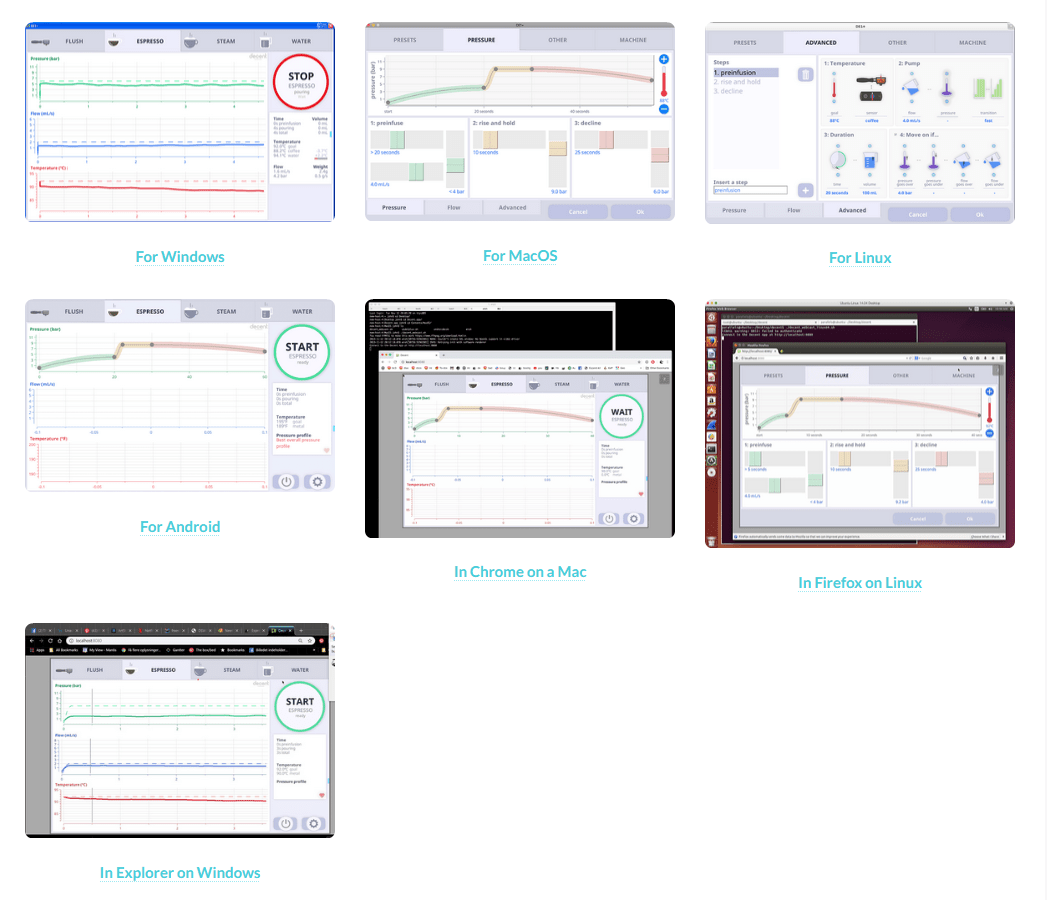
Even the Windows version is not packed into an EXE, and instead distributed as a ZIP to be extracted somewhere and launched with the decent.bat file, which in turn executes the main.tcl script with the bundled undrowish standalone Tcl/Tk interpreter:
undroidwish\undroidwish-win32.exe src\de1plus.tcl -sdlwidth 1280 -sdlheight 800 -name Decent
But it's the Android version that's special. It can be run with Androwish — Android app which can run GUI Tcl/Tk scripts and interface with mobile device systems and APIs — everything from the accelerometer and compass to Bluetooth. Currently the Android version of the software is the only one that can actually connect to the real espresso machines via Bluetooth, and is used as the main interface for the devices.
"Generic", or platform-agnostic version is also available for those planning to run their Tcl scripts in exotic OSes like Haiku using undroidwish. With Tcl the sky is the limit. If you can port the interpreter somewhere, or even better — to an OS/device with some sort of a display and an API to interface with it, you could run CLI and GUI Tcl scripts with minimum changes.
In 2019 their lead programmer gave a talk directed toward programmers about the Decent Espresso machine, and especially the Tablet App.
One of the talking points was: "Surprising findings how Tcl outperforms competing other programs (in other languages) trying to do similar things" — among those was the fact that Tcl is open source, and provides platform-agnostic UI API, which is flexible enough to build completely customized event-driven interfaces, like those found in Decent Espresso Software. Opting for Tcl means that the whole app is always represented by the source code, which makes it possible to do in-place changes to save time and money. Instead of tweaking it on the tablet, changes can first be done on any of the supported desktop platforms and tested in undrowish, to get the closest representation of how the app would work in Androwish on a real Android tablet.
Why Choose Tcl/Tk?
Decent Espresso is truly unique because they went with Tcl/Tk in AndroWish for a UI "framework".
Most device manufacturers would avoid this because:
- It’s easier to find a React developer than a Tcl one when deciding on a UI framework. To "run" a web app all you need is a device with a browser and access to the local network. This completely negates the "I can't run this on my iPad" problem Decent Espresso have been facing since day 1
- Consequently, if you go with web-based tech, you will need to equip your devices with WiFi- or Ethernet-capable network cards or microcontrollers, and establish communion on LAN instead of Bluetooth…
- …which would make a transition from a LAN-only to a cloud-based solution smoother…
- …which would, of course, simplify the introduction of vendor locks and paid subscriptions
- PROFIT!
Decent Espresso's choice of Tcl/Tk is a middle finger to the entire model of such a "walled garden". It is a local-first architecture where the tablet is a peer to the machine, not a client of a distant server.
Mad. Respect.
Realistically though, Decent probably uses Tcl/Tk because their lead dev (John Buckman) simply loves the language and the speed of iteration it allows =)
There's a good evidence of that, as he gave a talk on this very topic at the EuroTcl2019 conference. It's essentially the same presentation as the one on the Decent Espresso channel, except at the end he's asked how DE deals with the fact that Android tablets can have wildly different screen resolutions, and Tcl/Tk doesn't really support adaptive rasterized graphics. There, John Buckman confirms that this is a problem, and images need to be "physically" resized first, before Tk can make use of them. Which is a very good explanation of why other companies don't use Tcl/Tk in such a way.
Most companies want their machines' UIs to look like "iPhone apps", so they default to web-based tech, which is also very mature. There's an abundance of capable UI frameworks that utilize the browser to do the heavy-lifting and dynamically adapt graphics to different resolutions. So DE had to seriously reinvent the wheel here, and come up with their own tool-set for a skinnable, full-screen UI that would look like a modern app without relying on default Tk widgets. This is impressive, especially considering the challenge of making a window-oriented Tk toolset easy to use for consumers, on a touch-controlled device like an Android tablet.
Nowadays though, regardless of how much I like Tcl, I personally would think twice before committing to Tcl/Tk for such a use case. IMO, if you don't have 5+ years of an existing technical debt, it's just much easier and more reasonable to go with a "modern default" where:
- Since we're not living in the dark ages, we can equip the device with a cheap yet capable microcontroller like ESP32-C5. This would allow it to connect to the local network and use the TCP/IP stack for communication, or even create a WiFi access point with WiFi Direct for other devices to connect to it directly
- The same microcontroller, with the help of the powerful real-time OS it comes with (RTOS in case of ESP32) can now do it all:
- autonomously manage the device's functions
- allow to introduce physical controls like buttons and levers
- can offer a simplified interface on a built-in, I2C-connected LCD screen
- is capable of setting up a headless HTTP/HTTPS REST or WebSockets API server for remote control
- And… Now you can control your device from anything, and in any way you want: develop a native mobile app, or a web app with any of the numerous JS frameworks, or just send JSON packets to the API manually. You're not locked into a particular framework. As for Tcl/Tk, now you can actually use it for what it’s best at: rapidly building a data-heavy Engineer's Dashboard
- BONUS: ESP32-C5 MCU supports Bluetooth 5 LE, so you can always use BT as a secondary/fallback communication protocol for cases where the air is too busy even for a 5HGz WiFi network, and utilize it from a native Android/iOS app. In which case you'd have all bases covered, future-proofing your device even further
BTW, if you're curious how a microcontroller like ESP32 could be used to do all of the above — check out my blog post on this very topic.
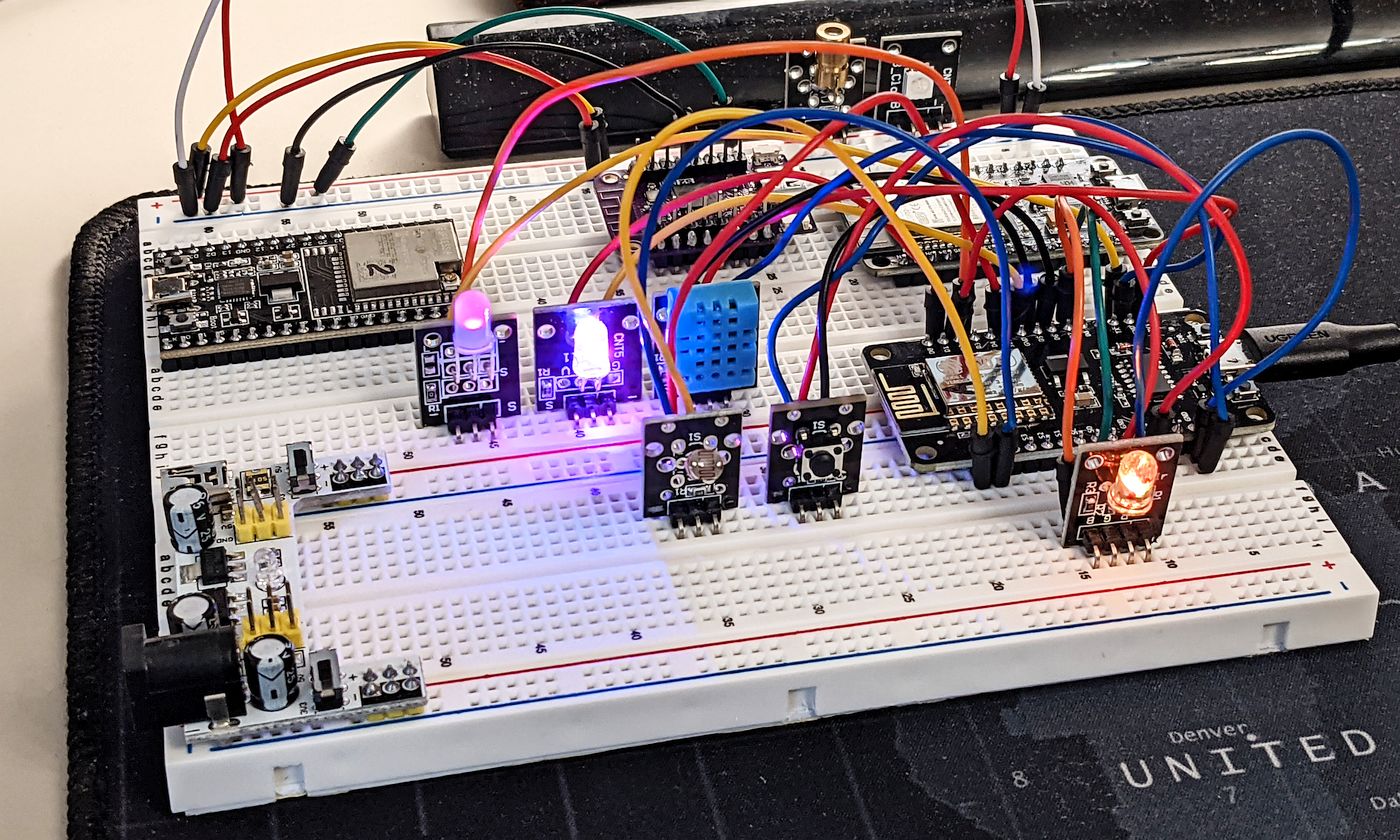
As of April 2026, the DE1 app is still a Tcl/Tk application that runs inside Androwish. Here's a fairly recent video explaining how the app works. Watch the first couple minutes to see it in action.
I will also spoil the "secret" which makes DE1 app so smooth on Android, even though technically Tk lacks any form of hardware acceleration. The Decent app runs on Android using AndroWish, which relies on SDLTK. Instead of using the traditional CPU-bound X11 or Win32 drawing calls, SDLTK replaces the entire backend of Tk with the Simple DirectMedia Layer (SDL2), which is hardware-accelerated! By mapping Tk's drawing commands to SDL2 textures, the entire UI gets a performance boost from the GPU. This is why the Decent app can handle high-frequency data visualization on a relatively modest Android tablet.
Finally, "Decent Software" is a software package chock full of interesting .tcl scripts. Feel free to download the bundle and check out the code, full of developer comments like this one:
package require crc32
catch {
# john 6/17/2024 not sure why this is even included, as it's not used by any code I can find.
package require BWidget
}This one in particular is interesting, because John Buckman used to mention megawidgets several times in his talks, but seems like they were being slowly phased out in favor of native Tk widgets. Which makes sense, as BWidgets and many traditional "megawidget" frameworks are functionally obsolete for modern Tk development. While they still work (again, Tk provides legendary backward compatibility), their relevance was largely gutted by the introduction of the Themed Tk engine in version 8.5.
For instance, here's what you'd use instead of BWidget widgets if you were to build a GUI app today:
- Instead of
BWidget::NoteBookyou'd usettk::notebook - Instead of
BWidget::Tree—ttk::treeview - And
BWidget::ProgressBaris now replaced byttk::progressbar
Finally, note how huge some of the scripts are, as well as the sheer number of them in the archive. Yet another proof, that Tcl can interpret complex scripts with lots of dependencies, and is performant enough to chew right though them during execution.
Tcl/Tk on Android With Androwish
Now about that "Androwish" app Decent Espresso are using... What is it anyway?
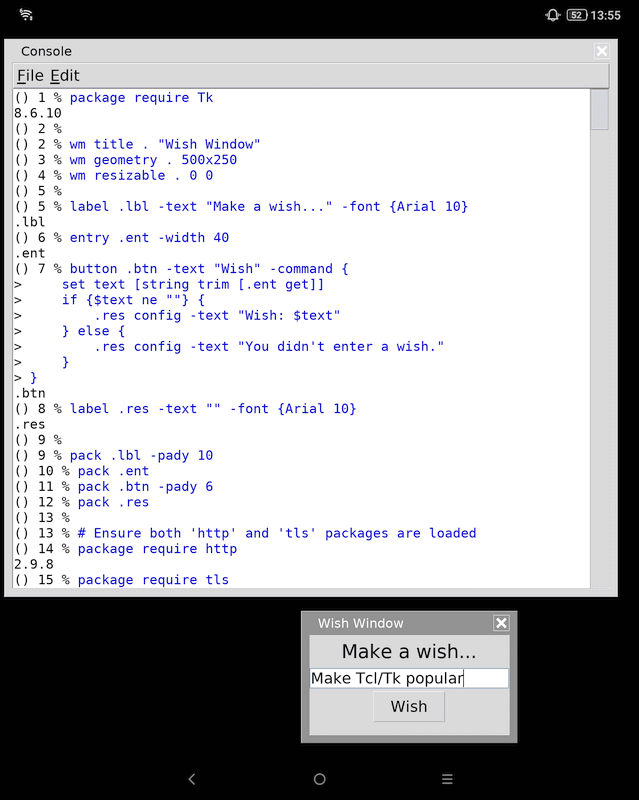
Androwish is an Android app that can run Tcl/Tk scripts inside its own windowing environment. It comes "batteries included", and supports such important packages as sqlite3, tls, Thread and many more, including platform-specific ones like borg, used to communicate with the Android system APIs.
As of May, 2026, Androwish comes with Tcl/Tk 8.6 support only. It's still plenty for performing almost any task you'd use Tcl/Tk for, but do keep in mind that this means that certain commands introduced with the newer versions, like Tcl 9's dict getdef will be unavailable. So plan ahead.
Lastly, while we're on the topic of running scripts on Android, in addition to those found on the official website, I'd like to share some cool facts and tips about Androwish that aren't obvious, but demonstrate how it's much more than just an "Android Tk wrapper":
- After installing Androwish make sure to go to the list of its permissions and give it access to the files on the device. Afterwards, go to: File => Source => Type "sdcard" in the filename field and press "Open" — voila! You can now browse the files on the device and run Tcl scripts from disk
- By default, Tk apps inside Androwish will simply look like desktop windows running on an Android device. It might be something you're after, but it makes sense to maximize the app to easily make use of the full screen real-estate, as you saw in my Mortgage Calculator Tk showcase.
- With Androwish, it's possible to create and distribute your own .APK app installers with embedded scripts, which basically act like apps, where Androwish will execute the bundled "main.tcl" file similarly to how a Starkit or a Zipkit would (we'll look at Tcl 9 "Zipkits" further down the post). For this, use the Androwish SDK. The SDK includes a GUI tool called "bones". The "default" Androwish APK installer is huge (~30MB) because it includes everything. The bones tool allows you to uncheck extensions you aren't using to easily shrink your APK down to ~4-10MB.
- You can quickly launch your scripts from the browser or any other app that supports URLs. For that, use a following prefix:
androwish:///sdcard/— and simply append it with the full path to the script you want to run! For example:Documents/mortgage.tclwill trigger an Intent that launches Androwish as a separate Activity, bringing it to the foreground to execute the script. Then, just like with other native apps, when you exit the Tcl script or press the back button (as long as you bind the<Key-Escape>to theexitcommand), the system stops the current activity and returns you to the previous one — the browser, or a note-taking app etc. - Androwish comes with the "borg" extension that can be used to call native Android functions: control Bluetooth functionality, send OS notifications (including device vibration and even speech), location information, etc. You really can develop your own, powerful Android CLI/GUI tools with just Tcl/Tk without ever having to touch Android Studio! Just imagine what you're getting for free, entirely open source:
- No Compilation — you just write a .tcl text file and
requirecommon packages - Live Testing — save the file, and Androwish runs it instantly. Need to make changes? — Open the file up on the phone/tablet using any text editor and change to your heart's content
- The "Borg" Bridge — usually, to use Bluetooth or GPS, you'd need to write a lot of Java boilerplate code. Borg is a pre-compiled bridge that lets you stay entirely within the Tcl interpreter and still have access to native system calls
- And, naturally, as I demonstrated in my Mortgage Calculator demo above — you can have one cross-platform tcl script that could run in almost any OS, including Android, and only
package requireand trigger Android-specificborgcalls upon identifying the platform as "Android" by the presence of this particular package
- No Compilation — you just write a .tcl text file and
- Beyond
borg, Androwish also translates certain Android system changes into Tk Virtual Events, for example:<<NetworkInfo>>— Triggers when Wi-Fi drops or connects<<Accelerometer>>— Happens when the device is physically moved<<WillEnterBackground>>— Sent when the user swipes away from the app
- If you need to test your scripts inside the SDL-accelerated environment that Androwish provides without having to test everything on device, check out its sibling project — undrowish. It's a single-file Tcl/Tk binary for Windows (32 bit, optional 64 bit) and Linux using parts of the AndroWish source tree, sans the
borgextension. Comes "batteries included" as well - In fact… Instead of typing Tcl code on a tiny Android keyboard or constantly re-uploading scripts, you can connect your PC's keyboard and screen directly to the Tcl interpreter running inside the Androwish app on your device using
tkcon, or "Enhanced Tk Console". Androwish includes a package calledtkconclient. You run a small snippet of code in Androwish to start a listener on any port over 1024, like "12345":package require tkconclient; tkconclient::start 12345— then on your PC simply runtkconand tell it to connect to your phone's IP address, or via USB usingadb forward—adb forward tcp:12345 tcp:12345. Ta-da! You now have a window on your PC. Anything you type there executes instantly on the Android device's screen. Just make sure to use this only during development, since tkconclient has no built-in password - Finally, with Androwish, you can customize your startup environment so you don't have to manually type setup commands every time you open the app. To do this, Create a text file with the code you want to execute on startup, and save it to your Android device at
/sdcard/AndroWish/.wishrc
I myself have only scratched the surface of what the Androwish+Tcl/Tk combo could be used for, and it sure seems like the sky's the limit.
OK, the lunch break is over! Let's dive back into the meat and potatoes of Tcl.
Tcl's Powerful Stackful Coroutines
A coroutine is a procedure that can "pause" mid-execution, return a value to the caller, and later "resume" exactly where it left off, preserving all local variables and the instruction pointer. If you come from the world of game development, you're probably well aware of coroutines and must've used them at some point to orchestrate scripted events, or to run scripts on a timer. In my game I used coroutines mostly for cutscenes of Kristie's stage performance sequences, where a single coroutine would act as a "director", triggering systems based on how well the player did on any particular level, with certain events occurring based on the time of day when the performance would take place.
In the world of application development, coroutines are usually employed to break long operations into chunks, like downloading a large file, or processing massive datasets, managing complex state machines, and handling concurrent network requests. They exist because it's not always reasonable to break program execution into actual processing threads, with all the complications that arise with managing shared states etc. So a way to share a single thread between the functions of a program without freezing other operations is needed, and coroutines provide exactly that.
Tcl supports coroutines out of the box. And they can be used almost exactly as in JavaScript, Python or C#: non-blocking when idling, efficient, executed in a queue of other coroutines in the same thread.
This brings the power or "multi-stage" procedures to CLI and desktop apps.
proc loop_coroutine {} {
    for {set i 1} {$i <= 100} {incr i} {
        puts "Step $i"
        after 50 [info coroutine]
        yield
    }
    set ::done 1 ; # Signal that we are totally finished
}
# Create the coroutine
coroutine task1 loop_coroutine
# Start the Event Loop and wait for the 'done' variable
# BTW: In a Tk app theres is no need to use vwait. The wm (Window Manager) keeps the event loop running forever until the window is closed. In a CLI app ydo ou need vwait to act as the anchor that keeps the process from floating away while background tasks are doing their thing.
vwait done
puts "Coroutine Process Complete!"
But that's not the whole story.
Tcl uses Stackful Coroutines (as do Lua, Erlang and Go).
In contrast, C++, C#, JavaScript, and Python implement Stackless Coroutines. They rely on the standard LIFO CPU stack, where a function cannot "pause" and remain on the stack. Any procedure must return control to the caller and be popped off. So in these languages the compiler/interpreter actually rewrites coroutine functions into heap-allocated objects because it cannot leave a "hole" in the system stack. And since stackless functions must return to pause, every function in the call chain must be "stackless-aware", that is — marked async.
Sound familiar?
In this regard, Tcl doesn't care about the "C Stack". When you call yield, Tcl snapshots the entire call stack for that coroutine. So you can call Proc A => Proc B => Proc C, and if Proc C calls yield, the entire chain pauses. This approach is incredibly difficult to implement well. To make stackful coroutines work, the authors of the language must write a custom virtual machine that can "detach" and "reattach" segments of memory dynamically. It’s a marvel of software engineering, and in Tcl it's called "NRE" — a Non-Recursive Engine. It was introduced in Tcl 8.6 specifically to solve the problem of pausing execution mid-procedure.
Most modern languages (JS/Python/C#) chose the "Stackless" path because it's easier to bolt onto an existing language, even though it forces the programmer to deal with async/await boilerplate everywhere.
Such "academic" coroutine implementation is objectively one of the most sophisticated in the industry, often compared only to Lua's and Go's. Which explains their common use cases:
- Lua in Roblox, World of Warcraft, and Lua-based engines (like LÖVE) — In Roblox for instance, every script you write for a part is a coroutine. When you call
task.wait(), you are triggering a stackfulyield. A game engine cannot afford 10,000 threads. It can afford 10,000 coroutines which occupy a few kilobytes of memory each, and don't require "Context Switching" at the Kernel level. Here's proof - Tcl in Cadence, Synopsys, and Siemens Software — to the surprise of no one, in EDA apps of billion-dollar-valued companies, billions of transistors need to be simulated. Tcl's
yieldimplementation allows the simulation to pause a script while the physics engine calculates the electrons, then resume the script exactly where it left off - Go’s in the cloud/server world — Go's success in this area is largely a result of it solving the problem that plagues C# and JavaScript, because… Go has no
asyncandawaitkeywords! It doesn't need them. Go is actually the most advanced in this regard, because it can pause a coroutine at any moment, whereas with Tcl and Lua the code must explicitly sayyieldto pass the execution over to the next process - (Side-note) In regard to C# in .NET 11 — things are improving somewhat with the new "Runtime Async" approach, where instead of the compiler generating a massive, hideous
IAsyncStateMachinestate machine struct, starting with .NET 11 it marks the method with a brand new flag. The JIT then compiles it as a new "resumable method". Thus, the updated .NET runtime itself can manage the suspension, which should at least boost overall performance of all async-aware code. But fundamentally C# still is, and will remain stackless for the foreseeable future. So please, don't confuse my talking about this design trade-off with bashing C++ or C# for it! Stackless makes sense for a systems language aimed at maximum efficiency, so such choice is a sensible compromise. Tcl coroutines are more expensive in terms of CPU and memory because they keep a whole stack alive, but they are cheap and convenient for the programmer because you don't have to change your code structure and "color" functions asasyncall the way up the code chain. C# "coroutines" (Iterators/Async) are cheap for the CPU because they don't hold onto a real OS thread or a full memory stack, but they are awkward for the programmer because they force you to color each function in the chain asasyncand callawaitto match
In the following example the whole sequence is started as a single coroutine. The nested procedure wait_ms is able to deal with the yield statement as a result of that, triggering the after timer by passing the name of ::fullcoro coroutine as a script to be run after a specified delay, yielding until that timed call, and then returning the execution back to the animated_type proc, resulting in the "animated type" effect:

proc wait_ms {ms} {
    set coro [info coroutine]; after $ms [list catch $coro]; yield
}
proc animated_type {text {delay 30}} {
    set chars [split $text ""]
    foreach char $chars {
        puts -nonewline $char; flush stdout; wait_ms $delay
    }
}
proc play_sequence {} {
    clear_screen; wait_ms 1000
    animated_type "Wake up, Neo..." 100
    wait_ms 2000; clear_screen; wait_ms 1000;
    animated_type "The matrix has you..." 150
    wait_ms 2000; clear_screen; wait_ms 1500;
    animated_type "Follow the white rabbit." 150
    wait_ms 3000; clear_screen; wait_ms 2000;
    animated_type "Knock, knock, Neo." 5
    wait_ms 2000; clear_screen
    wait_ms 5000;
    exit
}
proc clear_screen {} {
    global tcl_platform
    if {$tcl_platform(platform) eq "windows"} {
        if {[catch {exec {*}[auto_execok cls] >@ stdout}]} { puts [string repeat "\n" 50] }
    } else {
        # Unix/Linux/macOS standard
        puts -nonewline "\033\[H\033\[2J"; flush stdout
    }
}
coroutine fullcoro play_sequence
vwait forever
Finally, Tcl's tcllib standard library contains the coroutine package, which provides coroutine-aware wrappers for blocking I/O — socket ,gets or read with its coroutine::util ensemble. With these, you can perform your file downloads or large file reads in the main thread without blocking it entirely, by automatically yielding control to the event loop when data is not ready. This allows the main thread to remain responsive (handling GUIs or other tasks) while the coroutine waits for I/O.
If that's a bit too low-level for doing downloads — the http package from the same standard library has you covered. It is event loop resident as it uses a background event loop to stream data to a specified -channel. So it's also built to be non-blocking.

package require http
package require tls
package require coroutine
::http::register https 443 [list ::tls::socket -autoservername 1]
oo::class create Downloader {
    variable last_report filename url token out_chan
    constructor {target_url target_file} {
        set url $target_url
        set filename $target_file
        set last_report 0
    }
    method start {} {
        return [coroutine::util::create [self] run]
    }
    # The run coroutine body
    method run {} {
        set coro [info coroutine]
        puts -nonewline "\[$coro\] Starting download: $filename"
        set out_chan [open $filename wb]
        set token [::http::geturl $url \
            -channel $out_chan \
            -binary 1 \
            -command [list $coro] \
            -progress [callback Progress]]
        yield
        ::http::cleanup $token ; # Cleanup after wakeup
        close $out_chan
        puts "\n\[$coro\] Download complete: $filename"
        # Destory the object on complete
        my destroy
    }
    method Progress {token total current} {
        set now [clock seconds]
        # Throttling to report only every 2s
        if {($now - $last_report) >= 2} {
            set pct [expr {$total > 0 ? (100.0 * $current / $total) : 0}]
            puts -nonewline [format "\n%s: %.2f%% (%d/%d MB)" \
                $filename $pct [expr {$current/1024/1024}] [expr {$total/1024/1024}]]
            set last_report $now; flush stdout
        }
    }
}
# Create instance and start the download
set dl1 [Downloader new "https://mirror.5i.fi/linuxmint/iso/stable/22.3/linuxmint-22.3-mate-64bit.iso" "linuxmint-22.3-mate-64bit.iso"]
$dl1 start
# Fire up additional visual feedback
coroutine::util::create apply {{target_obj} {
    while {1} { puts -nonewline "."; flush stdout; if {![info object isa object $target_obj]} {set ::done 1; break}; ::coroutine::util::after 200 }
}} $dl1
# In pure Tcl (without Tk) event loop needs to be started manually
vwait done
Although very useful, coroutines still have to share a single CPU thread. If some operation takes a long time — seconds instead of microseconds — such an event would lead to the whole app (including the UI) freezing until processing is complete. For such cases Tcl provides another bullet-proof solution:
Threading in Tcl
Threading is an advanced topic, and threads should ideally be used only when absolutely necessary due to the added need to control several concurrent instructions taking place in a single app. Parallel programming is notoriously difficult for a variety of reasons: race conditions, deadlocks, threads becoming unresponsive etc.
These problems are commonly caused by threads sharing the same memory space, where they all have access to the same data — In C++, C#, Java you need to be very careful and employ semaphores to ensure only one thread can access a single piece of data at the same time. When programming for ESP32 I had a fine time using semaphores to provide a safe shared access to the same LCD screen for my animation routines, to avoid the screen crashing due to an on-going I2C command being interrupted mid-way by another instruction.
In contrast, Tcl threads implement a so-called Shared-Nothing or "Apartment Model" via the Thread package where each thread gets its own, completely isolated interpreter.
As a result of such an architectural choice:
- No shared variables
- No race conditions
Communication and data sharing are only possible via:
- Message Passing — sending a script to another thread to execute with the
thread::sendcommand. This is the main way to communicate between threads using their IDs - Shared Memory Containers — primarily TSV (Thread Shared Variables), provided by the Thread package. Unlike a standard C# variable where you point to a memory address,
tsvcommands are internally protected by mutexes. All you do is call the provided commands from the TSV namespace to get, set or change values, and each operation will be guaranteed to be atomic, automatically managing queuing when several threads try to access or change the same shared variable. TSV variables are not native Tcl variables, you can't put a trace on them for instance. But they do provide certain commands to atomically operate on data as if it were a string, a list, an array, or a keyed list (like a dictionary) - Shared Channels — In C# or C++, you can pass a socket handle to multiple threads. However, if two threads call
write()on that socket simultaneously, the data can get interleaved or corrupted at the OS level. You have to wrap the socket in alockto prevent this. Tcl forces safety by design, so you can't access the same channel from several threads. You need to pass the channel between threads using such commands asthread::transfer,thread::detachandthread::attach
For control, by default each thread enters an event loop and can only be controlled via messages. Therefore, even when you need to perform some heavy processing in a child thread, it's a good idea to either break the task into chunks, or at least make sure the thread signals back to the parent upon task completion.
# In the Main Thread:
thread::send -async $workerId {
    # This will happen in the child thread interpreter's scope
    set result [heavy_calc]
    # Callback to report back to the main thread
    thread::send -async $mainThreadId [list process_results $result]
}
Tcl makes threading safer, but it can't protect you from bad concurrent code.
If a thread freezes — there's no way to "kill" it. This is because a thread owns an interpreter, so it may have open files (or channels), or be changing a shared variable. If you were to "kill" the OS thread, the Tcl library wouldn't be able to clean up the internal C structures, leading to a corrupted process state or an immediate crash of the entire application. So If your child thread enters an infinite loop like while {1} {}, that thread is "lost" to your application until the process exits. It will sit there consuming 100% of a CPU core, and no thread::send will ever reach it because it never returns to the event loop to check its messages.
Finally, as Tcl threads don't share memory, the Tcl interpreter doesn't need a Global Interpreter Lock (GIL) unlike Python. This means Tcl scales linearly, and on a CPU with 16 identical cores:
- If 1 thread can do 1000 operations/sec,
- 16 threads will do about 16000 operations/sec. Python often struggles to achieve such scaling
To learn about the Thread package and Tcl threading, download a free PDF on Threads at Magicsplat.com, generously provided by Mr. Nadkarni. Look for "Chapter 22. Threads". It will help you get a grip on Tcl threading and cover other useful Thread package goodies like Thread Pool — tpool.
Threading Demo
Just for fun, let's assess memory efficiency of Tcl threads.
Here's a CPU stress-test written in Tcl: 💾 Download script
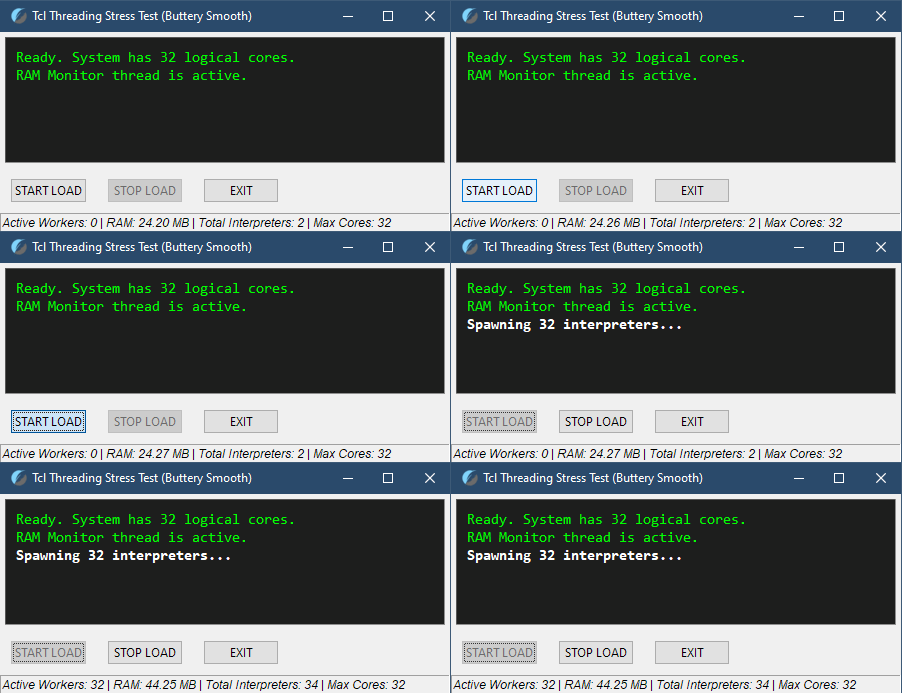
If you run it and activate the test, note how the main window stays responsive even when CPU load hits 100%. This is because the hefty ram polling procedure is executed in a separate thread and sends data via messages to the main thread which manages the UI. To verify, try moving the execution of RAM polling back to the main thread and observe how the window stutters every 500ms while you drag or resize it.
On my 16-core, 32-thread AMD 5950X machine, after spawning 32 child threads RAM use went from 24MB to 44MB. How efficient is this really?
To put that into perspective, let's compare Tcl to other interpreted languages:
- Python: Spawning 32 processes (since threads can't do true parallel CPU work in Python due to the GIL) would cost roughly 320MB to 600MB minimum
- Node.js: 400-800MB. Each "worker" is a new V8 isolate, lighter than a full process, yes, but V8 is a memory-hungry JIT engine designed for speed, not memory efficiency
- Ruby: 300–500MB. Similar to Tcl interpreters but with a much larger object-header overhead and a more complex garbage collector
- Lua: 15–30MB. Lua was designed for embedding in C apps (like games) where memory is at a premium, and it shows! Alas, Lua does not have a built-in "Thread" module. To get true OS-level threading you need to get and compile third-party C-libraries like
Lanesorllthreads2. It is really more fit for embedding into existing software like games, as the LuaJIT Just-In-Time Compiler bakes hot code paths and loops into native machine code on the fly so effectively, that you often don't need to worry about threads at all. That's why it's a language of choice in the Defold game engine, famous for its tiny output binary sizes, and high performance
What about the "big boys"?
- C# (.NET): 150–300MB. Extremely efficient execution, but the CLR (Common Language Runtime) has a high RAM overhead. The JIT compiler and GC metadata for 32 active threads also take up some space. Not too shabby for a powerful managed language, though
- Java (in JVM): 256–1GB+. The JVM is a notorious memory hog, lol. Even with Virtual Threads the resident set size (RSS) stays ridiculously high due to heap management
- Go: 20–30MB. Go is a language with pretty safe threading via the M:N scheduler and is indeed very well fit for high-traffic multi-threaded backends, so… Go, Go!
And Tcl, for the full picture:
- Tcl: 20MB. That's only ~0.6MB per "worker" (as in — a separate interpreter)
Such memory efficiency is mostly possible thanks to the complete lack of JIT compilation. C#, Node, Java translate bytecode into machine code at runtime and cache it in a "Code Cache" in RAM. Doing work in 32 threads leads to bloated RAM cache. In contrast, Tcl is strictly a Bytecode Interpreter, written in highly optimized C. It compiles a merged script into internal bytecode once, and then steps through it.
So all in all, Tcl is hitting almost C levels of memory efficiency while remaining a high-level interpreter.

High Memory Efficiency Doesn't Imply Maximum Performance
Dial back and note how I say "memory efficiency".
Tcl was conceived as a "glue" language, not one meant for compute. On a modern multicore CPU, you could use it for heavy math, but it would be a giant waste of CPU power still. It’s much slower in raw execution speed than Rust, C or C#, of course. But no one should use any high-level interpreted language for heavy number-crunching tasks like compression or AI model training/inference anyway.
To confirm this, let's measure the single-core performance difference between an AoT-compiled C# app (native code) and a Tcl script, calculating square root 100mil times on an AMD 5950X CPU running at a fixed 3600MHz.
// 100 million iterations (C#)
for (int i = 0; i < 100_000_000; i++) {
    result += Math.Sqrt(i);
}
# 100 million iterations (Tcl)
for {set i 0} {$i < 100_000_000} {incr i} {
set result [expr {$result + sqrt($i)}]
}- C# — 0.24s. Native C-level performance. As fast and efficient as the silicon allows
- Tcl — 16.8s. And this is with Tcl compiling
exprto bytecode. Would've been even slower otherwise!
70x performance difference for doing lots of math. Even if you saturated 16 threads in Tcl, a single core of native C# code would still finish the job nearly 4.5 times faster than all 16 Tcl threads combined.
Therefore, as stated in the Tcl source code description, the right way to think of threading in Tcl is not as a rival to C#'s System.Threading.Tasks, or Go’s goroutines, or Rust’s Fearless Concurrency, but rather as a tool for guaranteed UI responsiveness and asynchronous orchestration. Imagine doing a long-running background task — like downloading lots of files or reading/writing to lots of channels/devices in the background. Use threading so your app window doesn't freeze, while being able to query the status of the on-going task to display it on a progress bar. Or, if your Tcl tool runs in the console — draw an ASCII spinner with a coroutine, or continue dispatching tasks while waiting for several child treads to finish their heavy, thread-blocking work and return results using callback messages, the event-driven way.
Tcl is about concurrency (doing many tasks at once), and not parallelism (doing one big task faster). Still, if you really want to reach C-like performance-levels straight from Tcl, there is a solution…
You can embed C code into your Tcl scripts.
Script-Embedded C? Script-Embedded C!
Tcl has a package called critcl — Compiled Runtime for Tcl — which allows you to embed C code directly inside your Tcl scripts. And it compiles it on the fly, once. You write a snippet of C, and Tcl handles the compilation, linking, and loading automatically. This, for instance, allows accessing Tcl_Obj internal representation struct, which the C code sees as raw bytes in memory. NaviServer, a web server written in Tcl/C, is designed around this very concept.
As a quick demo — in "raw" Tcl, a loop for calculating a Mandelbrot set or a large Fibonacci sequence is slow because every iteration is an interpreted command. With critcl, you can write a performance-critical loop in C, and it behaves like a native Tcl command.
package require critcl
# Define a C function that becomes a Tcl command
critcl::cproc fast_fib {int n} long {
    if (n <= 1) return n;
    long a = 0, b = 1, tmp;
    for (int i = 2; i <= n; i++) {
        tmp = a + b;
        a = b;
        b = tmp;
    }
    return a;
}
# Now call it like a regular Tcl proc
puts "Fibonacci 45: [fast_fib 45]"
With this, you'd essentially be creating a DLL/Shared Object on the fly. You can even embed C++ code with critcl::config language c++ — otherwise, the workflow remains the same.
Of course, it's not all "write and forget" as critcl does require a C compiler (gcc or clang) to be present on the machine the first time the script runs. So if you distribute this to a user without a compiler, it fails. The on-the-fly compilation is a development feature. It's meant to give devs the ability to have an all-in-one Tcl script for prototyping. Once the code is finished, you would bake it into a binary. So you'd use critcl to generate a shared library (.dll on Windows, .so on Linux) on your machine. Then distribute that library alongside your script without having to change the script itself:
- Run
critcl -pkg yourscript.tclon the dev machine - It generates a binary package folder
- You ship that folder with your Tcl script/app
Now, to be honest, this is a very old-school approach to app development. Unless you really know your way around C or C++, and are disciplined and motivated enough to jump though hoops to directly work with Tcl runtime memory structures, you should probably look for another way to supplement your Tcl apps with the ability to do heavy math.
Recall that Tcl is a versatile "glue" language for GUI and CLI apps. So why not glue it to something else, written in a modern, managed language, much better suited for a role of a versatile "powerful calculator", while your Tcl UI does what it is meant to — manage and display.
Such an approach is known as a "Thin-Client UI" or a "Sidecar Pattern".
The "Thin-Client UI" Use Case Example
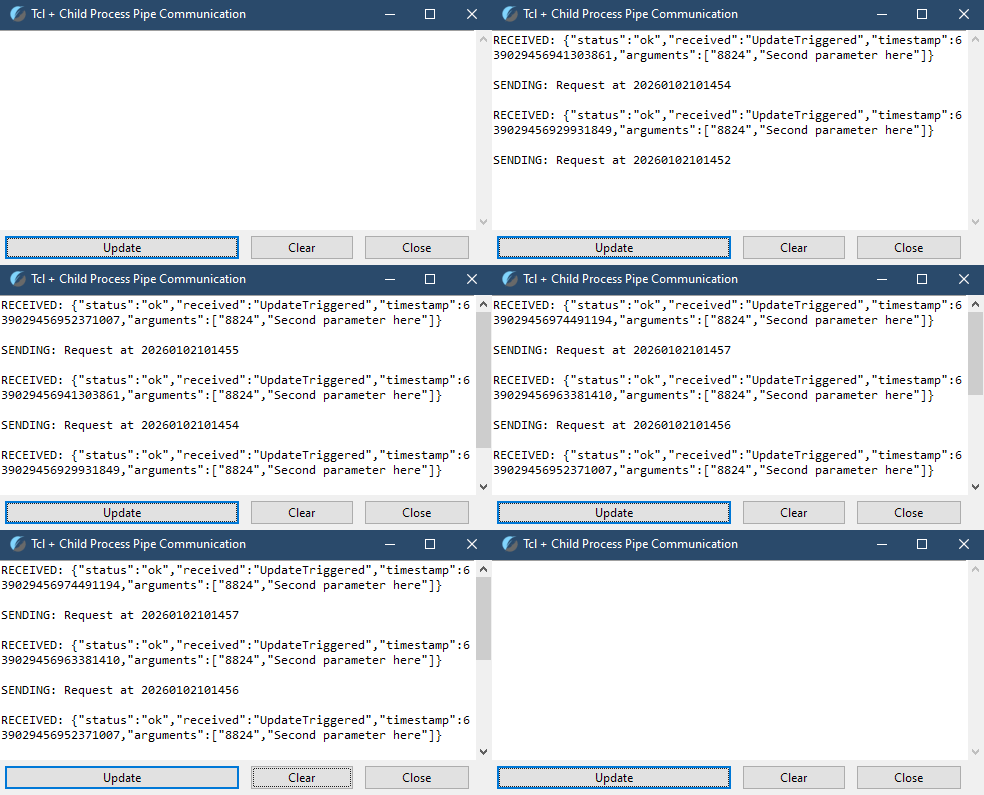
There is a myriad of ways to do this, but when it comes to such a use case — Tcl + Child Process — I personally go with a Tcl/Tk + C# combo with a twist:
I compile my C# apps into native code using BFlat.
Bflat produces portable executables which don't require .NET to be installed on the target platform. With an added bonus of being able to reach C-level performance without having to actually use C or C++, while retaining access to C#'s powerful threading capabilities and its garbage collector! And the resulting binaries are tiny thanks to zero .NET bloat. In fact, you don't even need the .NET runtime or .NET SDK installed on the build system at all, as BFlat comes with precompiled versions of common dependencies. You just write your C# code and compile it with BFlat like you would with C++ and clang++. And then run it anywhere as a self-contained portable executable for Windows, or a binary with minimal dependencies (standard libc) that runs across almost any Linux distro. You can even build binaries for Android!
For example, a number-crunching C# CLI app that uses "basic" .NET libraries can be compiled into a small 900KB CLI executable for Windows. And if you run it through the UPX compressor, the resulting CLI app will be under 500KB in size! A non-bloated, tiny, AoT-compiled C# binary that carries its own garbage collector and runtime with a tiny footprint. Scandalous!
Then, for a 100% cross-platform tool package I would compile 2 more binaries — for Linux and macOS — and place those into the bin/ subfolder next to my script. My Tcl "Glue" app would then discover those and execute the appropriate binary depending on the detected platform. Finally, I could go even further and pack the whole tool into a standalone binary, making good use of the Zipfs filesystem Tcl 9.0 supports, to bundle the compiled C# binaries inside. These would then get extracted into a directory (bin/ or system tmp/) and spawned as child processes.
Total app size? Can be as small as 3-4MB:
- 3MB for the "pure" Tcl interpreter without extra packages
- 500KB for the C# "child binary" compiled for the target platform with minimum .NET deps
And as a result I get Native performance, Cross-platform reach, and owe Zero royalties or licensing fees for both personal and commercial use of my software without GPL-like "copyleft" requirements, because Tcl is BSD-licensed, BFlat is MIT and .NET Runtime components used by BFlat are MIT/Apache 2.0.
Being event-driven at the core, Tcl/Tk is perfect for such use case, as your UI will stay responsive while waiting for heavy math to be done by the child process, using Tcl’s event loop called fileevent which natively handles non-blocking I/O from pipes.
# Tcl treats a pipe to a C# process exactly like a network socket or a file
# Mandatory check for the end of the file. Otherwise, when the C# app closes, the readable event will trigger infinitely because "EOF" is technically a readable state
proc handle_output {pipe} {
    if {[eof $pipe]} {
        catch {close $pipe}
        puts "Child process finished."
        return
    }
    set data [gets $pipe]
    puts "Received from C#: $data"
}
set pipe [open "|[list ./native_app.exe]" r+]
# By default, Tcl buffers output. If our piped app sends a line but doesn't close the stream, Tcl might wait for more data before triggering the event. Adding '-buffering line' to fconfigure is usually a good idea for such a use case
fconfigure $pipe -blocking 0 -buffering line
fileevent $pipe readable [list handle_output $pipe]
In the previous, threaded CPU stress test example the Tk UI stayed perfectly responsive even when the CPU was being hammered at 100%. Similarly, the UI and the child Process are logically separated by a pipe on the OS-level, so it is impossible for a C# app crash or a 100% CPU spike to "hang" the Tcl interface, vastly improving user experience.
Now there's even more incentive to try and utilize Tcl/Tk to write portable tools or graphical user interfaces, wouldn't you agree? And it gets even better, because…
You can pack Tcl/Tk scripts as standalone apps!
Standalone Apps. Starkits and Zipkits
Zipkits… Starkits… Oh boy, what a journey it's been figuring those out!
Having finished yet another awesome new Tcl/Tk tool, you'll eventually consider packing everything into a single executable to run on machines without Tcl/Tk preinstalled. Naturally, with Tcl being interpreted in nature, this means you'd need to pack its interpreter (compiled for the target platform), your scripts, various libraries and media, to recreate the environment your program needs to run.
How would you pull this off with Tcl/Tk?
Tcl 8.6 and Starkits
Before Tcl 9.0 it would've been complicated: you'd have to rely on so-called "Starkits" — containers for your scripts and files, which could be appended to a Tclkit to form a "Starpack", where "Star" is derived from STandAlone Runtime. These were largely unofficial, self-contained executables built on a database called Metakit. It was a proprietary black box, and if it broke, you'd need specialized tools like SDX (Starkit Developer eXtension) to perform careful "surgery" on your binary…
Thankfully, this is no longer the case, as ZipFS support was officially implemented with the release of Tcl 9.0. It became the standard no-nonsense way of building single-file binaries, and only requires 2 parts:
- The data — your scripts, custom and standard Tcl/Tk libraries and extensions, and any media files packed into a zip archive
- The runtime — a special Tcl interpreter which, when attached to an archive with data, would detect, read and run your code automatically, as well as provide the functionality to actually perform the said stitching
Tcl 9 and ZipFS
If you take a normal ZIP archive and "mount" its contents in Tcl 9.0, you'll get ZipFS — a read-only virtual filesystem, accessed via //zipfs:/ which can be read just like any other disk. It's a neat idea. The ZIP file format has been in public domain since 1989, supports storing files and directories, provides actual data compression, and is recognized by virtually every OS in existence.
So why did the Tcl core dev team wait for 27 years, until September 2024, to make this the standard with Tcl 9.0? — Backwards-compatibility and robustness. Exactly what Tcl is known and valued for. As a matter of fact, Tcl 8.6 which was released in 2012, already provided the tools to unzip files, but it didn't have the infrastructure to treat the executable itself as a mountable drive out of the box. That required a fundamental rewrite of the initialization sequence, or the code that runs before the script engine is even awake.
Also, the Starkit+Metakit approach had served the Tcl community well for over 20 years, so there was no urgency to switch.
…and then AndroWish happened.
When Christian Werner started the AndroWish project, he had to deal with the fact that Android apps are distributed as .apk files, which are technically just renamed ZIP archives. For Tcl to run on Android, the interpreter had to be able to somehow "reach into its own APK" to find its library scripts, images, and extensions. To solve this, Christian wrote a C-level Virtual File System (VFS) driver that allowed Tcl to treat a ZIP archive as a live directory. The new driver was robust enough because it didn't rely on complex external database engines and used the zlib already present in the core, plus a minimal C-wrapper to navigate the ZIP directory structure. This code was developed for AndroWish and its desktop sibling undroidwish, before finally being merged into the official Tcl core.
So now, with Tcl 9 you can "mount" any compatible ZIP file as a virtual system. Here's a random *.zip file that I created using 7zip, and then mounted as //zipfs:/mnt/ in my simple Tcl 9 ZipFS Inspector tool:
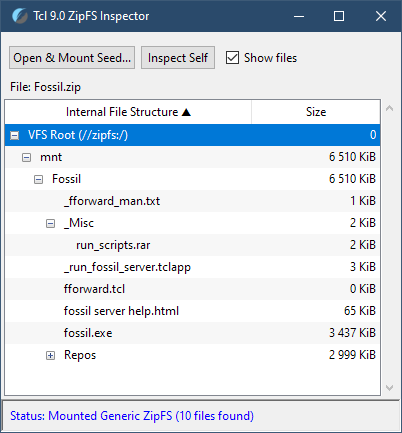
AndroWish and undroidwish utilize ZipFS to bundle their numerous libraries, just like any proper Tcl 9 "batteries included" environment would. Here's a sample of what's packed into the ZipFS VFS of undrowish and Androwish, accordingly:
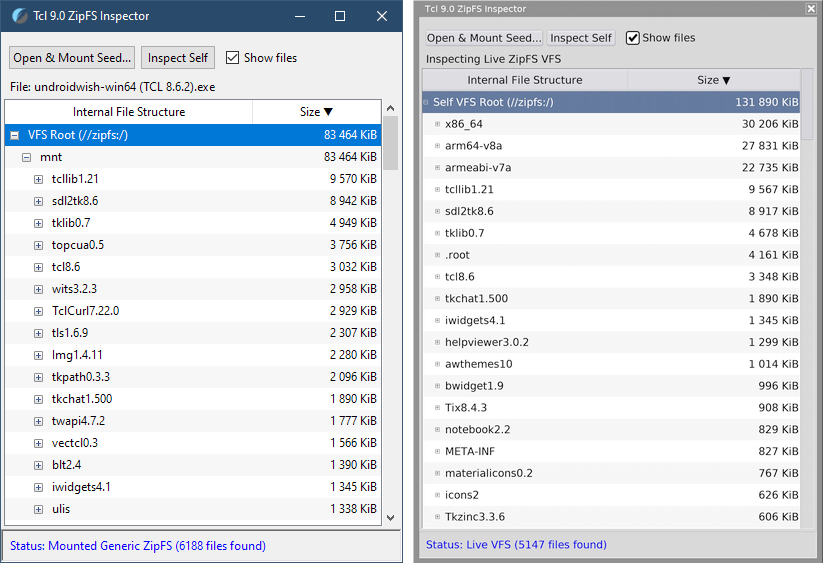
Finally, as a result of ZipFS becoming a core part of Tcl 9, we now have Zipkits — statically linked tclsh and wish binaries, which may be used to create single-file applications. And if you mount one as a ZipFS source, you'll see the directory structure of a "standard" Tcl 9 Zipkit, with the tcl_library and tk_library directories present for a *-tk Zipkit, regardless of the Zikit's target platform:
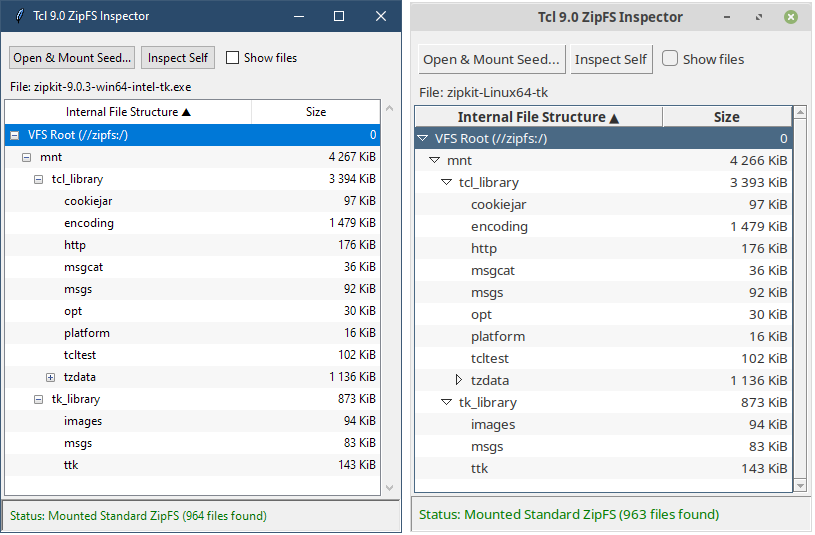
Congratulations! You now possess the sacred knowledge used to be shared only by those closest to the Tcl project. Now, we can finally look at how Zipkits are used to build single-file binaries for Windows, Linux and macOS.
What About Tclkits?
For decades Tclkits were available as self-contained executables that bundled the Tcl interpreter, the Tk toolkit, and a virtual filesystem (VFS) into one file, to be used as a portable runtime for running Tcl/Tk scripts. A typical Tclkit uses the Metakit embedded database or a similar technology to provide the VFS. When you run a Tclkit, it mounts this internal database as a filesystem (usually as //zvfs/ or lib/tcl), allowing the script to access bundled packages as if they were on a physical disk. Tclkits served the Tcl developers well, but are now being superseded by the native zip-based features.
Here's where Tcl 9 Zipkits come in. These are a new type of a statically linked, portable tcl and wish interpreters that provide the commands to create single-file binaries by "stitching" a Zipkit to a zip archive with the application files. Upon startup, a Zipkit first looks "into itself", and if a data package is available, it mounts it into a virtual file system and looks for the "main.tcl" file to run.
If you're starting out with Tcl 9, forget about Tclkits, and focus on Zipkits as tools for building single-file binaries.
Zipkits and Standalone Apps
To create a standalone executable you need a statically compiled Tcl or Tk interpreter — the aforementioned Zipkit. Available for download here. Check out how many platforms you can target with your binaries:
- Windows for x86 and x86_64
- Darwin for x86_64 (Intel Macs)
- Darwin for arm64 (M-series Macs)
- Darwin universal binary
- Linux for x86_64
- Linux for arm64
- Linux for RiscV 64-bit
- Solaris 11 / OpenIndiana
The fact that the Zipkit binary is literally attached to the zip archive with the application files means you can build binaries for any OS from any OS by simply changing the "template/seed Zipkit" you use to bundle with the zipfs mkimg command. Of course, if your scripts make use of any platform-specific extensions, like twapi for Windows, you'll need to make sure to supply them inside of your zip archive and call the right one in your scripts based on the platform — .DLL files for Windows, .SO ones for Linux, and probably none for Android, as Androwish is already a "battery included" Tcl/Tk environment.
You can even open your packed zipkit in an archiving app (i.e. 7zip) and explore or even modify the contents, and then restart the app to see the changes! Here's a typical folder structure of a zip attachment, with the files necessary for the app to function:
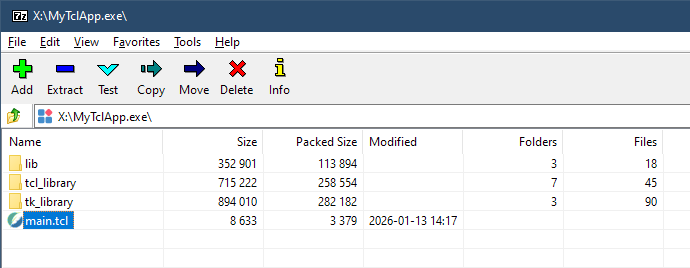
Building binaries with zipkits is a relatively new and involved area of development. Since I'm still working on my own single-file binary build toolchain, I'll stop here, and may return to this topic later, in a separate blog post.
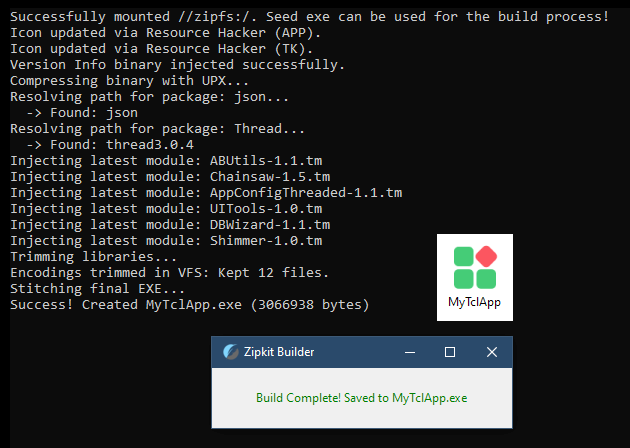
If you are interested in building your own single-file Tcl/Tk apps, make sure to read the docs to get the idea on the overall approach on assembling the contents of your //zipfs:/app/ VFS directory, which you'd then zip and stich to a Tcl or Tk Zipkit. One is for CLI apps, while the other is for GUI ones, naturally. So, for instance, for non-GUI apps, use a *-tcl Zipkit and omit packing tk_library into the //zipfs:/ virtual file system.
Web-Based Apps with Tcl Wapp
"GUI-starved" Python developers are well familiar with developing Web Apps using Flask or Bottle, where Python acts a "headless" server that serves pages viewable in any browser. Tcl can do the same using the Wapp framework. Except unlike many Python frameworks that require a separate production server (like Gunicorn or uWSGI) to be secure/stable, Wapp is designed to be production-ready out of the box with only using Tcl’s robust internal socket handling or via CGI/SCGI.
What makes it worthy of looking into is the fact that D. Richard Hipp is the original author and creator of Wapp. Yep, the very same guy, who's globally famous for creating SQLite, the most deployed database engine in the world. In fact, the example checklist application, in the form of a Tcl script, is the same, as the one used to manage the testing and the release routines for SQLite. Source code for the checklist application can be found at https://sqlite.org/checklistapp.
The Fossil Connection
Hipp built Wapp because he needed a simple, secure, and lightweight way to build web interfaces for his other projects, like the Fossil Distributed Version Control System, which hosts the Tcl/Tk and SQLite source codebases. Indeed, while most people only see Tcl and Tk source code on GitHub, those are actually mirrors.
The "Source of Truth" for Tcl/Tk development is hosted at:
- https://core.tcl-lang.org/tcl — Tcl Core
- https://core.tcl-lang.org/tk — Tk Core
When you visit those links, you'll see the Fossil Web UI (powered by Wapp/SQLite) running in production. The Tcl core developers chose Fossil specifically because it aligns with their "Cathedral" development model: a small, highly trusted core team maintaining a high-quality codebase of a robust framework.
Fossil is a fascinating project in its own right. Do check it out if you're looking for a single-file, complete, portable VCS for your projects. Here's short history of how and why it came to be.
For now, let's return to Wapp.
Wapp.tcl
Key features of Wapp:
- Wapp is a single-file framework. Just as SQLite is a single-file database, Wapp aims to be a single "wapp.tcl" file that provides the basic functionality expected from a web app. So a complete app is a single file of Tcl
- If needed, the web interface can be made accessible from anywhere on the network, which is one of the main benefits of this approach, compared to the purely local CLI/GUI deployment
- Because Hipp deals with critical infrastructure, Wapp is designed to be "secure by default." It handles things like URI decoding and parameter sanitization automatically to prevent common web vulnerabilities
- Wapp is meant to be resistant to attacks and exploits and is built to work reliably for decades without requiring a massive stack of dependencies, in fact…
- …while Wapp can run as a standalone script, it is frequently used behind a "real" web server (like Apache or Nginx) using the SCGI protocol. Wapp handles this translation seamlessly
You, too, can deploy a web app with Tcl, as small as a one-file, cross-platform Tcl script. Download the latest wapp.tcl, then include it in your scripts either with the source command, or by turning it into a custom .tm module to include with package require. Done! You've got a reliable and secure Web Framework that includes a built-in Application Server for cases when you require a web-based interface for your Tcl apps.
Combine Wapp with a lightweight JavaScript html extension library like htmx, add a couple of lines of css, and you've got yourself an performant, secure, low-overhead modern Hypermedia Driven Application, while writing just a handful of Tcl procedures and 0 lines of JavaScript.
This is a very efficient approach to building a Tcl Web App interface.
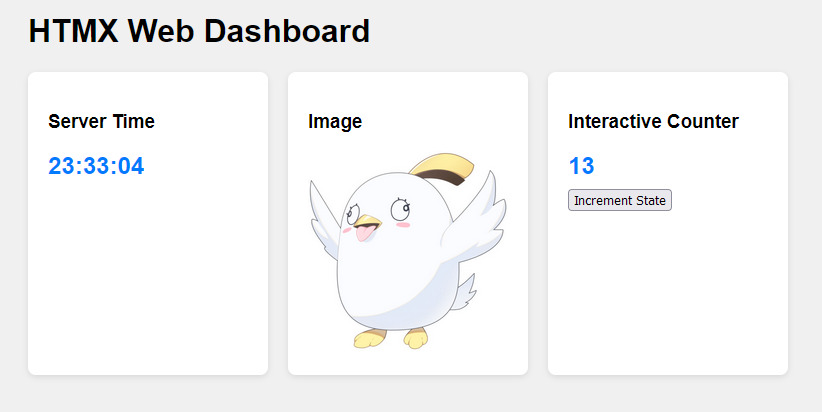
BTW, if you think this is the only "correct" approach to making modern apps with interfaces — think again. A web browser is a heavily sandboxed environment. If you spend too much time polishing web apps for the web, you might miss the power of Tcl/Tk’s native GUI capabilities like real-time asynchronous feedback. Use Wapp if the "web-based" requirement is a hard necessity for remote access, or when making the UIs to be easily accessible from mobile devices. If you just need a UI for a local tool, don't overcomplicate and "overly-abstract" things, and stay with Tk. After all, it is also cross-platform by design.
More Cool Facts About Tcl/Tk
To round out my Tcl/Tk overview, here are a few notable facts I’ve gathered along the way. Listed in no particular order.
"WebAssembly From a Parallel Universe"
The tech industry currently views WebAssembly (Wasm) as the ultimate solution for running untrusted code at near-native speeds within a secure sandbox. Whether in a browser or a server-side WASI environment, Wasm’s primary value proposition is its isolation.
Believe it or not, but Tcl developers have had access to robust, high-level sandboxing since the early 90s. While Wasm isolates at the instruction level, Tcl isolates at the logical level through "Safe Interpreters."
To secure a script in Tcl all you need to is spawn a child interpreter and limit its capabilities. By default, a "safe" interpreter is born even without the ability to touch the file system, open network sockets, or load external libraries. You can then extend these permissions, and hide or expose commands as you see fit.
# Create a restricted environment
interp create -safe mySandbox
# Explicitly bridge only the functionality you want to allow
# Here, we allow the sandbox to play audio via a host function
interp alias mySandbox playAudio {} MyHostAudioFunction
# The sandbox can do math and logic, but it can't delete files on disk
Safe interpreters are immensely useful to not just run untrusted code. They open up a possibility to offer highly curated Tcl user sessions with access to no native Tcl commands, but those which you yourself created for your users, and such concept is known as:
Radical Language Modifications With DSL
Tcl is known to be a great choice for the development of Domain Specific Languages (DSLs).
Technically, Tcl is not so much a "language" in the traditional sense, but a command-processing engine. As you now know, Tcl loops, variable assignments, and conditional logic are all commands followed by arguments. So you can develop whole ensembles of commands your particular business needs, and run those within a Tcl's safe interpreter, ultimately ending up with a completely customized Tcl interactive session.
To quote Salvatore antirez Sanfilippo from his "Tcl the Misunderstood":
If you define a procedure called unknown it is called with a Tcl list representing arguments of every command Tcl tried to execute, but failed because the command name was not defined. You can do what you like with it, and return a value, or raise an error. If you just return a value, the command will appear to work even if unknown to Tcl, and the return value returned by unknown will be used as return value of the not defined command. Add this to
uplevelandupvar, and the language itself that's almost syntax free, and what you get is an impressive environment for Domain Specific Languages development. Tcl has almost no syntax, like Lisp and FORTH, but there are different ways to have no syntax. Tcl looks like a configuration file by default:
disable ssl
validUsers jim barbara carmelo
hostname foobar {
    allow from 2:00 to 8:00
}
The above is a valid Tcl program, once you define the commands used, disable, validUsers and hostname.
Let's take Salvatore's example and re-implement it in JS, assuming similarly named functions had been defined as well:
disable("ssl");
validUsers("jim", "barbara", "carmelo");
hostname("foobar", () => {
    allow("from", "2:00", "to", "8:00");
});
Doesn't quite look as elegant, does it?
To get closer to the "feel" of Tcl, modern JS libraries (like Express or Knex) use method chaining. It’s cleaner than the previous version, but still visually noisier than Tcl:
// A typical JS Fluent API approach
config
  .disable("ssl")
  .validUsers(["jim", "barbara", "carmelo"])
  .hostname("foobar", (host) => {
    host.allow().from("2:00").to("8:00");
  });
This is why Tcl was historically the language of choice for banking management systems and the EDA industry. In-house developers could build custom DSLs for employees and running their code within Safe Interpreters. These "sandboxed" environments restrict execution to a specific, tailored set of commands.
To the end-user, it feels like they are interacting with the system using "natural language". In reality, they are using a custom-built DSL, powered by Tcl's flexible pre-processors and command-tracing capabilities:
# Command argument argument...
checkout 1000 USD
measure current [board_id psu]
Finally, if you were willing to take it to another level, you could write your own Macro-Assemblers.
For example, here's one I wrote to implement "chained" multi-stage data processing, akin to the aforementioned JavaScript method chaining. It takes in a set of literal "instruction blocks" which are then used to generate a Tcl-native command to post-process the provided string in stages:
# Load in a custom package
package require Batcher
# Prepare a custom Macro-Engine parser
Batcher batch string_processor {
    {s:trim}
    {s:reverse}
    {s:range 10 30}
    {s:repeat 2}
    {s:replace 0 11 "Replacement "}
}
set my_str " !elbadaer won s'tI - AAAAAAAAAA "
puts "Processed String: [string_processor $my_str]"
# RESULT: 'Processed String: Replacement readable! - It's now readable!'
It's like having a library of Lisp macros inside Tcl, code that writes code.
With DSLs developers can pretty much change the flow of programming with a homoiconic language like Tcl, to make it suit their preferred coding style, to an extent.
Why Is Doing Math in Tcl So Awkward?
I'm fairly certain when you start learning Tcl you'll get annoyed by the fact that expr must be used to evaluate any math expression. Then you will learn that the expressions themselves must be placed within the curly braces {} to prevent the Tcl interpreter from substituting the variables before they reach the expr command. Which will lead to a realization that expr acts as its own "mini-compiler" on the whole {expression} no less. It looks inside the braced block, finds the dollar signs and the nested command blocks, and then performs variable lookups and math in one optimized step, finally providing a good explanation for why math is done that way.
Because of this, you have free rein and can build up expressions of any complexity, as long as expr knows how to interpret the operators and functions inside, like so:
set downpayment [expr { round(max(0, min($downpayment, $principal * 0.95))) }]
Tcl's bytecode compiler sees expr { ... } and pre-compiles it into highly efficient machine instructions. When the expression parser encounters a mathematical function such as sin($x), it replaces it with a call to an ordinary Tcl command in the tcl::mathfunc namespace.
The expr command even allows splitting expressions into lines and supports comments:
set downpayment [expr {
    round(      # Round to integer
        max(    # Ensure it isn't negative
            0, min($downpayment, $principal * 0.95)
        )
    )
}]
As for the "dreaded braces" — without them, Tcl interpreter converts everything to a string first, then expr converts it back to a number, which wastes CPU cycles. With braces {}, the internal Tcl_Obj stays a numeric type, but most importantly — bracing prevents "double substitution." If a variable contained something malicious like [exec rm -rf /], a braced expr would treat it as a string/error, whereas an unbraced one might actually execute it. Think of it as an "SQL Injection". A more detailed example can be found below, in the section on Security.
Finally, expr is smart enough to support "lazy evaluation". Operands are not evaluated if they are not needed to determine the outcome. For example, expr {$v?[a]:[b]} will evaluate either [a] or [b], depending on the value of $v.
To summarize, math has to be done with expr because of Tcl's whitespace-separated command syntax. And whenever you use expr, remember to always brace your expressions.
Tcl 9.0 — Strict, Honest and Reliable
I previously mentioned that Tcl 9.0 is surprisingly honest and strict for an interpreted language. Consider the following scenario: you have a text document or a Tcl script saved as UTF-8 with a BOM (Byte Order Mark). BOM is a "magic number" at the very beginning of a text file, which was designed to solve several problems that arose when the world moved from ASCII to Unicode. Nowadays, unless you need to work with really old software, there's usually no need to encode UTF files with BOM. But what matters right now is that the BOM itself is technically a Zero-Width No-Break Space — U+FEFF.
Here is how different languages handle reading that file into a variable:
- C#, JavaScript or Python see those bytes, realize they are a metadata signature, and discard them before the programmer sees the string. The language "lies" about what's actually in the file to make programmer's life more convenient
- Tcl 9 treats the file as a stream of data "as is", without lying to you, to avoid changing the contents in an unexpected way. If the first character is a
U+FEFF, Tcl assumes that if it exists in your file, you intended for it to be there. It refuses to curate your data for you. If you try appending something to the start of the variable's content (even just a single space), it will be placed before theU+FEFFsymbol. If you then save this file and try executing it as a Tcl script, Tcl will return an error, because it will skip the space, as it does with all whitespace normally, stumble upon the BOM symbol and try to look it up as a command. And since command with such a name doesn't exist, the program will crash. Here's what such an "appended" file looked like in my IDE:

And this is what happened upon trying to run this code:
invalid command name " #"
    while executing
" # -----------------------------------------------------------------------------"
    (file "main.tcl" line 43)
This is the result of the "Tcl Improvement Proposals": TIP 601, TIP 656 and TIP 657 leading to changes to how Tcl handles encodings. Starting with Tcl 9.0, the interpreter ensures that the U+FEFF character (or any others) is preserved exactly as it exists in the byte stream. Which I wholeheartedly support.
In Tcl 8.6, the I/O system was "lossy" by default. If it hit a byte sequence it didn't understand (or a sequence that didn't perfectly align with the expected encoding), it would often use a fallback (like ISO-8859-1 mapping). Or simply ignore the error to keep the program running, potentially leading to unexpected behavior which would be hard to diagnose.
Therefore, to properly address working with UTF-8 BOM encoded files, with Tcl 9.0 you need to explicitly strip this useless symbol from the stream:
# Read file contents into a variable
set fh [open $path_to_script r]
# IMPORTANT! Configure the channel to handle UTF-8
# Using 'strict' ensures the file is valid UTF-8 (which is the default for Tcl 9),
# and will raise an error if bad bytes are found in the stream
# 'replace' option should only be used for reading of messy logs and such
fconfigure $fh -encoding utf-8 -profile strict
set script_content [read $fh]
close $fh
# Strip the UTF-8 BOM character (\uFEFF) if it exists!
set script_content [string trimleft $script_content \ufeff]
# Ensure there is a clear separation between the joined parts and the script
set final_script [string cat $appendix "\n" $script_content]
This strictness is what makes Tcl so reliable as a cross-platform and future-proof tool framework. It will do exactly what you're asking it to, eliminating the dreaded "it works on my machine" bugs, and ensuring your software is built on mechanical certainty rather than a compiler's "best guess".
I like it!
Platform-Specific Libraries
Tcl/Tk scripts aren't restricted to only cross-platform commands. You can extend their functionality by writing native libraries or leveraging existing Tcl/Tk packages.
For example, if you're writing scripts for Windows, the twapi extension is your best friend:
The extension provides access to the Windows API at two levels. A direct interface to the supported Windows API is provided where the Tcl commands directly map to Windows functions as described in Microsoft Windows SDK. The recommended interface is a higher level interface that is more convenient, powerful and much easier to use than the raw Windows API.
In combination with the built-in facilities in Tcl, TWAPI makes it possible to write a wide variety of Windows applications ranging from desktop applications to web servers running as Windows services
In my case, one day I needed to monitor the changes of certain SMART readings for one of my drives. These are available as hexadecimal values in the CrystalDiskInfo interface, so they needed to be converted to decimal each time. But I also couldn't have CrystalDiskInfo running non-stop to make sure its monitoring didn't interfere with the target drive's behavior.
Instead of having to manually reopen the calculator and then the app every time I needed to check the values, I quickly wrote a Tk GUI script that'd let me convert between hex and decimal values, would hold the previously entered value in its input field and could start CrystalDiskInfo with a press of a button. The latter was not a simple "exec" because CDI needs to be run with administrator privileges. Here's where the twapi library came in handy, as it can "talk" to Windows directly and ask it to run a certain app with the required permissions:
# Run CrystalDiskInfo located next to the script
package require twapi
proc start_cdi {} {
    set exe [file normalize [auto_execok CrystalDiskInfoPortable.exe]]
    # 'runas' is the verb that triggers the UAC elevation prompt
    if {[catch {twapi::shell_execute -path $exe -verb runas} err]} {
        puts "Elevation failed or cancelled: $err"
    }
}
# ...code-code-code...
ttk::button .f.btnStart -text "Start CrystalDiskInfo" -command start_cdi
Or how about the following "production pipeline tool" scenario:
I own a perpetual license for Adobe Creative Suite 6 Production Premium. Yes, the CS6 one, released in 2012. It covers all of my media production needs for video, audio and image production and manipulation, allowing me to dodge Adobe's Creative Cloud subscription trap. The problem is that the last version of the Adobe Camera RAW plug-in compatible with the CS6 suite is version 9.1.1 from 2015. It's a perfectly functional and extremely capable tool for working with RAW images, but naturally, it doesn't support RAW files coming from cameras released after 2015.
Luckily, Adobe offers a very useful freeware tool: Adobe Digital Negative Converter, which "enables to easily convert camera-specific raw files from supported cameras to a more universal DNG raw file. Another benefit of using the DNG Converter is backward compatibility". It gets regular updates and can export DNG files compatible with particular major versions of Adobe Camera Raw, including 9.1.1 or older.
It would be perfect if not for an unfortunate omission — there's no option to preserve the original file creation or modification dates when exporting DNGs! Neither the GUI nor the command-line parameters offer such an option. Of course, the DNGs themselves retain internal metadata including dates and camera info, but it's still very inconvenient to lose the filesystem creation date and time after the conversion, replacing them with the timestamp of the conversion procedure. A single shoot could last for hours or even days, and being able to organize the files based on their filesystem timestamps is just too valuable.
Tcl/Tk + twapi to the rescue! By referencing the official command-line documentation for the DNG Converter, I was able to build a simple tool which:
- Allows processing a folder of RAW images using any number of user-specified command-line parameters
- Uses
twapi::get_file_timesandtwapi::set_file_timescommands to read the creation/modification timestamps of the original RAW files and re-apply them to the newly exported DNG files
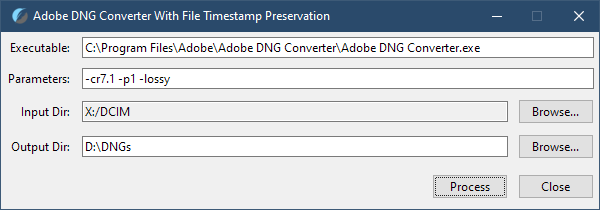
As a result — I can bulk-process RAW files from any recent digital camera to get DNG files compatible with the CS6 suite of apps, retain filesystem timestamps, and get files that are smaller in size thanks to very efficient DNG compression. The twapi package is required because pure Tcl doesn't offer the functionality to change the file creation timestamp, only providing commands to read or write file modification and last access timestamps via file atime and file mtime.
There are many more Windows API wrapper commands available, so you could develop apps that would rival AutoHotkey scripts in their ability to interact with the operating system, capture hotkeys and call useful Windows functions directly.
On Nullable Types
Tony Hoare introduced Null references in ALGOL W back in 1965 "simply because it was so easy to implement". He calls it a "Billion Dollar Mistake" because of the decades of system crashes it caused.
In C++, a null is a literal zero in a pointer register. In Tcl and JavaScript, for example, "null" is just another state inside a much larger, more complex "Object" or "Command" structure.
And yet JavaScript somehow allows to check if a certain variable is null. How? It's a "charade." An undefined or null is actually a unique memory constant that the JS Engine’s "Command Router" knows how to handle. It’s a specific "Data type that represents nothingness." With this, JavaScript tries to emulate the "null" experience of C++ but ends up with a confusing null vs undefined mess. Those of us with a web development background know this too well. Strictly speaking, null was intended to represent "the intentional absence of an object," while undefined represents "the absence of a value. Did you know that?
At the same time, in Tcl the "nullability" you see in other languages is handled by existence. You don't check if a variable is null since it makes no sense. You check if it exists in the namespace: info exists varName, or if its string length is zero.
Tcl doesn't pretend to have nulls, and instead only has states on Storage (Existence) and Content (The String):
- Existence:
info exists varName— is is even there? - Content:
if {$varName eq ""} ...— OK, but is it empty?
In Tcl, if you want a "null," you use an empty string "". Because Tcl automates the conversion between strings and other types (integers, lists), an empty string is the only "logical null." If you try to do math on an empty string, Tcl doesn't give you 0 or NaN and instead throws an error because an empty string is not a valid operand.
In a way, Tcl avoids the "null pointer exception" by simply refusing to acknowledge that a pointer can be a value in the first place, and forces you to be more explicit about your data's existence.
Limitations (and "Quirks")
Tcl is not perfect. Its command nature, and the simplicity of its syntax shift the burden of correctness from the compiler to the developer’s discipline. In languages like JavaScript or PHP, the distinction between data and code is enforced by the interpreter. In Tcl, because everything is a string, you are the interpreter.
For instance, if you aren't careful with grouping or don't understand the differences between the grouping types (braces {} vs. quotes ""), you can end up with double substitutions that lead to security vulnerabilities or bugs that are hard to trace in a large tool.
Trying to do deeply nested command calls within other command calls will quickly make the code unreadable. This should make programmers realize that breaking code into smaller blocks and opting for a line-by-line and step-by-step execution is a better approach. But it doesn't guarantee that all devs would do this, because Tcl doesn't impose any particular coding style and restrictions on you, like Python does for example.
Because Tcl provides the tools to redefine the language itself, it incentivizes a level of "cleverness" that is rarely seen in more rigid environments. What begins as a small, elegant script can rapidly mutate into an unmaintainable maze of custom commands and fragile substitution chains, simply because the programmer wanted to "look cool". Without the guardrails of enforced style or strict typing, the "quirks" of the language can move from being minor annoyances to becoming structural liabilities. To understand why Tcl can feel like a minefield, one must look closely at the specific mechanical behaviors where this "simplicity" breaks down in practice, and needs self-imposed guardrails or "wrapper" commands.
The Tcl "Quoting Hell"
It's true that the amount of quotes, braces and brackets you'll encounter in Tcl is higher than in C-like languages. And the problem isn't with Tcl itself, but rather with the coding style that begets it.
Let's look at a common scenario in GUI or CLI development: fetching a value from a nested dictionary, performing a math operation, and formatting the result for a label in the interface.
In a single line, Tcl allows you to nest commands indefinitely. While powerful, this requires you to parse the execution order from the inside out, manually tracking every substitution level.
# Good luck trying to understand this at a glance
set display "Total: [format "%.2f" [expr {[dict get $invoice items electronics price] * 0.85}]]"
This is dangerously close to becoming unreadable. Add a couple more nested levels and it's a disaster.
That's why you should prefer breaking your code up into chunks and steps, for better readability and maintainability in the future. Compare the previous one-liner to this version:
# The comments aren't even needed! The code is 'self-documenting'
set rawPrice [dict get $invoice items electronics price]
set discountedPrice [expr {$rawPrice * 0.85}]; # Braced for safety/speed, as always!
set formattedPrice [format "%.2f" $discountedPrice]
set displayString "Total: $formattedPrice"
Suddenly, Tcl doesn't look like such a "quoting hell", does it?
Both approaches are indeed functional. But since in Tcl the "correct" way to write code isn't enforced by the language, it's a choice you have to make every time you hit the Enter key. If instead of trying to write readable code you choose to "save vertical space" by packing several different algorithmic steps into "clever" one-liners, you'll end up building riddles instead of code, and we'll never become friends.
There are also some very important details often missed by beginners. For instance, they're told that anything inside curly braces {} is treated as string literals, and therefore doesn't go though any round of variable substitution… But braces {} placed inside quotes "" are treated like any other character. So this may, and will, confuse you as a beginner, until you get a firm grasp at how quoting and substitution rules work in Tcl:
# String literals - no substitutions inside curly braces
set str {puts "[clock seconds]"} ; # => puts "[clock seconds]"
# BUT inside quotes curly braces are treated as normal characters
# Double quotes have a higher "precedence" in the parser's eyes,
# so they tell Tcl to start substituting immediately, rendering
# the curly braces inside as nothing more than decorative text.
set quoted "puts {[clock seconds]}" ; # => puts {1773469272}
This, coupled with the fact that data in Tcl can be represented with strings, naturally leads to such "Tcl'isms" as having to [list] callbacks to have Tcl automatically escape spaces in strings. Or having to use the expansion operator {*} even on a seemingly perfect string, to explicitly tell Tcl that it should interpret that string as a list of words, to be able to use it as a command with arguments, and not just a non-existent single command with whitespaces and special characters in its name:
set fullcmd {puts "Unpack me!"}
# This fails
$fullcmd; # => Error: invalid command name "puts "Unpack me!""
# This succeeds
{*}$fullcmd; # => Unpack me!
Realistically though, if you don't try to do overly "clever" things with your code, you'll be just fine.
No Garbage Collection
Tcl has no tracing garbage collector (like the ones in Java, Python, or C#). Instead, Tcl uses Reference Counting to manage memory. While both RC and GC are forms of "automatic memory management," they behave very differently under the hood.
It's not a problem at all if you don't use the TclOO core extension, although I'd argue you probably should. Regardless, whenever you create TclOO "object instances", you are actually creating "stateful objects" which are, as we found out previously, basically sophisticated command dispatchers, and not "objects" in the traditional sense.
In JavaScript, Python or C# you can just let the object fall out of scope and it will get automatically garbage collected. In TclOO, an "object" is a command in a namespace. Commands don't "fall out of scope" just because a procedure ends. So if you create an ::oo "object" inside a loop/procedure and don't explicitly call destroy or use a variable trace to kill it, you will leak memory!
This is manageable, of course, if you treat your TclOO-created "objects" like C++ pointers: you brought them into this world, so you must take them out when the time comes. In a production, mission-critical environment, or when working in a team, you'd use a try…finally block to do this:
proc OneShotProc {} {
    # Create the TclOO 'object' (the command) *outside* the try block.
    # This way, if the constructor fails, TclOO cleans itself up natively.
    set tempInstance [SomeClass new]
    # Execute all logic within the 'try' block
    try {
        # ... Complex code with multiple returns etc ...
    } finally {
        # This is guaranteed to run and delete the command
        $tempInstance destroy
    }
}
This is the standard approach for cases where explicit readability is required: anyone reading the code will immediately see the boundary of the resource lifecycle.
However, when coding your own tools, you're free to abstract such inconveniences away entirely. For example...
managed_create
I utilized Tcl's very own functionality of variable traces, and will share a wrapper to create an object in a "managed way". I call it managed_create. Here's how it goes and how to use it:
# Creates an object and binds its lifetime to a variable in the caller's scope
# USAGE:
# In all of these cases *destructor is called* whenever the 'handle' variable is *changed*
# managed_create MyClass mc args ; # create an 'instance' with 'mc' as a 'handle'
# set mc null ; # can literally set the handle variable value to 'null' for lulz
# unset mc ; # or better yet - unset it, 'C#-like', it will get cleaned up
# Compatible with factory commands as well
# managed_create twapi::comobj request "WinHttp.WinHttpRequest.5.1"
proc managed_create {className varName args} {
    # Construct the fully qualified path
    if {[llength $className] > 1} { set className [join $className "::"] }
    if {![string match "::*" $className]} { set className "::$className" }
    # Check if it's a factory command (like twapi::comobj) or a TclOO class that needs 'new'
    if {[info commands $className] ne "" && ![info object isa class $className]} {
        set obj [{*}$className {*}$args]; # It's a factory command (TWAPI style)
    } else {
        set obj [$className new {*}$args]; # Assume it's a TclOO class
    }
    # Link 'handle' to the variable name provided by the caller
    upvar 1 $varName handle
    set handle $obj
    # Define the lambda body separately so the trace can refer to it
    set lambdaBody {
        {o body n1 n2 op} {
            # Link to the variable being traced in the caller's scope
            upvar 1 $n1 v
            # Remove only THIS trace by reconstructing the exact command prefix used to add it
            trace remove variable v {write unset} [list apply $body $o $body]
            # Use 'info commands' to validate the object existence inside the trace
            if {[llength [info commands $o]]} {
                catch {
                    $o destroy
                    # puts "Memory leak prevented! Object destroyed and handle trace removed."
                }
            }
        }
    }
    # Add the trace by passing the lambda body as the second argument ($body)
    trace add variable handle {write unset} [list apply $lambdaBody $obj $lambdaBody]
    return $obj
}
This is your golden ticket into effortless, modern Tcl/Tk OOP. Use it to create "instances" of your own TclOO classes and COM/twapi objects, to never worry about memory leaks when the variable (or a "handle/pointer") that references the command gets changed or goes out of scope. The referenced command will always get destroyed.
And since this is effectively like applying C-pointer discipline to Tcl, when you pass such a "pointer" to other functions, treat it as such! Remember that the trace is attached to the variable name, not the string value. So make sure to upvar 1 to the passed "handle" variable, to avoid copying it. This way you'll make sure that the original traces fire as soon as anyone accidentally messes with this "handle" (or a "pointer") from within any other scope or a procedure.
Note on Tk widgets: In Tcl/Tk, creating a widget like ttk::button .mybtn creates a command. Just like TclOO "objects", widgets do not die when the proc ends. If you create a popup window or a frame inside a procedure, it will live forever until you manually destroy the .path to the widget. Thankfully, you don't need to extend managed_create to support Tk widgets! — Destroying any Tk widget also destroys all of its child widgets. Therefore, whenever possible, avoid creating widgets directly on the root — .mybtn or .mylbl — and instead parent them under a container widget — frame or canvas, like so: ttk::button .myfrm.mybtn. Then, whenever you need to clean up a whole tree of widgets parented under that container, simply call destroy .myfrm.
managed_channel
Of course, channels also need to be properly closed! And it's just the same as with TclOO "objects" — if you use open inside a procedure, but forget to close it before the procedure ends, you'll end up with a permanently open channel. Not good.
Thankfully, the same variable trace approach can be applied to channels.
proc managed_channel {varName openArgs} {
    # Link to the caller's variable
    upvar 1 $varName handle
    # Open the channel (e.g., open "test.txt" r)
    set chan [open {*}$openArgs]; # Use {*} to expand the openArgs list
    set handle $chan
    # Arm the trace. If the handle is overwritten or the proc ends, close the channel
    trace add variable handle {write unset} [list apply {{c n1 n2 op} {
        if {$c in [chan names]} {
            close $c
            # puts "Channel $c closed automatically via $op."
        }
    }} $chan]
    return $chan
}
There. These wrappers effectively backport modern scope-based resource management into Tcl and should cover 90% of all possible memory leaks, allowing you to focus on logic rather than janitorial work.
No Centralized Package Manager
Tcl lacks a modern, ubiquitous package manager like npm or pip. While teacup existed for ActiveTcl, it’s largely legacy. This means that you either have to go hunting for packages or extensions, to download them compiled, or as source code to compile yourself. Or simply rely on what's commonly called a Tcl/Tk "Batteries Included" Distribution. These are third-party binary distributions, which include all sorts of battle- and time-tested packages out of the box, and therefore allow a one-time installation to cover the vast majority of Tcl/Tk use-cases. In a way, this mirrors the C#/.NET experience where you install the SDK and "everything just works" out of the box, except without nuget to pull new packages for you on request.
Here are some of the better known, actively-maintained BI distributions:
- Magicsplat — distribution developed and maintained by Ashok Nadkarni, the very author of the book "The Tcl Programming Language: A Comprehensive Guide". The distro can be installed per user or system-wise, with the automatic system path and filetype-association configuration in the latter case, which is a very convenient, Windows-first approach. It comes with less extra packages compared to the BI BAWT distro, but contains most commonly used and tested packages, while excluding those which make little sense for a modern Tcl/Tk 9 distribution. This is the distro I use on my Windows machines and can highly recommend it, especially if you're just starting out with Tcl/Tk
- BAWT — configurable framework by Paul Obermeier that automates creating custom BI distributions. Certain precompiled installers are also available, primarily for Windows, It includes almost anything that can be compiled for Tcl 9, even if it hasn't been fully stress-tested. It’s a "maximalist" Tcl/Tk distribution, aimed at seasoned developers who know precisely what they're doing and why they might need largely outdated packages like
tix. But the true value of BAWT is in the fact that Mr. Obermeier provides all the tools necessary to build a functional, portable Tcl/Tk distribution for several platforms and CPU architectures. It's precisely how I was able to get Tcl/Tk 9.0.3 working on a small Arm-based SBC — by compiling Tcl/Tk and all the packages I wanted to include, directly for the Arm64 platform - ActiveState — listed here just for posterity. This was once the undisputed king of Tcl distributions. Apparently, if you were a Tcl developer between 2000 and 2015, ActiveTcl was your default choice. But then at some point ActiveState realized that big banks and insurance companies have millions of lines of existing Tcl 8.4/8.5 code that they couldn't easily migrate from, and needed help in maintaining all of that infrastructure. This signaled a shift in ActiveState's business strategy, and led to the death of the legendary
teapotpackage manager, which ActiveState maintained between years 2000 and ~2020. What this means for the rest of us is — ignore ActiveState. They're a ghost of the past, focused on their own business, and no longer of any value to a random developer who just wants a versatile Tcl/Tk BI package or an installer
To get an idea just how many robust, battle-tested packages you get with a common "batteries included" distribution. Try running this in the tclsh console:
catch {package require force_tcl_to_enumerate_all_packages}
foreach name [lsort -dictionary [package names]] {puts $name}
Here's what comes bundled with the "Magicsplat" Tcl 9 Windows distribution:
Do You Need a Package Manager?
While the fact that Tcl lacks a centralized package manager may seem like a huge downside for a "modern" developer, it also arguably improves Tcl/Tk's embeddability and, in a way, — security.
A Tcl/Tk "Batteries Included" distribution can be as small as just 35MB in case of Magicsplat (or a BAWT build with a similar composition). One such installer contains the most significant achievements of over 38 years of the Tcl/Tk development ecosystem. The vast majority of the packages you'll find in a BI distribution have been heavily time- and battle-tested, so you can confidently use them for mission-critical tasks. This, as you can imagine, also largely trivializes the deployment of Tcl/Tk on systems: with just 1 installer you can replicate your entire dev environment and be sure that every single script will function precisely as expected.
I can't stress enough just how much Tcl/Tk has changed my approach to "compute management", as I've simply deployed it to all of my machines and gained a super-power to run the same GUI Tk script on any of my machines, without the need to recompile for each or having to develop strictly on the target platform itself. It's something you cannot do with any of the existing interpreted languages. Python could be an exception, since Tk GUI code can be embedded into Python scripts and run with tkinter, but it comes with a barebones, outdated version of Tcl and lacks most of the essential, powerful Tcl packages. Packages which come standard with a BI Tcl/Tk distribution: 100% ready to use and natively compiled for a platform you deploy Tcl/Tk to.
As for security, I could try and leverage the fact that you have to manually look for packages and often even compile them yourself, which makes it harder for you to become a victim of a supply chain attack. I could also mention that with Python all you need to do is pip install --upgrade some-package to download an updated, potentially compromised code bundle to your machine, including all of the tens of dependencies it also needs you to have updated, and the risks that arise from that.
But I won't.
Arguing that "Tcl/Tk is more secure because it has no package manager" would be dishonest. Do I personally know Mr. Nadkarni, or Mr. Obermeier? No. But I do know that both of them are key figures in the Tcl dev circles, and to nefariously compromise a package or two would do tremendous damage to their credibility. So I'd rather trust one of these guys than a hundred random devs on the internet, who at some point might decide to suddenly mix their political views into their codebases, and cause damage — something I previously covered on the blog: The "node-ipc" Node.js package controversy.
But even if you're extremely paranoid, it's much easier to download the complete codebase of the BAWT framework, feed it into a code analyzer and check for any signs of vulnerabilities or backdoors once, compared to having to do the same each time you update all of your Python or Node.js dependencies. Which is something you really should do, because everything is backdoored by default.
If you don't see a package that covers your needs in one of the BI distributions, you can find tons of extensions at core.tcl-lang.org.
Mediocre IDE Support
Indeed, to my knowledge, apart from the highly-specialized tools for the chip-making industry (which I have no access to), there is only a handful of IDEs that offer support for "generic Tcl", and most of them only do so thanks to the community-made extensions. Due to Tcl being so pliable, as well as its space-delimited syntax where commands and arguments follow each other in a line almost free-form, it's challenging to offer a sophisticated autocomplete solution for this language.
For example, the only extensions I was able to find for VSCode (just two of them) mostly offer basic code highlighting, some code snippets and provide general document outlining capabilities. See the IDEs section below for more details. All in all, Tcl IDE support is… adequate.
In contrast, this is the area where C-like or strictly-typed languages shine simply due to their "syntactic rigidity". When it comes to the homoiconic Tcl, code can be both logic and data at any time, and code-generation is at the core of the language. Such flexibility, naturally, comes at a cost of the machine having difficulties with static code analysis. Doesn't mean there are no good code checkers/analyzers — Nagelfar is one of the more sophisticated linters available for this purpose, but it relies on syntax tables. So it sees a string, not a function call. It cannot verify arguments for a command it doesn't know exists yet, for instance, or determine if a dynamically modified command is valid until runtime.
Therefore, when coding in Tcl, make sure to have a quick command reference handy to become proficient.
Limited Multimedia Capabilities
Tcl was never meant for real-time interactive multimedia applications with 3D or audio.
Sure, there exists a powerful Tcl3D package which provides wrappers for OpenGL, SDL, and FTGL. It’s great if you want to write a high-performance cross-platform GUI that renders 3D objects, but it's obviously quite a specialized extension aimed at high-end engineering, scientific research, and industrial simulation. Canvas3d package is also available as a more high-level tool for similar use cases.
As for the audio, although Tcl doesn't offer powerful sound playback facilities, you can easily play wave sounds or OS-bundled system sounds using OS-provided APIs. Here's an example of a simple one-line timer implementation for Windows (using twapi) and Linux (using PulseAudio paplay). It's non-blocking, so you'll need to have the event loop active. Try running with wish for instance:
# Simple non-blocking timer with sound using wish or a non-blocking REPL tcl session
# Duration set as: min*sec*msec. Timer can be canceled with 'after cancel $timer'
# For Windows (using the TWAPI package):
package require twapi; set timer [after [expr {1*60*1000}] {foreach d {0 1000 2000 3000} {after $d {twapi::beep -type asterisk}}}]
# For Linux (assuming freedesktop sounds are present)
set timer [after [expr {1*60*1000}] {foreach d {0 1000 2000 3000} {after $d {exec paplay /usr/share/sounds/freedesktop/stereo/complete.oga &}}}]
There are also community-developed interfaces to utilize the playback capabilities of external players, with extensions for MPV audio player or VLC Player available.
No Matrix Multiplication
As a result of the "Everything Is a String" paradigm, Tcl isn't ideal for working with specialized data types like vectors or matrices. To be clear, these, too, can be represented as strings, but the issue is the efficiency. While you can represent a 1GB matrix as a string or a list, you shouldn't because of the memory and CPU overhead of Tcl internal object management. And although a VecTcl package is available for the language, you'll likely just waste time trying to do linear math in Tcl.
Even the EDA/chip industry doesn't need Tcl to do the math. There, Tcl is used to manage the data flow between the C++ engines that actually do the math. Tcl is valuable for its Regular Expressions and List Manipulation capabilities. In EDA, being able to parse a 5GB text file and extract 10 specific wire names is a much more valuable use case (and skill) than doing matrix multiplication in Tcl.
While Tcl’s bytecode compiler is efficient for logic, it cannot bridge the gap to SIMD or hardware-level matrix optimizations that a dedicated C library provides. If you ever need to do math on data types where the string-representation overhead is a bottleneck, either embed C-code straight into your Tcl scripts using the aforementioned critcl library, or load and call functions from a natively compiled library.
Some of you might scoff and reply with "Python's better than your weird string-based command language"! To which I'd reply that, yes, Python is the king of AI and Matrix math, but here is the fact you might not know: Python doesn't do the math, Python uses NumPy. When you multiply two matrices in Python, the Python interpreter stops, hands the memory addresses to a highly optimized C/Fortran library, and waits for the result.
And as for JavaScript, it's true that JS engines like Chrome's V8 are among the most advanced interpreters in history. Using JIT compilation, V8 can often reach 50%–80% of C++ speed for math: it identifies such "Matrix Loops" and compiles them to machine code on the fly. JS is the fastest interpreted language for raw math because of the billions of dollars spent optimizing it. I've nothing against JS, I use it regularly myself. But it does pay for that speed with massive complexity and a constantly shifting ecosystem. Ask any web developer, they'll tell you all about it.
Tcl offers a trade-off: it gives up JIT-speed for a rock-solid, almost 40-year stable C API that makes "gluing" a C++ matrix engine to build CLI and cross-platform GUI apps quicker than in almost any other language. It's where you go when the matrix calculation is done, and you just need a UI to show the result, tweak the parameters, or quickly and efficiently parse a giant log file in a "functional style" using the generator package that comes with the standard Tcl library.
"Ugh… Tcl Is So Annoying!"
With the full picture now in view, it's easy to realize why Tcl is such a misunderstood language, and how missing some of the fundamental aspects of Tcl's architecture and syntax can result in frustration.
For instance, you can find people on the web expressing their annoyances:
"Everything is string" is the most annoying part about TCL. It probably caused more headaches than everything else, combined, especially when you are not aware of all the pitfalls.
Or:
I agree that it can be annoying, and it makes it really challenging to develop more advanced data structures. It does make it great for tinkering though.
I strongly believe the frustration these commenters experience might be a symptom of using Tcl incorrectly.
If you treat Tcl simply like a string processor, you get headaches. If you try to implement advanced data structures with strings, you'll waste your time. Tcl is a product of its time when it comes to syntax, because of its terminal-oriented origin.
Don't overcomplicate things by attempting to make Tcl do everything. I must confess that I also tried that at some point. Having experience with C# List<T>, Dictionary<K,V>, and C++ std::vector, doing serious math in Tcl felt like programming with oven mitts. Thankfully, I quickly realized my mistake and now have more realistic, grounded expectations of Tcl.
Tcl is a cross-platform "glue" language. Think of it as a great "manager's" tool, for it excels at:
- Control and orchestration (coroutines, threads, scripting interfaces and embedding)
- Event-driven patterns (I/O and events)
- Presentation (Tk GUI, or CLI pseudo-GUI)
- Testing and automation
These are some of the use cases where Tcl is objectively useful even today, despite its "age".
"Shooting Yourself in the Other Foot"
Many expression-based languages (like C#, C++, JS) allow variable assignments almost anywhere, including if-else blocks. In the following example any user automatically is given an admin role. If this were missed at code review stage and made its way to production, it would be a disaster. Some compilers warn about this. Some don't. It's a wild west without any clear rules.
if(name != "" && user_role = "admin") {
    // ... do something
}
With Tcl you have to clearly assert that you want to assign a value to a variable:
set myVariable "new value"
Or only read the value with $ or [set]:
puts $myVariable or set myVariable
Moreover, in Tcl, the if command expects an expression. Because set is a command and not an operator, it cannot be naturally embedded inside a standard Tcl expression without explicit nesting. This makes it virtually impossible to "accidentally" assign a variable in a loop or an if-else block, unless you're really drunk. You would literally have to go out of your way to replicate the C# example:
if {$name ne "" && [set user_role "admin"] eq "admin"} {
    # This requires *intentional* effort, it's never a typo
}
BUT!
Does this mean Tcl is perfectly safe by design? Of course not!
For instance, in Tcl, if you forget to brace an expression, the interpreter might evaluate the contents of a variable as code. If an expression isn't braced {...}, Tcl performs a round of substitution before passing the contents to expr, potentially executing the bracketed command:
# DANGEROUS: Unbraced expressions
# Imagine if this contained "exec rm -rf" instead!
set user_input {[puts -nonewline PWNED!; return -level 0 1 ]}
# This would *execute* $user_input after variable substitution!
set result [expr $user_input eq 1]; # => "PWNED!1"
# This results in the same vulnerability due to the use of quotes
set result [expr "$user_input eq 1"]; # => "PWNED!1"
# Whereas passing the body as a braced literal is safe
set result [expr {$user_input eq 1}]; # => "0"
Ergo, you should always brace {…} your expr, if or any other conditions and expressions. Bracing prevents the Tcl interpreter from substituting the variable before it reaches the command.
Finally, Tcl allows you to destroy any command, including the "default" ones like puts, by renaming a command to "". You can't do that to a reserved word in C, C++, C#, JS or Python, of course, but the fact that you can in Tcl, doesn't necessarily mean that it's always a good idea.

Learning Resources
If you think you're ready to pick up Tcl/Tk, or need to learn just the basics of Tcl in order to use Tk, there's plenty of knowledge to be found. Except… Finding something relevant to the latest versions of Tcl/Tk may be challenging due to the sheer amount of books and articles written on Tcl in its almost 40 years of existence. Many books available online are either extremely outdated or don't specify which version of Tcl they apply to, which doesn't help. Here are the resources I relied on to learn Tcl/Tk, and can recommend to anyone starting out with Tcl/Tk:
- "The Tcl 9 Programming Language A Comprehensive Guide" by Ashok P. Nadkarni. A brilliant book written by a brilliant engineer that covers pure Tcl (without Tk). It's sort of considered "overkill" for "casual" Tcl users because it covers a lot of advanced topics. Doesn't mean you should skip it! Quite the contrary, this should be your first book on Tcl 9.0. It's extremely precise with concepts and explanations. But, boy, does Mr. Nadkarni love to condense his explanations so much that they need to be unpacked 2- or even 3-fold! For instance, by the end, in the "Coroutines" section, I was really struggling with the examples given, and had to painstakingly go through them line by line, to understand what was happening, and most importantly — why. Simply running the examples in the
tclshconsole wasn't helping much, since the results would simply match those in the book. So I had to place debug messages everywhere to understand the flow. To me (admittedly not sharpest tool in the shed) a lot of those seemed "too clever" and if implemented in real programs could end up generating substantial maintenance debt simply due to many of them being purely "academic". Again, it really is one of the more sophisticated books on Tcl, and if you ever decide to seriously pick up the language, you'll have to go through the book at least twice to get a better grasp of the full capabilities of Tcl 9. I highly recommend it - TkDocs — as mentioned previously, an excellent up-to-date source of information on Tk. Teaches the correct, modern concepts and specifically highlights outdated techniques and tools to avoid.
- Tcl/Tk at Tutorialspoint — I don't recommend this source, since it seems to be too dated. It consistently pops up among the top-10 results when you search for a "Tcl/Tk Tutorial", which is a shame. It's still talking about getting your installer from ActiveState (!) which is forever frozen in time as an ancient Tcl 8.6.14 version, and also teaches some bad coding practices, like using
exprwithout bracing the expressions
tclshandwish— yes, the interpreters themselves. As covered earlier, Tcl offers helpful hints on how commands should be used. Simply type in a command you want to use but don't remember the correct argument order — likeregexp— and get a hint:
% regexp
wrong # args: should be "regexp ?-option ...? exp string ?matchVar? ?subMatchVar ...?"
While reading the guides and the books, I highly recommend trying out the commands in an interactive Tcl session. Type the commands in, modify the examples, experiment freely, to get a much better understanding of the concepts, architecture, commands and their use cases.
As for the difference between the two interpreters — refer to the earlier section.
Where to Get Tcl/Tk
Here's how you can get your hands on this fascinating marvel of human software engineering.
Tcl/Tk for Windows
Ashok P. Nadkarni provides his own distribution of Tcl/Tk — Magicsplat Tcl/Tk for Windows. It contains most common and useful packages you'll need to develop the vast majority of your CLI and GUI tools.
During installation, make sure to choose the "Advanced" installation option and install Tcl/Tk for all users, if it's possible on your system. This way, the installer will create all necessary system paths so you'd be able to start tclsh and wish from anywhere, as well as register ".tclapp" and ".tkapp" extensions for quick script execution from Windows Explorer, a very welcome quality of life feature.
Tcl/Tk for Linux
The easiest way to start using Tcl/Tk on Linux is to check if it's already available by typing tclsh in the console. Chances are, it's already there. If it is, you can extend the installation with the Tk toolkit, as well as some common extensions. Here's an example for distros that use apt as a package manager:
sudo apt-get install tcl tk libsqlite3-tcl sqlite-tcl tcltls tcllib libtk-img tcl-thread
The catch?
Tcl/Tk version and the available extensions depend on your distro's repositories. For instance, since Tcl 9.0 is relatively new, it didn't make it into repos of the current (at the time of writing) LTS builds of various Linux distributions. So if you do this on something like Debian, Ubuntu or Mint or even Arch Linux, you might get Tcl 8.6. For the majority of casual Tcl/Tk coders, this might be good enough.
But, if you want a bleeding edge, "batteries included" Tcl/Tk version 9 package with all bells and whistles, I have some good news!
Jump over to my forked version of Ashok P. Nadkarni's experimental repo with workflows for generating Tcl batteries-included distributions using BAWT.
The forked repo began as a way to simply add smooth font rendering support to the Linux x86_64 Tcl/Tk builds, as in the original repo the very first builds lacked this. Then, while I was looking for a Linux distro to use with my tiny single-board computer, I quickly realized that the vast majority, if not all, of distros for Arm SBCs still ship with the outdated Tcl 8.6. Thus, I extended the repo *with an Arm64 Linux build, and a detailed set of instructions on how to install this Tcl/Tk 9 Batteries Included bundle either per-user, or system-wise on Linux.
So if at any point you feel like you're ready to jump on the Tcl/Tk 9 band-wagon, download a Linux build from here, and follow this Guide on how to install this bundle. It's the one I'm using, as you might expect, and it's been serving me well.
As for the compatibility with Wayland in particular — in my experience, Tcl GUI widgets work just fine in Wayland-based Desktop Linux distros like Zorin OS 18, so you're not forced to use Xorg/X11, and can safely code your next cross-platform GUI tool.
IMO, the Linux version of an "all-in-one" Tcl/Tk 9 package is especially valuable and noteworthy, because Linux can be found almost anywhere. Sort of like DOOM. If something can boot into Linux, it can run Tcl and maybe even Tk. And if a Tcl/Tk installation ships with sqlite, Thread, tls, json and other common packages — it can do anything.
Here's a quick demo of the aforementioned Tcl 9.0.3 Arm64 "batteries included" distribution running a bunch of scripts in an Arch Linux-based OS, on a miniature single-board computer.
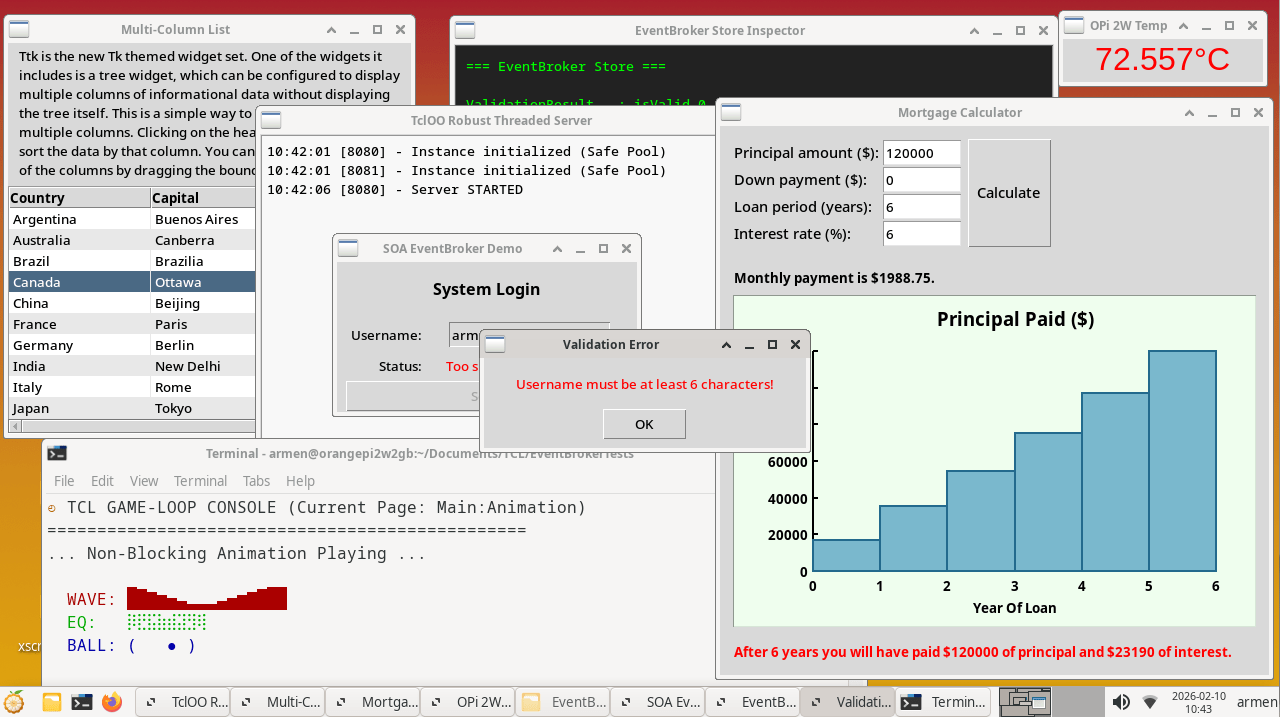
Tcl/Tk for macOS
Here's the deal: macOS is a very "opinionated" OS. Which makes sense, since Apple holds a tight grip over it down to the minute detail. They also don't shy away from changing it drastically from version to version, often breaking backwards compatibility. For instance, Apple will phase out their Rosetta 2 emulator starting with macOS 28. Rosetta is what allowed Macs with Apple silicon to run apps that were built for Macs with an Intel processor (x86 architecture) by translating code on the fly. Therefore, you first need to decide which Tcl build you're after — Intel or M-series/ARM one. Most likely it's the latter, so let's move on.
Believe it or not, but Apple actually does ship Tcl with macOS. The issue is — the version they ship is the embarrassingly ancient Tcl 8.5, dating back to 2010s. That's why upon running it you'll see a disclaimer:
WARNING: This version of tcl is included in macOS for compatibility with legacy software. In future versions of macOS the tcl runtime will not be available by default, and may require you to install an additional package.
Which not only means you absolutely need to replace it, you'll also have to fight this default installation, as the system paths point to this legacy bundle. If you try to run modern Ttk GUI code on it, it will likely crash or look like a Windows 95 app at best. This is why you must treat the system Tcl as useless waste and avoid it. And if it's already missing entirely in your latest version of macOS — you're in luck, and now only need to install the modern Tcl/Tk binaries.
There are several ways to install Tcl/Tk 9.0 on macOS:
- Homebrew — sort of a "standard" way to install the latest Tcl/Tk on Macs. It installs to
/opt/homebrewand tries to integrate better into the OS. It is a simpler install, but can occasionally break when Apple makes major OS changes (allegedly) - MacPorts — while Homebrew is the popular choice, MacPorts is technically a more "self-contained" option. It installs everything Tcl into
/opt/local, doesn't try to use Apple’s system libraries, and instead brings its own versions of extensions (OpenSSL, SQLite, etc.). This makes it super stable but results in longer install times because it often compiles from source. MacPorts is apparently also famous for its dependency hell: if you want to install Tcl, it might decide to install 40 other packages first, and the resulting Tcl/Tk install will take much more disk space. Fun fact: MacPorts itself is largely written in Tcl - BAWT builds — the same "batteries included" portable bundle compiled by Ashok P. Nadkarni, except for macOS. He admits that Mac bundle is largely untested. Available here. Also, just like with the Linux BAWT builds, it's your responsibility to set up all paths, dependencies and everything else, to make it actually function, and be able to even detect its own libraries. This is the most "experimental" option mostly for cases when everything else failed, no idea whether it works or not
I went with the Homebrew variant, since macOS is not my daily driver and I just needed something simple to be able to install and test my Tcl/Tk apps on Mac.
Here's how to install Tcl/Tk 9.0 On macOS with Homebrew.
First, you need to install Homebrew. Copy and paste this into your terminal. It will install the package manager and, if needed, the Apple Command Line Tools. At the end of the process, follow the guide on which commands to run in the terminal in order to add Homebrew to system PATH:
/bin/bash -c "$(curl -fsSL https://raw.githubusercontent.com/Homebrew/install/HEAD/install.sh)"Once "brew" is ready, install Tcl 9.0:
# Install Tcl/Tk 9.0 core
brew install tcl-tk
# Install extra extensions and dependencies if needed
brew install tdom openssl@3
Finally, you need to tell your M-series Mac to use the latest version of Tcl, not the 2010 one. Run this to add the Homebrew path to your shell configuration, including extra paths to be able to compile C packages from source in the future:
cat << 'EOF' >> ~/.zshrc
# Homebrew tcl-tk environment
export PATH="/opt/homebrew/opt/tcl-tk/bin:$PATH"
export LDFLAGS="-L/opt/homebrew/opt/tcl-tk/lib $LDFLAGS"
export CPPFLAGS="-I/opt/homebrew/opt/tcl-tk/include $CPPFLAGS"
export PKG_CONFIG_PATH="/opt/homebrew/opt/tcl-tk/lib/pkgconfig:$PKG_CONFIG_PATH"
EOF
source ~/.zshrc
To verify, create a test.tcl file with the following contents, and run it with tclsh test.tcl to check the output:
# test.tcl
puts "Tcl Location: [info nameofexecutable]"
puts "Tcl Version:  [info patchlevel]"
foreach pkg {sqlite3 Thread tls tcllib tdom} {
    if {[catch {package require $pkg} ver]} {
        puts "\[-\] $pkg: MISSING"
    } else {
        puts "\[+\] $pkg: Version $ver"
    }
}
Note: if you ever find a specific package you need missing, first check if Homebrew carries it by searching formulae.brew.sh or running brew search <name> in the console. If it isn't listed, you will need to compile or install it manually into the tcl-tk environment.
You're now ready to develop GUI apps in macOS without Apple's blessing, platform-specific tools. Or 💵 fees.
Tcl/Tk IDEs
I have briefly mentioned the Integrated Development Environment aspect of working with Tcl/Tk.
VSCode (or rather it's fork — VSCodium) is the IDE of my choice, as there are two extensions available for it, which make coding in Tcl easier:
- Tcl Navigation and Tools — for syntax highlighting and code snippets
- Code Runner — as a unified way to run Tcl code inside the IDE while coding
Not much to add there. This should be enough for the majority of Tcl/Tk devs not currently employed at some EDA company, where they'd probably be provided with specialized tools, tailored for bespoke versions of Tcl used in the chip industry. I've developed dozens of CLI and GUI tools using VSCodium, and it's been a comfortable enough experience.
To that, I can add that there exist other editors, for instance:
Alited — "A Light Editor", a truly peculiar project. Firstly, it's written entirely in Tcl/Tk. Then, it provides some advanced tools for project and code library management and working on several projects at once, with some functionality specifically tailored for Tcl development.
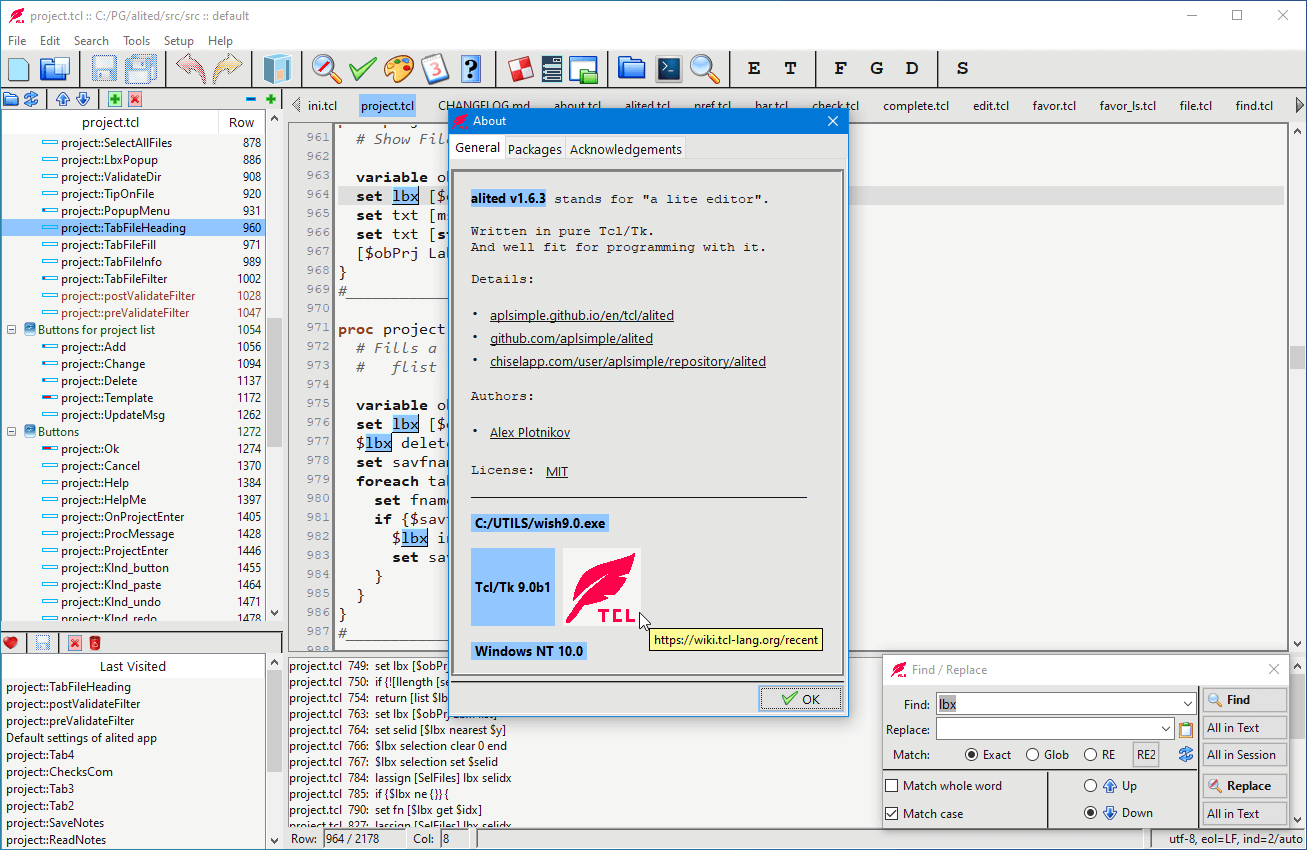
I tried using it for a while, and even for me it felt too "old-school" both in look and function, so I went back to VSCodium.
As for the fact that Alited is entirely built in Tk — it's an impressive demo of what can be achieved with Tcl/Tk, but makes the editor look and feel… odd. It's not quite OS-native, and the hotkeys are very "opinionated" and felt unorthodox. It was forged in a different era of development, and it remains committed to a workflow that modern alternatives have since smoothed over. For code analysis and autocompletion even the Tcl-centric Alited mostly offers basic autocompletion functionality, similar to that of the aforementioned VSCode extensions:
If Tab key is pressed at $ (or $: or $::), the completion list would include only the variables of current proc/method and (if $: or $::) Tcl global variables.
All in all, I found Tcl/Tk coding experience in VSCodium comfortable enough. Spend just a little bit to set up a good IDE, and you'll want to code in Tcl non-stop.
Afterword
Embrace boring technology.
To circle back to the beginning of this guide, my journey started with a simple search for a cross-platform UI framework. With Tcl/Tk, I found so much more than that. I got my hands on a robust, time- and battle-tested, cross-platform, and extremely versatile "manager's helper" tool-set. I also discovered a new world of programming languages, where code and data are interchangeable, which allowed me to see programming in a new light as both a hobby and a profession. It inspired me.
Learning Tcl/Tk and developing tools with it felt almost surreal. Like going back to the times of good old reliable technology, one that doesn't change simply because some project manager, or a tech lead, had decided their stack needed more "bling", or that it had to suddenly catch up to the younger, more agile, yet much less tested tools and concepts, breaking backwards compatibility and causing panic attacks for their developer- and user-bases.
I have to be honest though: Tcl lacks any meaningful community apart from the team of its core maintainers. So using it may make you feel "lonely", simply because it's not a trendy language. It's a language of small teams, or professionals using it to build pragmatic tools, or work with mission-critical systems "in the background". They value reliability and consistency over the dynamically-changing ecosystems like Python, Node.js, JavaScript or TypeScript. They sleep well, knowing that in a week, in a year, or even in a decade, their code will run just as it did before. They focus on solving actual problems instead of fighting their own toolchain, and quietly maintain the systems that the rest of the world takes for granted.
Could this be something you've been looking for?
Thank you for reading.
Useful Links
- https://colin-macleod.blogspot.com/2020/10/why-im-tcl-ish.html
- https://github.com/vivus-ignis/the-art-of-the-terminal/tree/master/most-misunderstood-proglang
- https://dontbreakprod.com/posts/embrace-boring-technology
- https://www.tcl-lang.org/man/tcl8.5/tutorial/Tcl0.html
- https://wiki.tcl-lang.org/page/Tcl+Tutorial+Index
- https://www.tcl-lang.org/man/tcl9.0/index.html
- Tcl/Tk Video YouTube channel