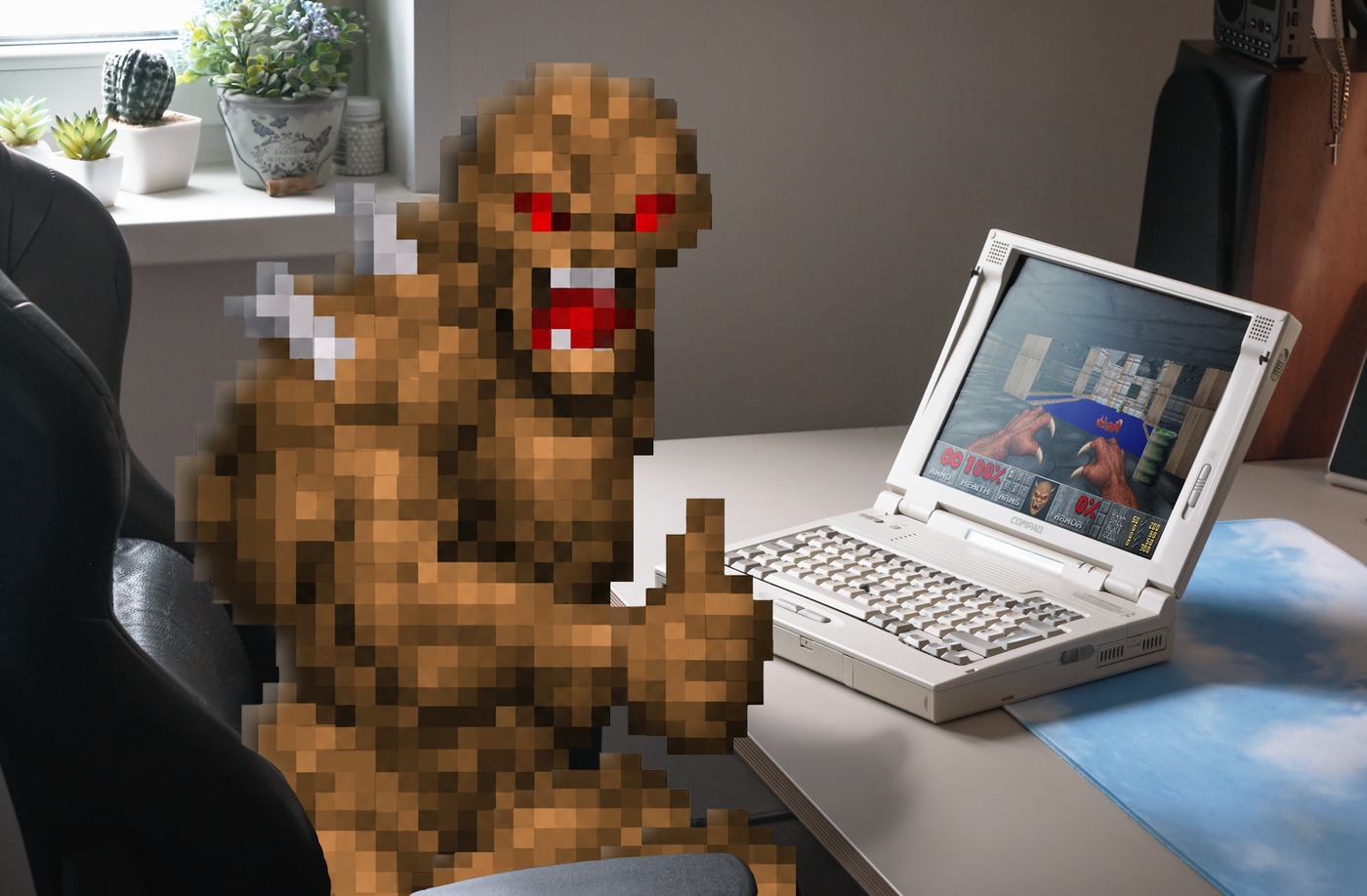
As unlikely as it sounds for a millennial, until recently, I had never actually played through either the original 1993 Doom or its 1994 sequel, Doom II: Hell on Earth.
My one real experience with Doom came way back in 2008, through a random Flash demo I stumbled across online, where Adobe was using Doom to showcase how C code could be executed inside an Adobe Flash file. It was the original shareware Doom game running at a smooth frame rate, in the browser, made possible thanks to Adobe Alchemy (also known as CrossBridge) — a short-lived C/C++ compiler for the ActionScript Virtual Machine that Adobe retired along with Flash.
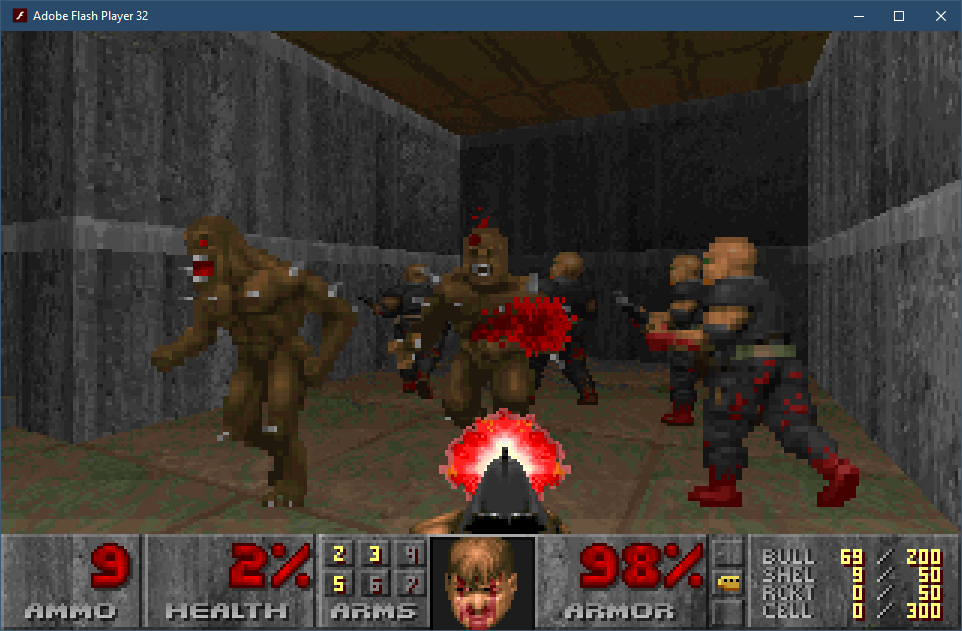
The demo had no music or mouselook, and the aspect ratio was incorrect, but I didn't care. I was too curious to see how far I could get, and eventually managed to finish the only episode available in that shareware release: "Knee-Deep in the Dead". And well, that was enough to give me the gist of what the original Doom was about, which is why I never bothered with the full retail version.
I inadvertently became the exact kind of player John Carmack had been talking about in his 1999 interview with Doomworld, where he explained why Doom II was released as a commercial game rather than as shareware like its predecessor:
"A lot of people consider themselves to have 'finished DOOM' when they just finished the shareware episode".
A Serendipitous Find
Fast-forward eighteen years to September 2026.
One day, on a sunny afternoon, I was scrolling through the classifieds when I stumbled upon a gorgeously preserved retro laptop. I had long dreamed of owning a classic "beige box" from the Windows 95/DOS era, but all the listings I had come across before were either yellowed, tired-looking desktop PCs, laptops based on 486-class processors (slow, DOS-only machines), or portable computers from the Windows 98 era — dull, worn-out dark-gray rectangles with no real charm or character.
Growing up, I never owned a Windows 95-era computer. My own experience with PC gaming began with visits to a friend's house, where his dad's PC became my gateway to Diablo, Fallout, Carmageddon, and some other classics. My first personal computer, meanwhile, was a much more modern 800 MHz Pentium III with 128 MB of RAM, designed to run Windows 98.
Seeing that retro laptop in the listing brought back memories of all the good old DOS and Win95 games I grew up playing. And it felt like the perfect opportunity to accomplish two things: acquire a marvelous vintage laptop and use it to beat the original Doom and Doom II: Hell on Earth on period-appropriate hardware.
I bought it almost immediately.
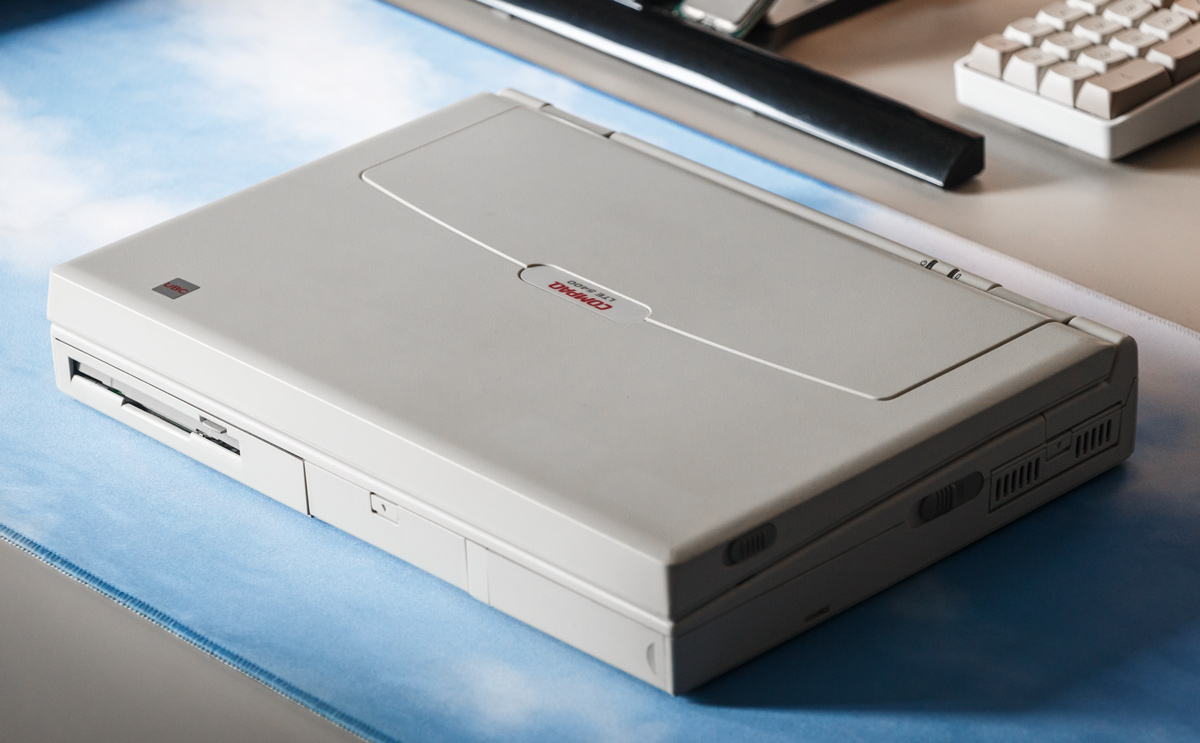
Here it is, in its full retro glory — the Compaq LTE 5400.
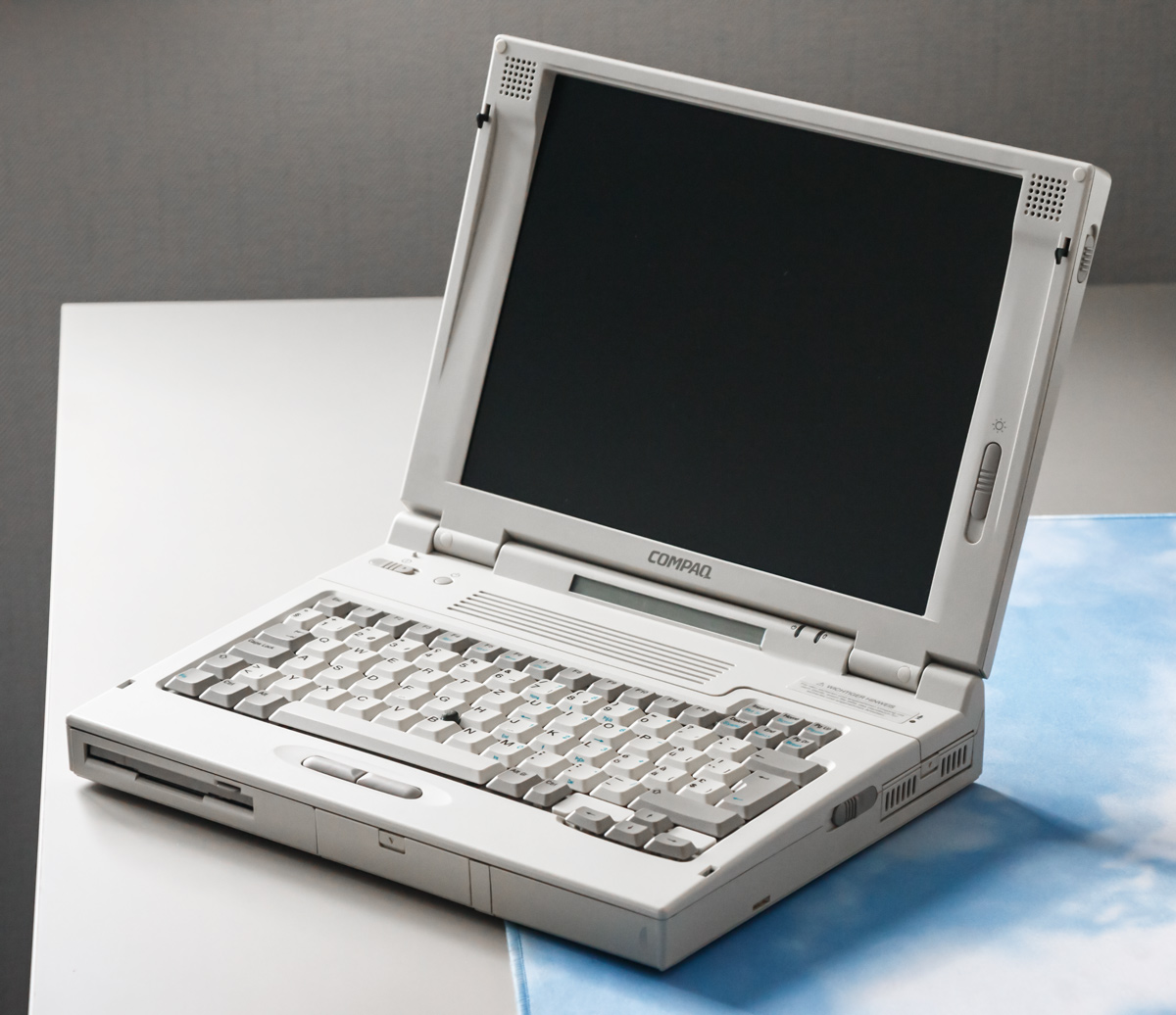
The Compaq LTE 5000 Series
The LTE 5000 lineup of machines has a rather interesting history. Following the troubled LTE Elite generation, it was the first time in years that Compaq relied on an outside company to design its portable computers, and the LTE 5000 series was a redesign of the LTE series, which is why it looks so different from Compaq's previous portables.
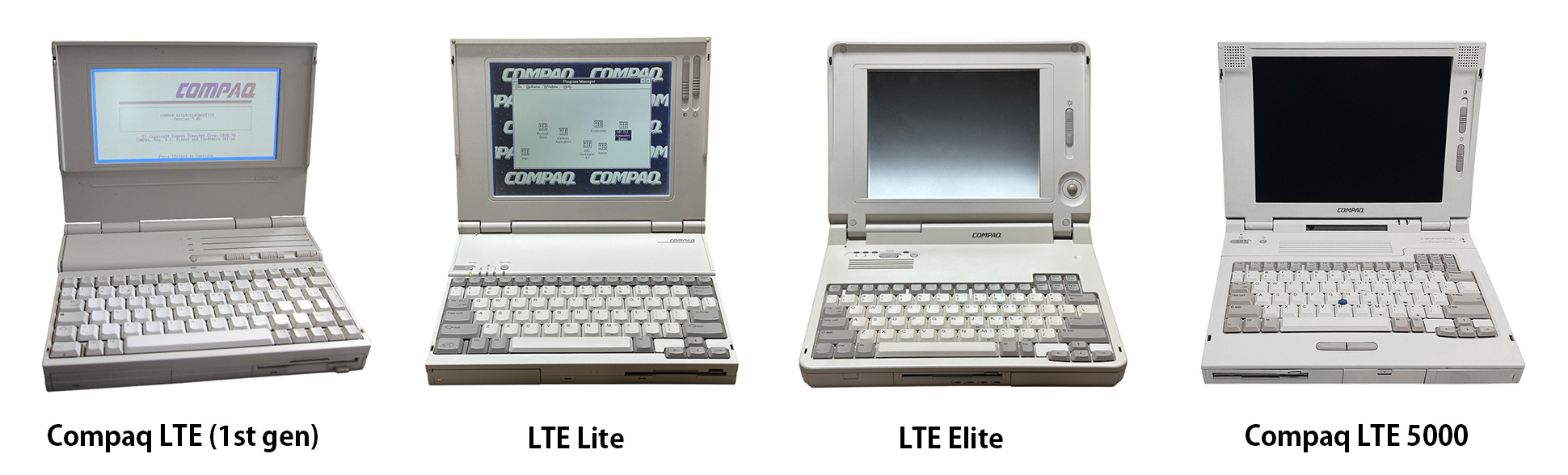
And these were anything but cheap! When the LTE 5000 first appeared in 1995, even a relatively basic configuration was selling for around $5,000, while higher-end models could retail well beyond that. Adjusted for inflation, that same laptop would cost roughly $11,000 in 2026!
But you weren't just paying for the badge. It was Compaq's first laptop lineup to use the Intel Pentium processor, and also its first to offer proper built-in 16-bit audio and hardware-accelerated video rather than relying on the usual PC speaker and basic graphics hardware. There was even an infrared port for communicating with PDAs, two PCMCIA card slots, and an optional MPEG decoder capable of real-time video playback.
These machines were built like tanks and were meant for long-term use, while also designed around an unusually modular concept. The front-loading MultiBay supported swapping between a floppy drive, CD-ROM drive, second hard drive, or additional battery, while the main hard drive resided in a removable metal caddy.
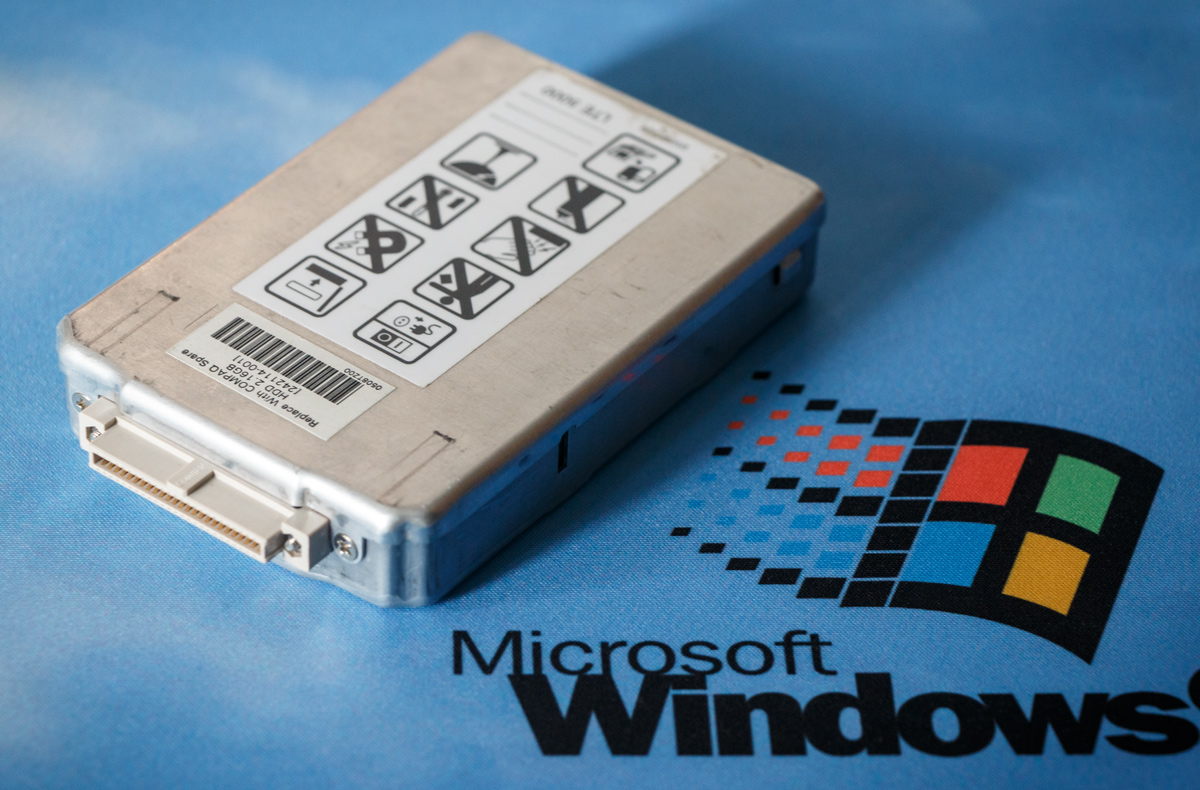
This laptop turned out to be an even better find than any full-size desktop PC "beige box" ever could have been. It is surprisingly modular for something this compact, with removable and interchangeable components that make it feel almost like a slim desktop rather than a sealed-up laptop.
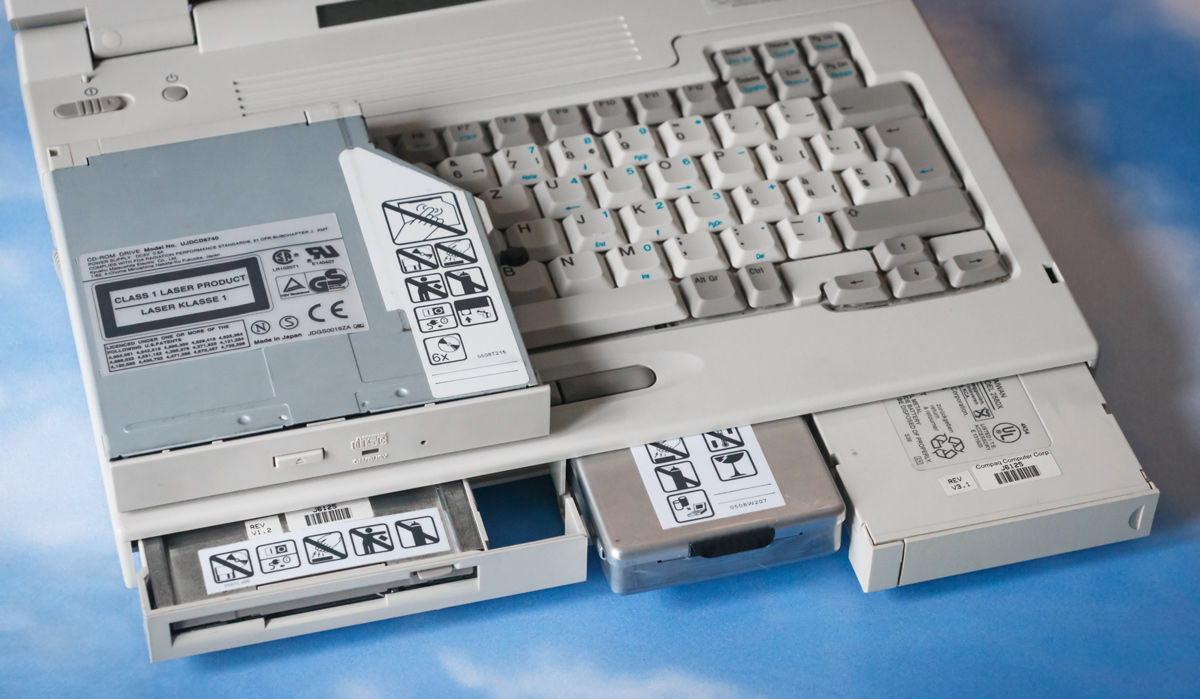
The machine I have is the LTE 5400, one of the later and faster members of the family, equipped with a 150 MHz Pentium, 32 MB of RAM, 12.1-inch 800x600 active-matrix display, and a 2.16 GB hard drive (yes, gigabytes, not terabytes).
When you pick it up, it very much feels like a piece of heavy-duty industrial equipment that just happens to run Windows 95.
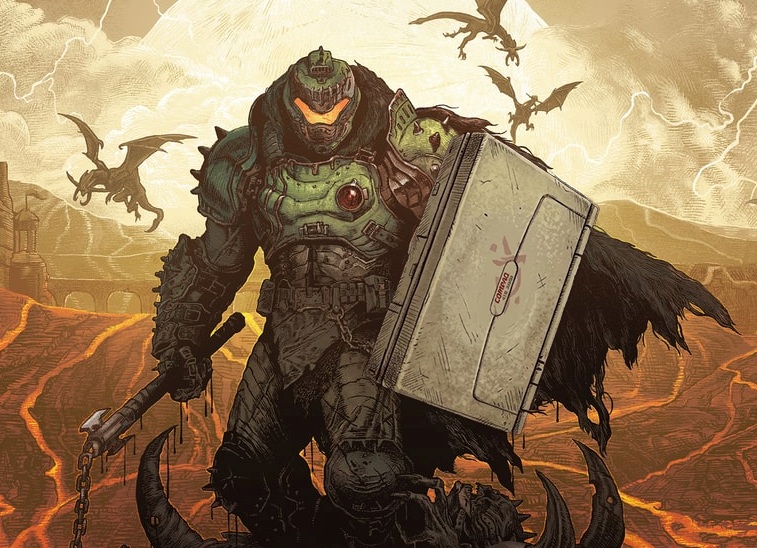
You could replace Doom Slayer's shield with this laptop and he wouldn't even mind.
Combined with the unusually substantial construction, the machine has aged remarkably well. Even after thirty years, the plastics on my unit have avoided the severe yellowing and brittleness that plague so many other computers from the same era. It was clearly built with durability in mind. And it shows.
This is, to me, the quintessential, genuine "snapshot" of what an ideal 1990s computer would look like.
The (portable) beige box to hold your dreams.
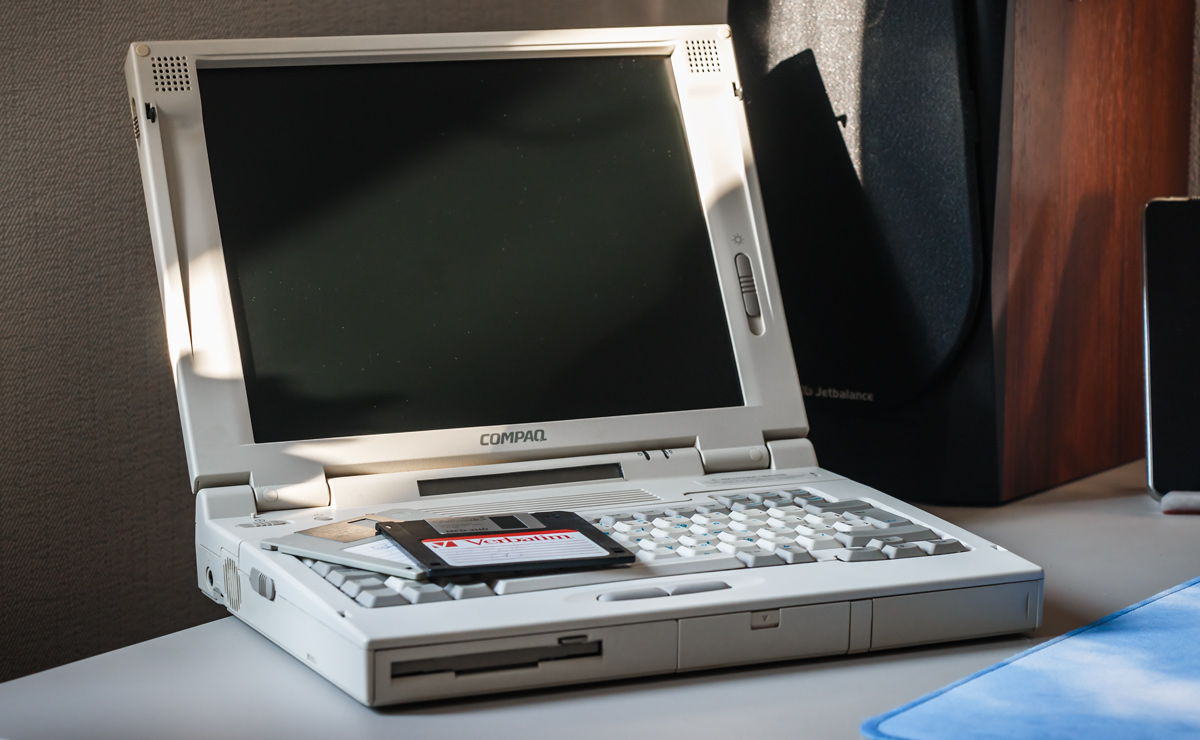
Looking at it, I can't help but feel that we lost something somewhere along the transition to thinner, lighter, and sleeker computers. Perhaps it was character. Perhaps it was simply the sense that a computer was a thing — a substantial object "with a personality of its own," rather than just another piece of "optimized" consumer electronics.
I realize how painfully banal and sentimental that sounds. But still, I swear, if there were a reasonably modern laptop that looked and felt anything like this, I would buy it in a heartbeat, just so I could use and praise it every day.
But alas, we're knee-deep in cost-cutting, so that's not happening.
This Is My Laptop
There Are Many Like It, but This One Is Mine.
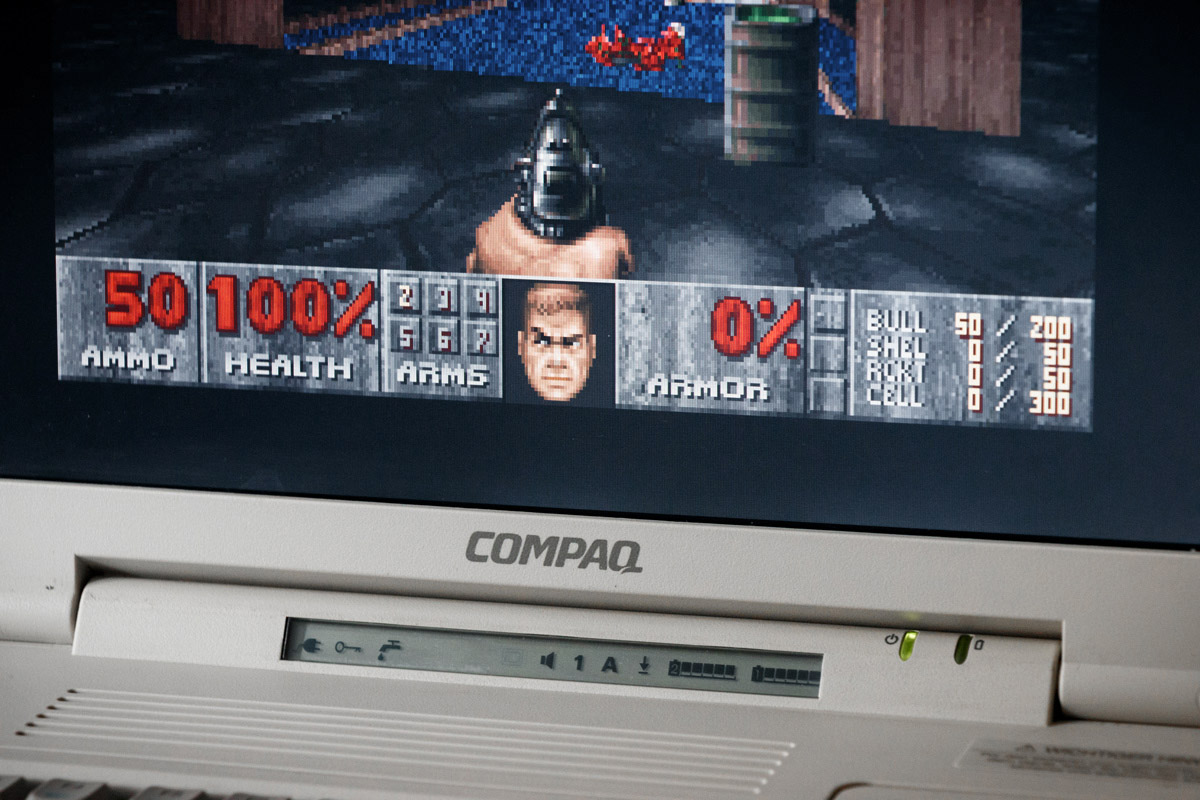
I've made up my mind. This LTE 5400 is a valuable piece of computer history! Turning that irreplaceable vintage machine into a disposable gaming appliance would be criminally irresponsible. While playing Doom on original hardware is amazing, repeatedly hammering away at a 30-year-old membrane keyboard and putting unnecessary hours of heat and electrical stress on aging electronics would ultimately be a waste of this (still functioning!) gift from the past.
Still, I did service and modernize it a bit:
- Purchased a new 18V/2A power brick to avoid using the original one, because a three-decade-old mains power supply is at this point arguably more of a fire hazard than a power brick
- Removed the Ni-Cd CMOS battery, notorious for having a 100% failure rate, with the added risk of leaking
- Gave the laptop the common "CompactFlash card mod" by replacing the aging IBM HDD with an IDE-to-CF adapter
- Equipped it with a PCMCIA CompactFlash adapter, which made transferring files between the Compaq and my main PC more convenient
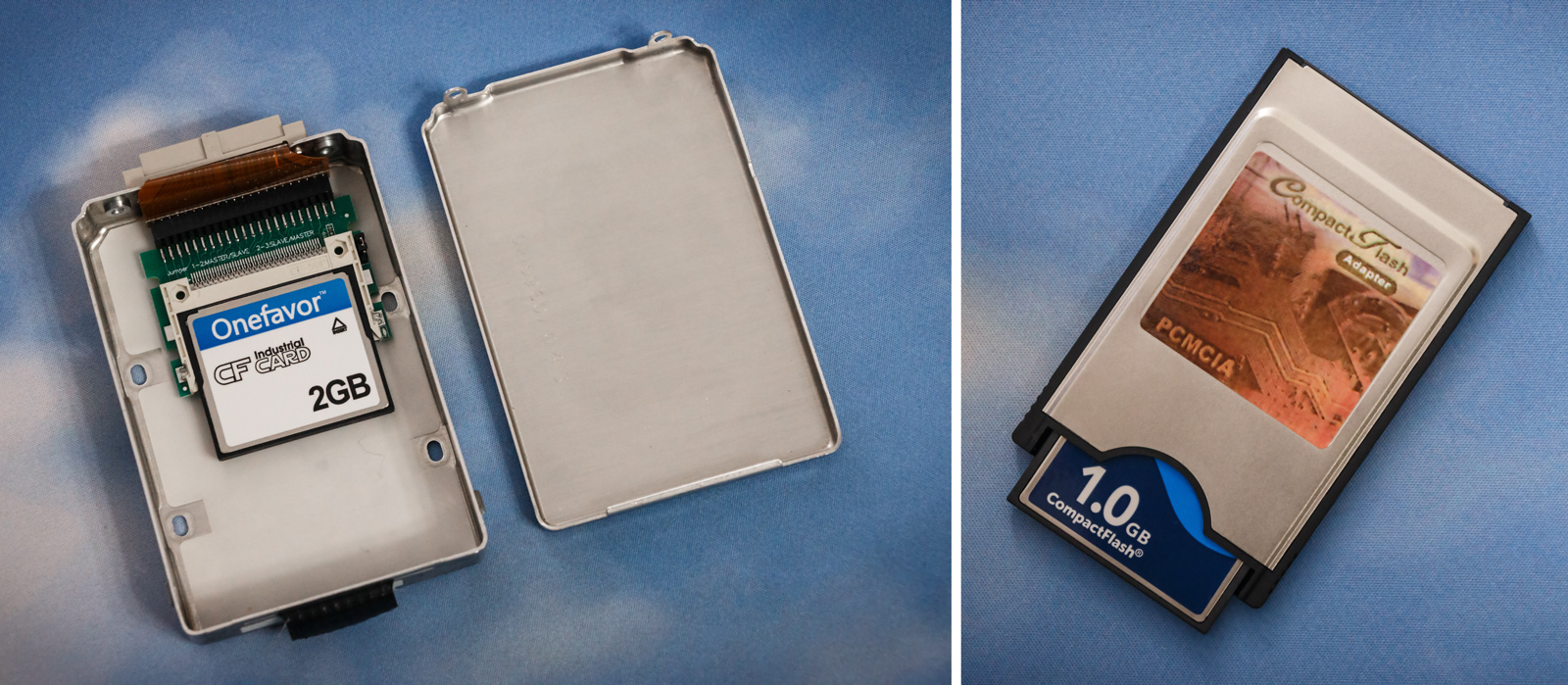
Contrary to popular belief, a '90s computer without a mechanical drive can be dead silent — something this laptop proves as well. And with flash storage, it can boot into Windows 95 in a matter of seconds. A stark reminder of just how much of a difference the storage medium makes regarding the perceived speed of even decades-old technology. This 150 MHz Pentium is no joke!
Gaming-wise, check out how ghosting-free this beautiful 800x600 active matrix screen is:
That's what five grand would get you back in 1996 — a gorgeous and fast TFT panel, at a time when the world of laptop LCDs was still full of washed-out passive-matrix displays and slow monochrome screens. No, seriously, SVGA TFT LCD was a premium display for the era, and even today it looks very good, with great colors and impressively deep blacks.
After spending some time actually playing on the real machine, and having reminded myself exactly what the original Doom and Doom II felt like on something with era-appropriate hardware, I decided to recreate that experience on my main PC using — what else — GZDoom.
The goal wasn't to "remake" Doom. Quite the opposite. I wanted to preserve the original "feel" of the game, while avoiding the kind of "modernization" that has become so ubiquitous in the industry, where an old game is "improved" until its original look, feel, pacing, and quirks are gradually replaced by somebody else's idea of what it should have been. No thanks.
This way, the Compaq gets to remain a pristine time capsule, and I get to play Doom without turning this awesome find into a consumable.
Why Not Just Play DOS Doom?
Although the original Doom and Doom II were DOS games, you can't really recreate the experience I want simply by running the original DOS executable in DOSBox.
For one thing, the keyboard, and especially the mouse controls, are very old-school. Instead of vertical mouselook, moving the mouse up and down actually makes the player walk forward or backward. It's confusing. It was always confusing, but hey — these were the early days of mouse controls in first-person PC games.
And then there's another important factor: the music.
I didn't want to build my setup around DOSBox when GZDoom gives me essentially the same high-quality software MIDI synthesis in a self-contained game installation, plus the ability to "level up" the music using a good SoundFont (a set of virtual instruments). I like old-school, but Doom's music deserves to be treated with a little more respect than being farted out by a cheap PC sound card or a similarly cheap-sounding MIDI software synthesizer.
Of course, by choosing GZDoom I also get the ability to run community-made GZDoom mods. That's something that wouldn't be possible if I were to simply go with Chocolate Doom — a source port that accurately reproduces the experience of Doom as it was played in the 1990s.
All in all, GZDoom is what allowed me to create my personal, self-contained, portable Doom and Doom II installation meant to run on modern operating systems and present the games as close as possible to their original, deliciously pixelated look and feel, while also sounding as good as MIDI possibly can.
"But Muh UZDoom!!!11"
A quick note for those who oppose GZDoom because of the recent drama. Do feel free to try and achieve the same results using UZDoom if you wish. The UZDoom developers have moved quite a few settings around, which is a bit much for my taste, and some of them behave differently from their GZDoom counterparts, which I know very well by now. So I'll be basing my recommendations on GZDoom g4.14.2.
Prerequisites
Here's what we're gonna need:
GZDoom — a fork of the ZDoom source port created and first released by Christoph Oelckers (Graf Zahl) in 2005. It's available for Windows, Linux, and MacOS, whereas ZDoom itself is an enhanced port of the official DOOM source code to Win32 and Linux, first released in 1998.
Arachno SoundFont (the SF2 version) — a SoundFont that's been primarily built to enhance the MIDI music of those old video games we all played and loved.
Doom and Doom II
.wadfiles — to get these, you can either:- Get shareware Doom if you don't have the original retail versions of either game
- Use
DOOM.WADandDOOM2.WADtaken from the directories of the installed games if you already have them - Buy and use "censored" and Bethesda-modified ones, like in this bundle. You can find out what makes them inferior by reading the reviews
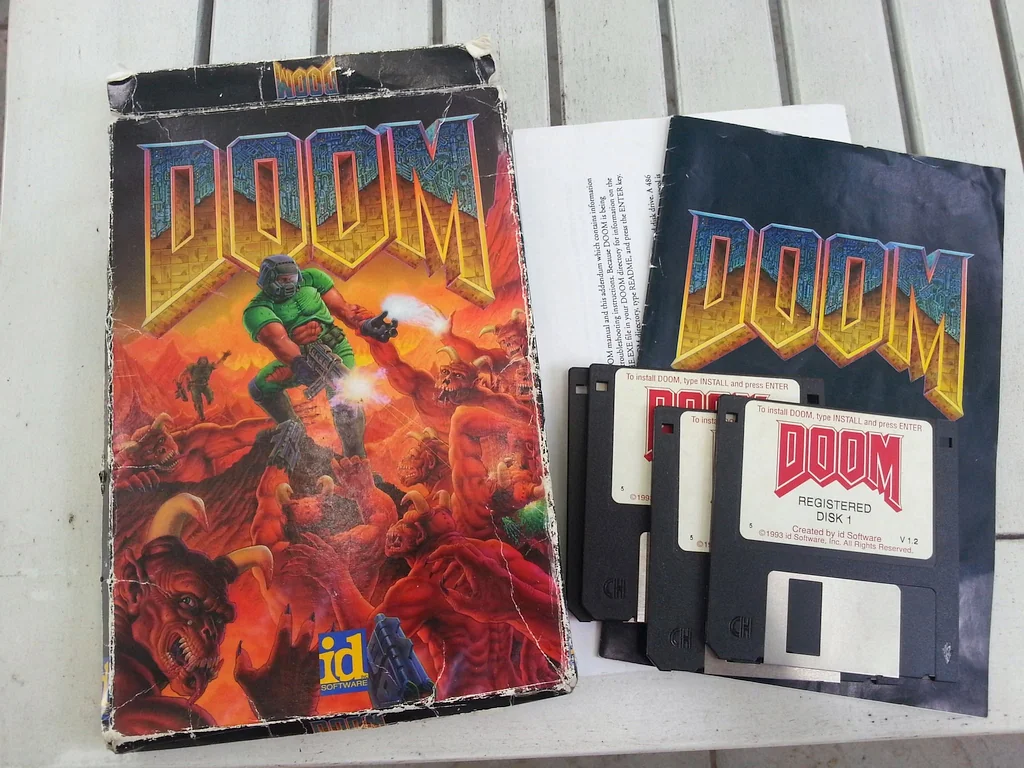
- If you at some point owned Doom and/or Doom II, and your original installation floppies are still sitting in a drawer somewhere, only to have become unreadable after three decades, then maybe head over to archive.org which has archived copies of various historical releases. If you go this route and used to own "vanilla" retail Doom, consider playing The Ultimate Doom instead, as it is essentially the more complete version, extended with an extra chapter. I mean, if one's going to play the legendary original, it may as well be the one with nine additional, officially released levels, right?
The Plan
The goal is to make Doom play like Doom, not like a modern shooter that happens to look like Doom.
By default, GZDoom's rendering engine is configured to produce a hardware-accelerated, trilinear-filtered image. That's a terrible choice for something like Doom, and it needs to be changed to match what we saw in the LTE 5400 gameplay recording.
Where there's a will, there's a way! After messing about in GZDoom, I was able to achieve exactly what I wanted with minimal changes to the engine's config.
Therefore we'll mostly focus on four areas:
- Basic portable GZDoom config
- Special effects, display options, scaling and framerate cap
- Tightening the controls
- Enhancing the music synthesis
The Portable GZDoom Configuration
- Download and unpack the GZDoom zip archive anywhere, except a system folder like "Program files". I.e. into a folder like
C:\Games\GZDoom - Create an empty
gzdoom_portable.inifile in your GZDoom folder. This will make the installation, together with the save files and screenshots, portable and self-contained - Copy your
DOOM.WADandDOOM2.WADfiles to the GZDoom folder - Start GZDoom and confirm that it can see those two game files
Now we can finish our preparations and finally save the world!
The Display
Lighting Effects
Start GZDoom's launcher, switch to the "Options" tab and enable "Lights" and "Brightmaps". This adds a bit of polish to the overall image, while also being genuinely useful during gameplay: the extra illumination makes nearby objects, enemy projectiles and other details easier to make out in darker areas.
Display Options
First, we want to get rid of any and all hardware acceleration and only use GZDoom's "Doom Software Renderer", to make the game look nice and crisp.
Second, the vanilla Doom engine had its game logic and rendering tied to a hardcoded 35 Hz tick rate, capping the original game at 35 frames per second. Smooth enough for 1993, yet not so smooth that it loses that unmistakable old-school feel. Lowered framerate also adds that extra "weight" to the controls, further enhancing the experience.
- Load into Doom or Doom II and go to:
Options ➔ Display Options - Set
Render ModetoDoom Software Renderer - Limit
Max FPSto35
Scaling Options
Doom doesn't look particularly good in widescreen, and its HUD was designed for a 4:3 display. To restore and enjoy the original presentation, use the following settings:
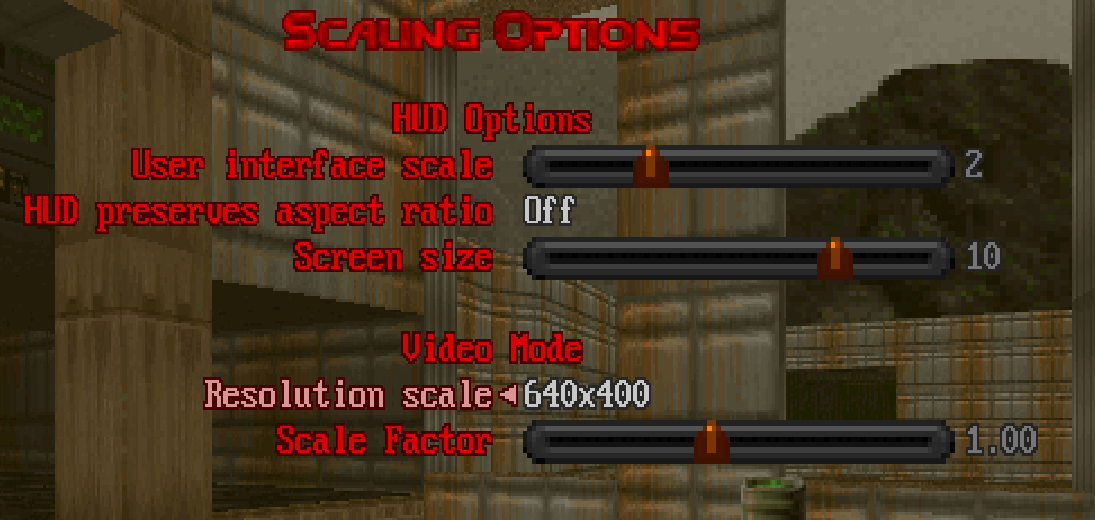
As for why it's 640x400 — this is just a 2x-scaled version of Doom's original 320×200 framebuffer, which is displayed with non-square pixels to fit a 4:3 VGA CRT monitor. But why did Doom use such a weird resolution in the first place and not something like the familiar 320x240 (QVGA) or 640x480 (VGA)?
Long story short — it's a 1990s VGA hardware thing. 320×200 with 256 colors was a particularly convenient graphics target: at one byte per pixel, a complete framebuffer was just 64,000 bytes, fitting nicely into a simple 64-KB CPU-visible VGA memory window. VGA then double-scanned the 200-line image to produce 400 display scan lines, filling a 4:3 CRT with pixels that were effectively taller than they were wide. Doom's graphics were designed around this display geometry from the start.
"But wait!" — you may object — "LTE 5400 has a TFT panel with square pixels, it's not a CRT! How can it also display an aspect ratio-corrected image?"
Good question! The Compaq LTE 5000 series service manual explicitly states that the 800×600 models support lower-resolution DOS modes and explains that, by default, they do not stretch a lower-resolution DOS image to fill the entire screen, specifically "to maintain a high-quality image". In other words, the laptop's display hardware was aware that these older DOS modes did not naturally map 1:1 onto the 800×600 TFT, and was able to deal with that.
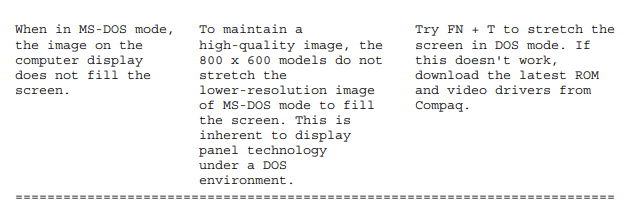
And in practice, that's exactly what you saw in the video above, with the game running on the actual device: the lower-resolution Doom image is presented with the proper 4:3 proportions on the laptop's square-pixel 800×600 TFT, rather than being shown as a literal 320×200 or 640×400 rectangle, or stretched to fit the whole screen.
Therefore, those GZDoom screenshots in this post that were rendered with Doom's Software Renderer have been manually aspect ratio-corrected by me. The Flash demo screenshot you can see at the beginning of the post is a good example of what Doom would look like with its logical framebuffer displayed without any correction: the image appears noticeably squashed vertically.
Ahem… Anyway, we're done here!
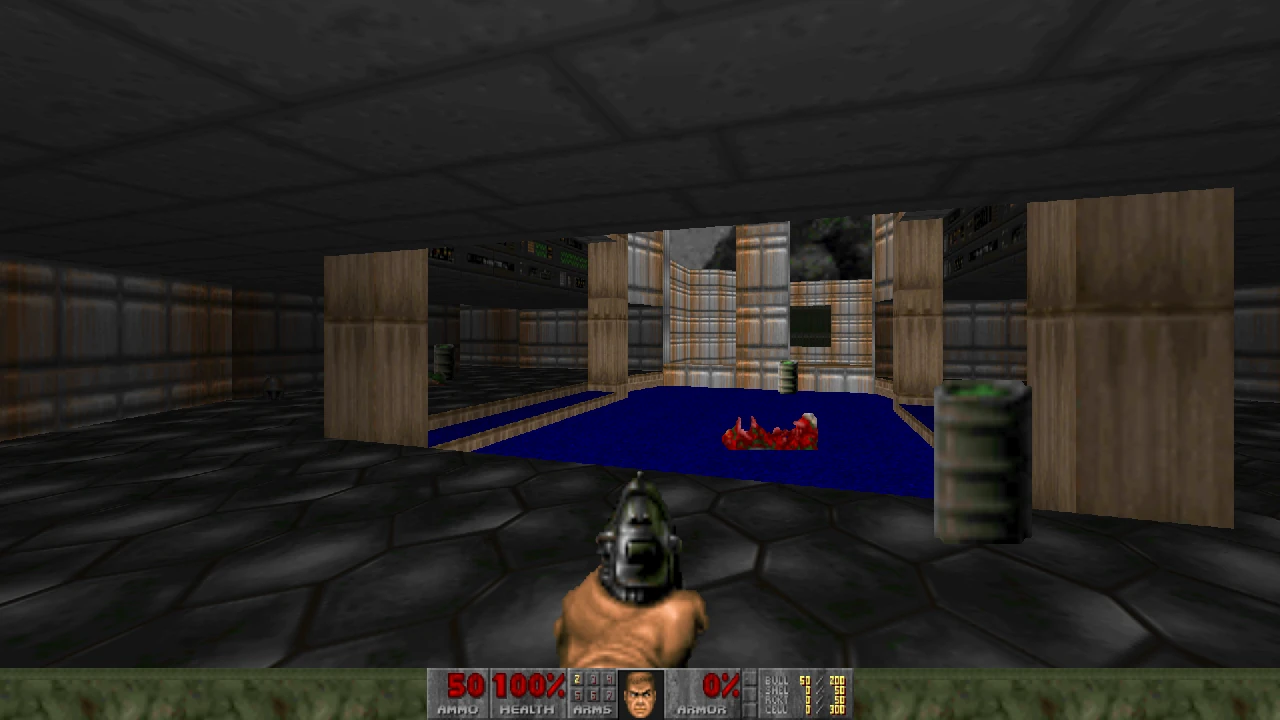
Before (ugly, blurry mess):
After (crispy, large and readable, just like in the original):
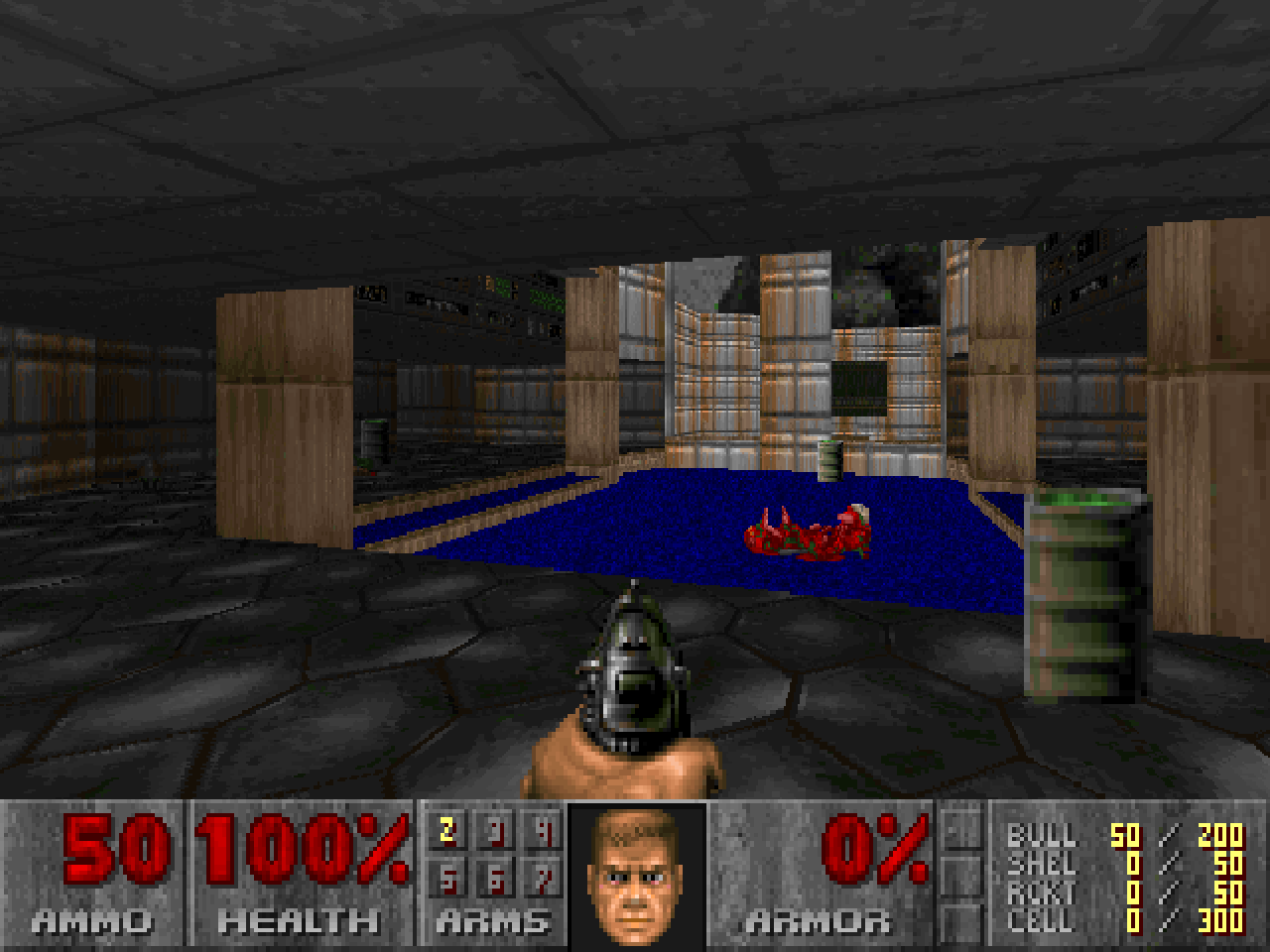
With these settings, the actual render resolution will be exactly 640×400, rather than the vanilla 320×200 framebuffer being simply upscaled by 2×. So feel free to drop the resolution all the way down to 320×200 if you want to experience the game as closely as possible to how the original engine rendered it.
I went with 640×400 because I'd argue that Doom's original resolution was largely a compromise dictated by the hardware constraints of the time, rather than a resolution that was inherently desirable from a visual standpoint.
It's just... too low-res, seriously:
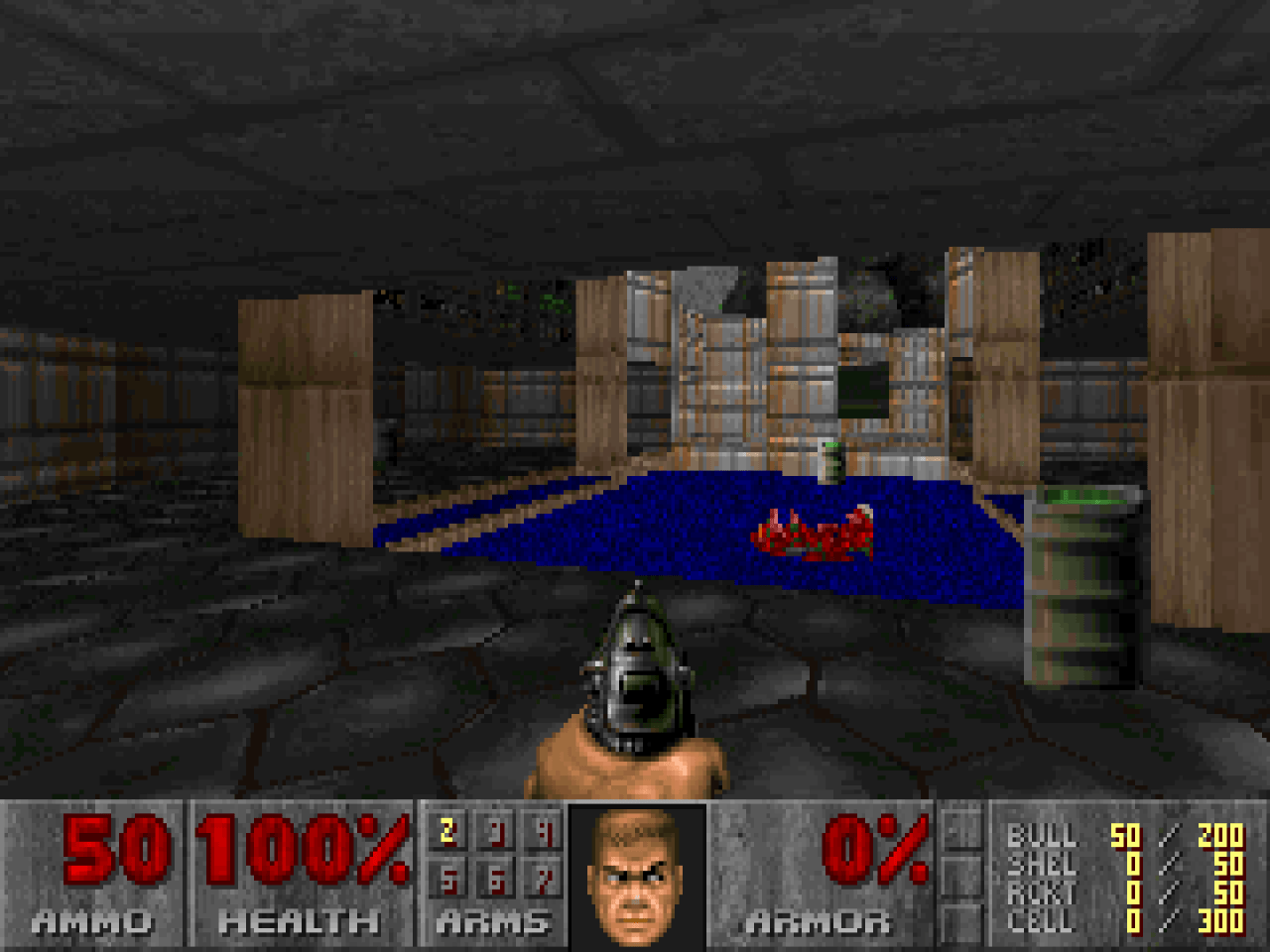
Rendering at 2× the original resolution gives you a cleaner image without throwing away too much detail, while still preserving the same 4:3 geometry and, importantly, the chunky pixelation that is a fundamental part of Doom's original look.
The Controls
Here's a cool bit of trivia: if you didn't know, Doom is actually a 2.5D game. Its levels are fundamentally laid out on a two-dimensional plane, with height added through sectors, floors and ceilings. Walls are perfectly vertical, and there is no true 3D geometry in the original engine. This is why, when using GZDoom's "Doom Software Renderer", looking too far up or down can expose all sorts of visual oddities and artifacts that were never meant to be seen. The illusion works precisely because the player is expected to experience the world from a fixed, mostly horizontal perspective.
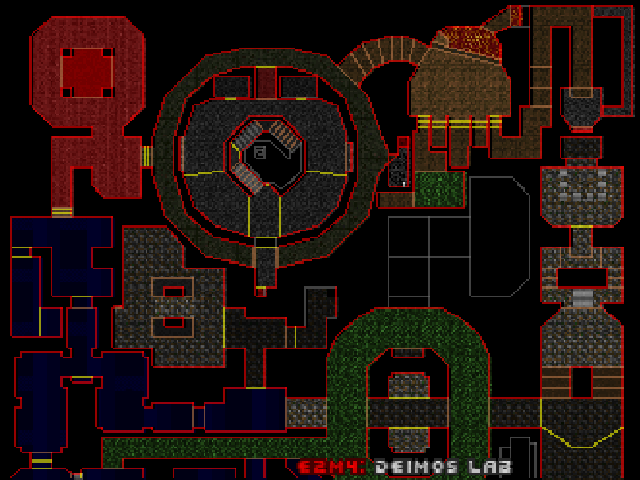
Besides, Doom is a mechanically simple game. It's meant to be enjoyed for its fast movement and challenging horizontal combat rather than as a modern free-aim shooter. Vertical auto-aim does the rest, automatically adjusting your shots to hit enemies above or below you.
By default, GZDoom allows the player to jump, crouch and aim vertically regardless of the .wad loaded into the engine. We need to disable jumping, crouching and (vertical) freelook, since none of these were among the original Doomguy's abilities. Jumping in particular may allow sequence breaks in certain levels, potentially leaving you trapped or allowing you to bypass encounters and progression the maps were designed around.
- Load into Doom or Doom II and start an episode or load a saved game
- Go to:
Options ➔ Full options menu ➔ Gameplay Options - Set
Allow Jump,Allow crouchandAllow freelooktoOff - Save your game to store these changes in the save file
The only small inconvenience is that you'll need to disable these three settings whenever you start a new episode, because GZDoom does not appear to carry these gameplay restrictions over globally between games.
The Music
When it comes to Doom's MIDI soundtrack, the quality of the samples and instruments actually playing it back makes a huge difference.
Doom was composed using contemporary MIDI hardware and instruments that were considerably better than what the average PC gamer had at home. In fact, Bobby Prince used a Roland Sound Canvas SC-55 while composing Doom's music, which is why SC-55 playback is often regarded as a sort of canonical high-end reference for the soundtrack. So the developers and composer were hearing these tracks in a rather different way from someone listening through a typical Sound Blaster.
However, I wanted to try to get as close as possible to an "Ultimate Doom Soundtrack", rather than simply reproducing the hardware playback of the era, or merely emulating the sound of the LTE 5400 itself. So instead of simply going with the Roland Sound Canvas SC-55 SoundFont, I went looking for something with even more "punch"... And I found it!
Meet the Arachno SoundFont. It is a General MIDI-compliant bank of 128 instruments (or "presets") and nine GM/GS drumkits, drawing on sounds from famous synthesizers and samplers by Roland, Korg, Yamaha, Fairlight, E-MU, Ensoniq, and others. It was specifically designed with old video-game MIDI music in mind, and Doom is among the games it has been tested with.
- Download that
Arachno SoundFont - Version 1.0.sf2file, and place it into yourGZDoom/soundfontsdirectory - In GZDoom go to:
Options ➔ Full options menu ➔ Sound Options ➔ Advanced options ➔ Midi player options ➔ FluidSynth - Set
Select configurationtoArachno SoundFont — Version 1.0 - Set
ReverbtoOn
There are several MIDI synth engines available in GZDoom. The most notable being:
- FluidSynth — default, clean, straightforward, and very fitting for this setup
- TiMidity++ — a little richer-sounding, but IMO slightly less "metal"
- OPL Synth Emulation — sounds closest to the actual hardware LTE 5000 series ESS ES1688 AudioDrive, whose built-in music synthesizer is ESFM, an OPL3-compatible FM synthesizer
If you prefer to switch to the TiMidity++ engine, don't forget to configure it to use the Arachno SoundFont configuration as well.
Switching from the default "gzdoom" SoundFont to the Arachno SoundFont completely overhauls the MIDI quality.
Here's the demo:
Wicked metal and totally radical, dude!
Other Notes
Although you're totally ready to hunt some demons, I have a few bonus bits before you step into the first level.
Which Difficulty to Choose?
Classic Doom was designed in 1993 around primarily keyboard-based movement, and the early-90s "experimental" mouse controls. With modern freelook or responsive twin sticks, the default "Hurt Me Plenty" may feel surprisingly sparse, whereas "Ultra Violence" delivers the increased monster density, resulting in a more hectic experience where resource management becomes increasingly important. This is due to the increased total monster counts and lower-tier enemies getting upgraded into harder variants (like swapping out Imps for Cacodemons in certain traps).
If you're new to Doom, I recommend starting out with the first episode on the "Hurt me plenty" difficulty. And then, with the second episode, go all in with "Ultra Violence" for a good challenge, to see whether it suits your playstyle. But! Don't ever feel "guilty" about dropping to an easier difficulty at any point — for instance, to make it through the "Inferno" episode. Starting it with just a pistol on "Ultra Violence" is a real pain, and it only gets harder with each level due to extreme ammo shortage. Since this was the final episode of the vanilla 1993 Doom, it was basically the devs' way of saying: "The games are over. We're in Hell now. Adapt or die".
This was later followed up by episode 4, released with The Ultimate Doom in 1995, which was deliberately designed as an expert-level challenge, and the hardest episode for players who beat Doom and Doom II. Therefore, "Thy Flesh Consumed" is a bit of an odd one out: its maps are generally designed more like a bonus challenge than a natural continuation of episode 3. It starts hard, has some nasty traps, and the difficulty curve is considerably steeper. Consider playing it only after finishing your first Doom II playthrough.
So yeah, the difficulty curve in Doom is far from linear, and it's totally intentional.
This also helps explain why Doom II feels different (and arguably more like a coherent, complete game): unlike the first installment, Doom II has one continuous campaign, and there are no episode boundaries that reset your inventory. Its levels are designed as parts of one long single-player game, whereas the original Doom has a much more episodic, "start from scratch" structure. Doom II was extremely well received and is often regarded as a refinement of the original, and, personally, I also found it even more enjoyable than the original Doom.
Extra Brutal Doom
You can download the Brutal Doom mod and drop the brutalv21.pk3 file into your GZDoom folder. Then drag this .pk3 file onto the GZDoom executable, and pick a game you want to play with the mod enabled, for a very different, and considerably more visceral experience.
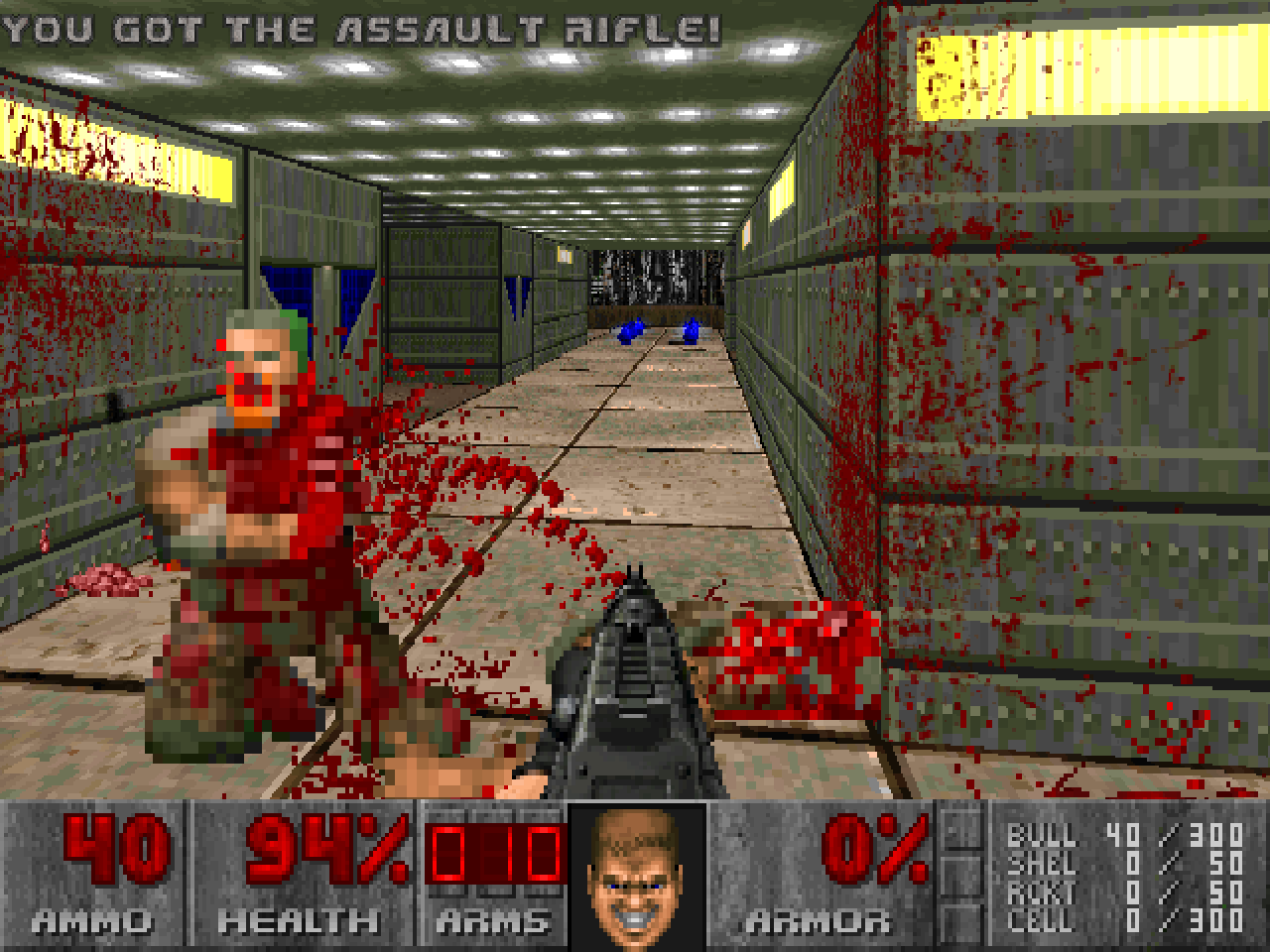
It is quite over the top, and it also changes the game's balance by introducing new weapons and other gameplay changes. For that reason, it might be best saved for a repeat playthrough, after you've gone through the vanilla levels at least once. With our retro-tuned display settings, it will look especially good: a pixelated throwback to a time when even excessive gore had only 256 colors to work with.
Keep in mind that vanilla Doom saves are incompatible with Brutal Doom saves, so this is another good reason to save it for a second playthrough.
Closing Thoughts
Having finished my first playthrough of both The Ultimate Doom and Doom II, I must say that both games do indeed still hold up. The maps are generally well-designed (aside from a handful of stinkers and the "Icon of Sin" final boss of Doom II), the combat is fairly involved, and the whole thing remains engaging even by modern standards, with Doom II especially feeling more like a cohesive game thanks to its continuous campaign and progression.
Be it a retro "beige box" or a custom Crispy Doom-like GZDoom config — consider playing Doom and Doom II. They're genuine classics that remain fun to play, and a perfectly good excuse to take a little trip back to the 1990s, shotgun included.
And do try not to save-scum too much, lol. Let the game surprise and ambush you. Taking the occasional unexpected heavy hit and having to deal with it makes the encounters feel more threatening, raises the stakes, and ultimately makes for a much more exciting playthrough.
After all, it's not a walk in the park with Care Bears. It's DOOM.