JPEG XL, Welcome to the Web!
Big news: JPEG XL has finally landed in two major browsers: Google Chrome and Mozilla Firefox!
Check out Can I use:
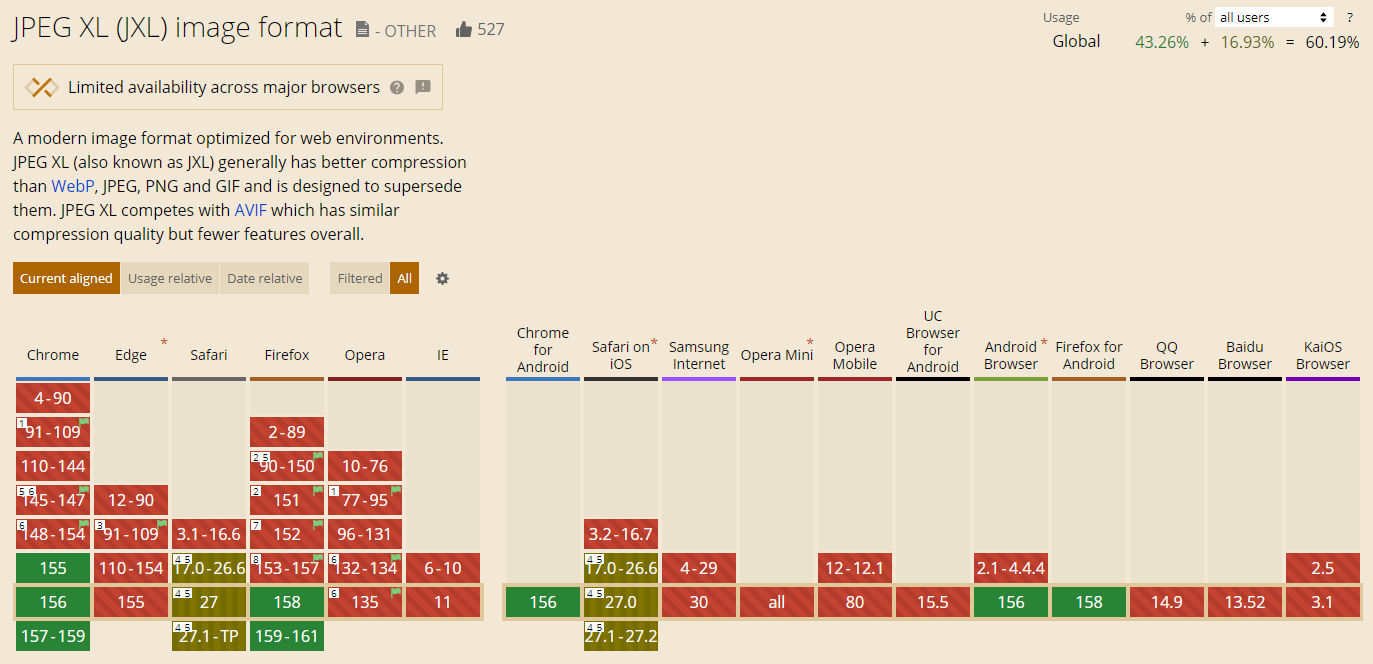
Why am I so excited? Oh, it's simple, really…
JPEG XL Is the End-Game Universal Image Format!
Here's why:
- Excellent Compression Efficiency — JXL beats classic JPEG and WebP with fewer artifacts and smaller files, and holds its own against AVIF
- Universal Feature Set — JXL replaces the entire fragmented ecosystem of single-purpose formats. It handles lossless graphics (replacing
.png), variable-frame animations (replacing.gifand animated.webp), alpha transparency, and progressive streaming - Wide Color Depth, Gamut & Native HDR — unlike
.webp(capped at 8-bit color), JXL supports up to 32 bits per channel, including floating-point HDR data (though browser gain-map support is still catching up). It also supports arbitrary custom channels (depth maps, alpha, thermal, CMYK) and handles 16-bit professional master files without gradient banding - Lossless JPEG Transcoding — still blows my mind: the JXL encoder can take in a legacy
.jpg, shrink it by ~20%, and produce a valid.jxlimage. This image can then be used to reconstruct the original JPEG bit-for-bit on demand. This lets servers and storage archives shrink petabytes of legacy data without re-encoding or introducing generation loss - High-Speed, Parallel Software Encoding & Decoding — JXL decodes fast on modern CPUs via SIMD, with no GPU required (though AVIF currently edges it out in raw decode speed). Plus, there are plans for dedicated hardware acceleration*
- Open-Source and Permissive Licensing —
libjxlis released under the permissive BSD 3-Clause license, with royalty-free RAND-Z patent terms. Commercial vendors, OSS projects, and web platforms can integrate, modify, bundle, or distribute JXL tools without a cent in licensing fees. So, no patent traps, no legal restrictions!
*Still on the roadmap. Give it some time, it's very new.
JXL is the future-proof archival format, while AVIF is currently the better web delivery format — but JXL's lossless/transcoding capabilities are unmatched. The only thing holding it back for years was browser standards politics, which is finally resolving.
It's rare for a format to solve photography, archival storage, web delivery, and high-bit-depth precision all at once without compromises in core capability. The math is too good to ignore. Browser adoption is the last domino falling…
So, finally, I can use the <img> tag to embed a .jxl image in a page:

JPEG XL rules! Glory to the architects of libjxl!
Counterpoint:
Please note that I'm not saying AVIF is obsolete, or hating on it. How could I? It's basically a still frame from AV1 — and I love AV1! AVIF is an excellent format, royalty-free and already supported by most browsers.
Not only is it still relevant, but in recent comparisons it reliably beats JXL in file size for lossy web images. But for lossless, JPEG XL is the clear winner: AVIF lossless is 30–122% larger and slower to decode. Will this stay the case? Let's wait and see!
P.S. If you’re on an older Photoshop version (CS6 through v26.7, pre-June 2025), native support isn’t available by default. You can still import and export .jxl files, though, by installing the free, open-source JXL Photoshop Plugin. And while you’re at it, grab the AVIF plugin too.
How to Play Doom and Doom II Like You Would on a Compaq LTE 5000 Series Laptop From the 1990s
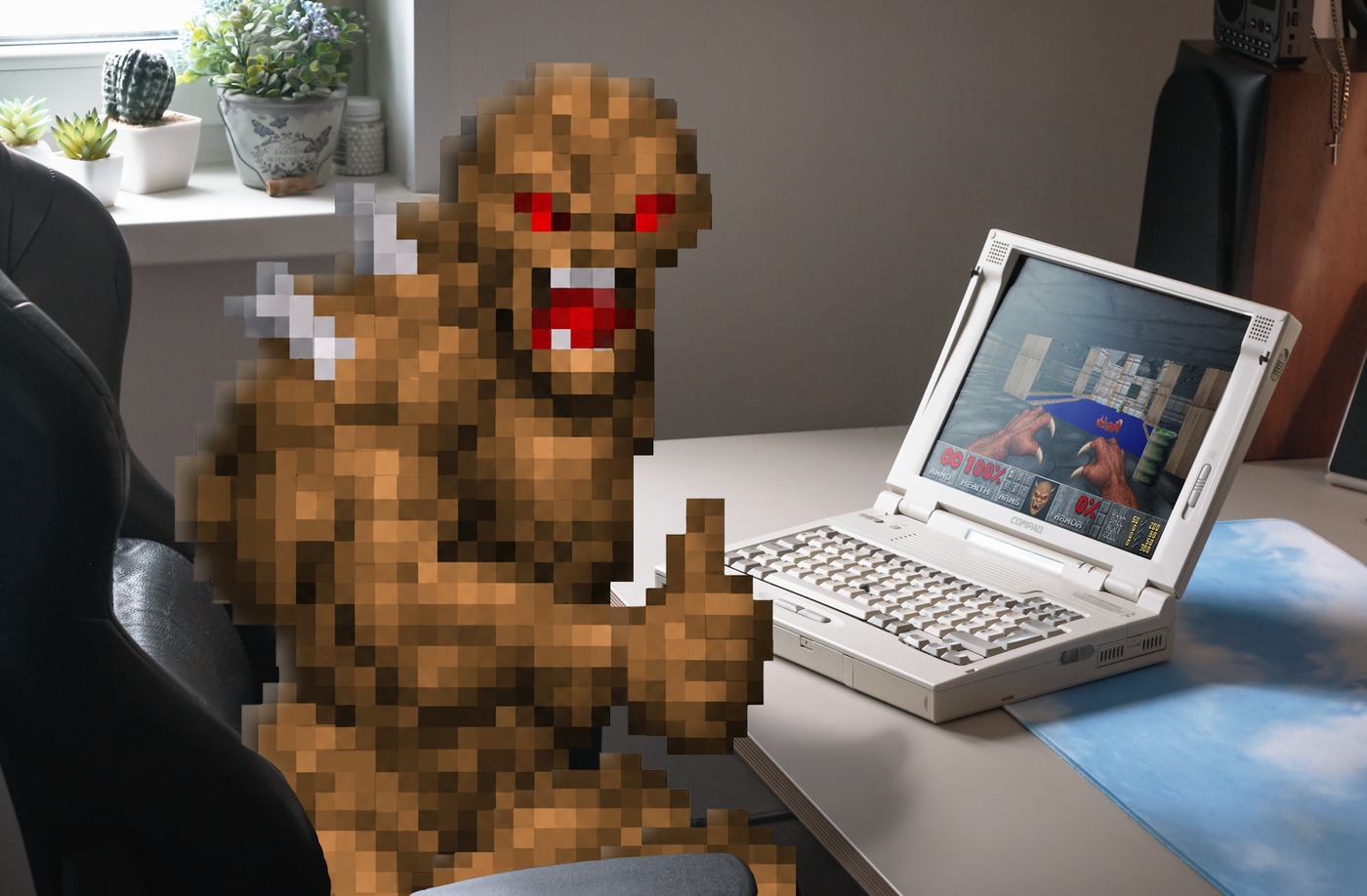
As unlikely as it sounds for a millennial, until recently, I had never actually played through either the original 1993 Doom or its 1994 sequel, Doom II: Hell on Earth.
My one real experience with Doom came way back in 2008, through a random Flash demo I stumbled across online, where Adobe was using Doom to showcase how C code could be executed inside an Adobe Flash file. It was the original shareware Doom game running at a smooth frame rate, in the browser, made possible thanks to Adobe Alchemy (also known as CrossBridge) — a short-lived C/C++ compiler for the ActionScript Virtual Machine that Adobe retired along with Flash.
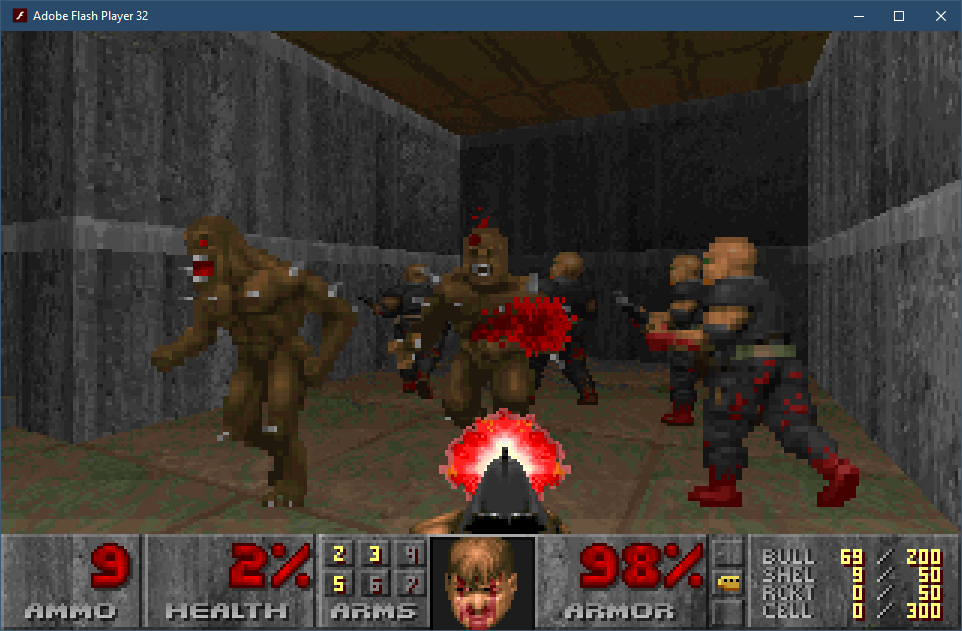
The demo had no music or mouselook, and the aspect ratio was incorrect, but I didn't care. I was too curious to see how far I could get, and eventually managed to finish the only episode available in that shareware release: "Knee-Deep in the Dead". And well, that was enough to give me the gist of what the original Doom was about, which is why I never bothered with the full retail version.
I inadvertently became the exact kind of player John Carmack had been talking about in his 1999 interview with Doomworld, where he explained why Doom II was released as a commercial game rather than as shareware like its predecessor:
"A lot of people consider themselves to have 'finished DOOM' when they just finished the shareware episode".
A Serendipitous Find
Fast-forward eighteen years to September 2026.
One day, on a sunny afternoon, I was scrolling through the classifieds when I stumbled upon a gorgeously preserved retro laptop. I had long dreamed of owning a classic "beige box" from the Windows 95/DOS era, but all the listings I had come across before were either yellowed, tired-looking desktop PCs, laptops based on 486-class processors (slow, DOS-only machines), or portable computers from the Windows 98 era — dull, worn-out dark-gray rectangles with no real charm or character.
Growing up, I never owned a Windows 95-era computer. My own experience with PC gaming began with visits to a friend's house, where his dad's PC became my gateway to Diablo, Fallout, Carmageddon, and some other classics. My first personal computer, meanwhile, was a much more modern 800 MHz Pentium III with 128 MB of RAM, designed to run Windows 98.
Seeing that retro laptop in the listing brought back memories of all the good old DOS and Win95 games I grew up playing. And it felt like the perfect opportunity to accomplish two things: acquire a marvelous vintage laptop and use it to beat the original Doom and Doom II: Hell on Earth on period-appropriate hardware.
I bought it almost immediately.
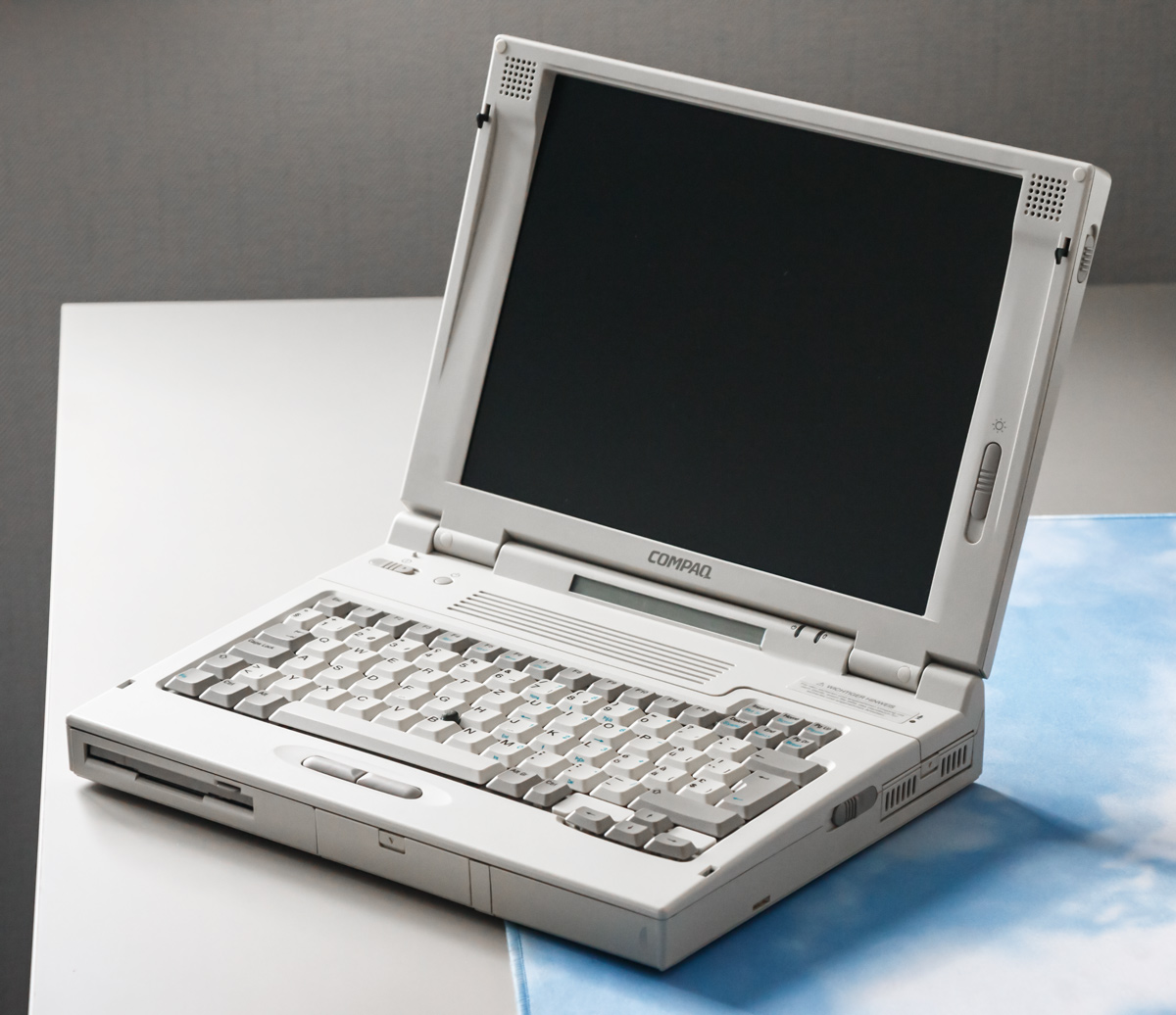
Here it is, in its full retro glory — the Compaq LTE 5400.
Case Study: Blood Pressure Monitoring, Fasting, Cardiovascular Health and Coffee
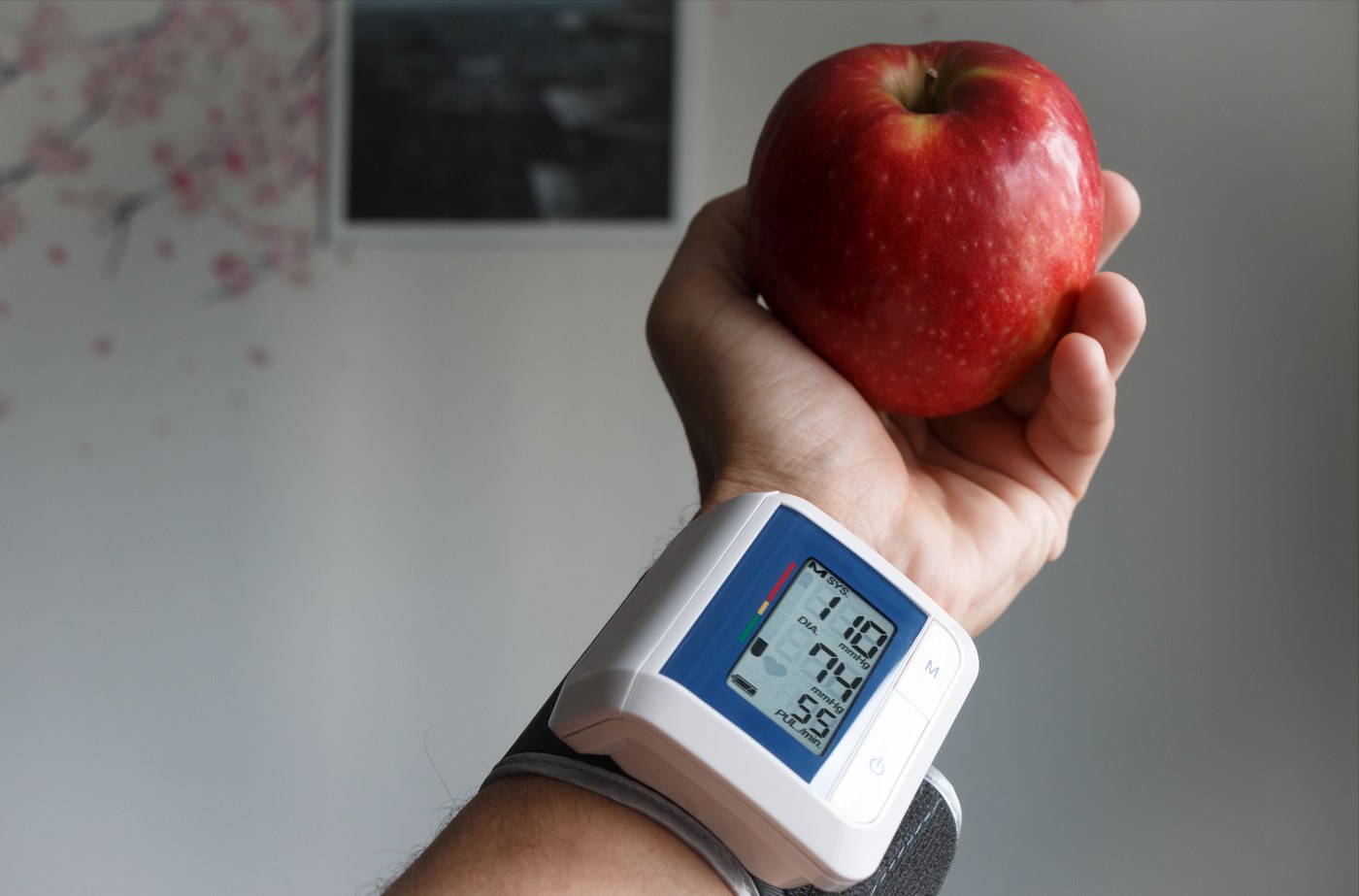
In my recent post, Celebrating 6 Years of Fitness with Ring Fit Adventure, I mentioned the importance of a proper diet and lifestyle for good cardiovascular health. Instead of digging too deep into the topic in that post, I chose to dedicate this addendum to the topic.
Since I'm leisurely working on my healthy lifestyle coaching program, I needed to gather metrics to show how effective the low-carb lifestyle is at supporting longevity and metabolic health.
This post dives into the topic of measuring blood pressure and what results one might expect by adopting the low-carb lifestyle. It's a bit involved (what is it with me and deep dives lately?), but totally worth your time, I promise. I will show you hard numbers and dynamics of what happens to the body on a day of intermittent fasting, after exercise and on a full day of a water fast, to help you realize that the body can manage itself just fine without stimulants.
6 Years Of Fitness With Ring Fit Adventure. Results, Custom Workouts, Notes On Sustainable Wellness. And a Survey
Time flies...
Hard to believe it’s been 5 whole years since I published my in-depth Ring Fit Adventure review, bringing my tenure with the game to six years total. If you haven't read that article — give it a quick skim, as it’ll help you make sense of the Ring Fit terminology I use here. All this time, that review has been sitting comfortably in my top three most popular blog posts, so it definitely deserves a follow-up.
In the original piece, I praised the game for everything from its mechanics to its effectiveness. But did it actually pass the test of time, or is it that I ultimately lost interest, became a functional adult, and finally grew a mandatory beer belly?
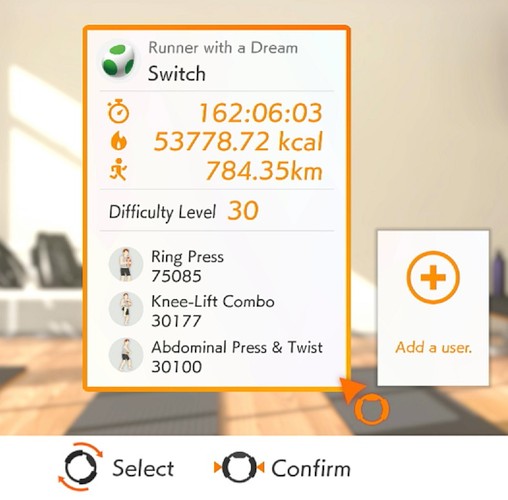
"Copilot Key" Remapping Soon to Be Possible Without Hacks
In the latest news, we can clearly see yet another proof of how much power Microsoft holds over hardware manufacturers.
Guess what? — Microsoft has finally admitted that Windows 11's dedicated Copilot key breaks certain workflows, and has confirmed plans to let users restore the "Right Ctrl" or "Context menu" key later this year.
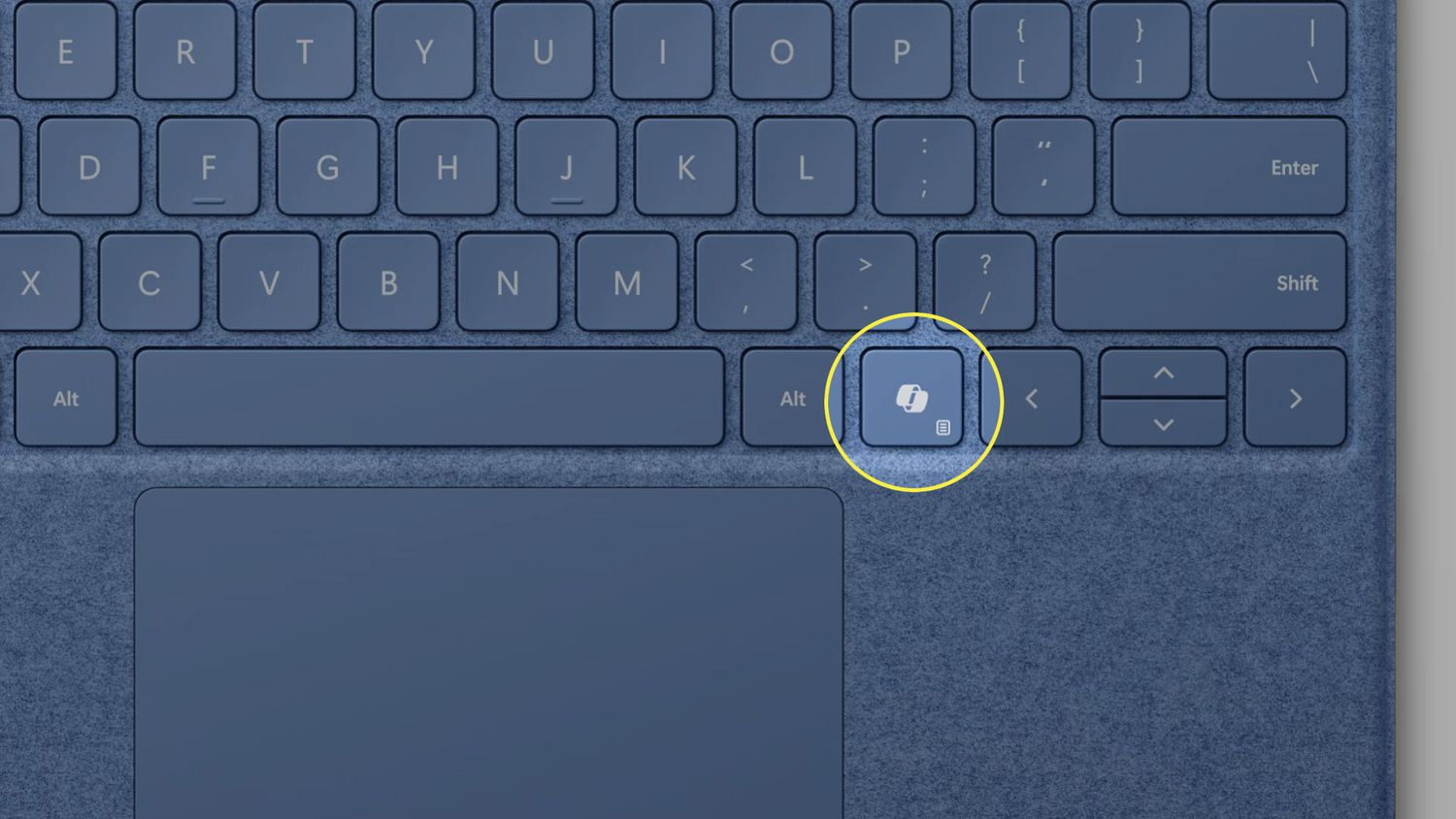
This key has been a menace for people utilizing the right Ctrl key for specialized software like VirtualBox as a "host key", for screen reader users who have relied on it for ages, or for the Linux OS crowd who found themselves stuck with a useless key on their new laptops.
Remapping it has never been a trivial task because it isn't a modifier like the original Ctrl key was. Instead, it sends a single hard-wired Left Win + Left Shift + F23 keyboard shortcut. All existing hacks to make it act as Ctrl have been extremely unreliable, often breaking out of nowhere. It seems this may soon become a thing of the past, and users will finally be able to use that key the way they want.
This event is not a celebration of "Yay, Copilot is failing!", or a sign that "Microsoft is finally changing its ways" — It's a sobering reminder that for years, not a single manufacturer of so-called "Copilot+ PCs" (basically all Windows laptops with 16+ GB of RAM) provided a way to change the behavior of that button, whether via BIOS or device-specific management software.
The fact that users had to rely on hacks because manufacturers refused to introduce a trivial firmware toggle effectively hints that this was a strict requirement for "Copilot+ PC" certification, meant to help Microsoft shamelessly promote its glorified AI slop button and force users to cope.
And the manufacturers complied.
Suffice it to say, I did my part by not buying a single laptop with a dysfunctional right Ctrl key in the mean-time. Actually, this is a nice opportunity to show off this beautiful bastard — the 2017 Lenovo ThinkPad X270 I obtained half a year ago and have been using almost exclusively to learn and practice Tcl/Tk while working on the post on the topic. Well, that, and I've always wanted a ThinkPad and needed a machine for very technical tasks like flashing firmware, jailbreaking various devices, and running bare-metal software scripts that might wreck an OS install, to avoid borking the setup on my main Lenovo 14ACN6.
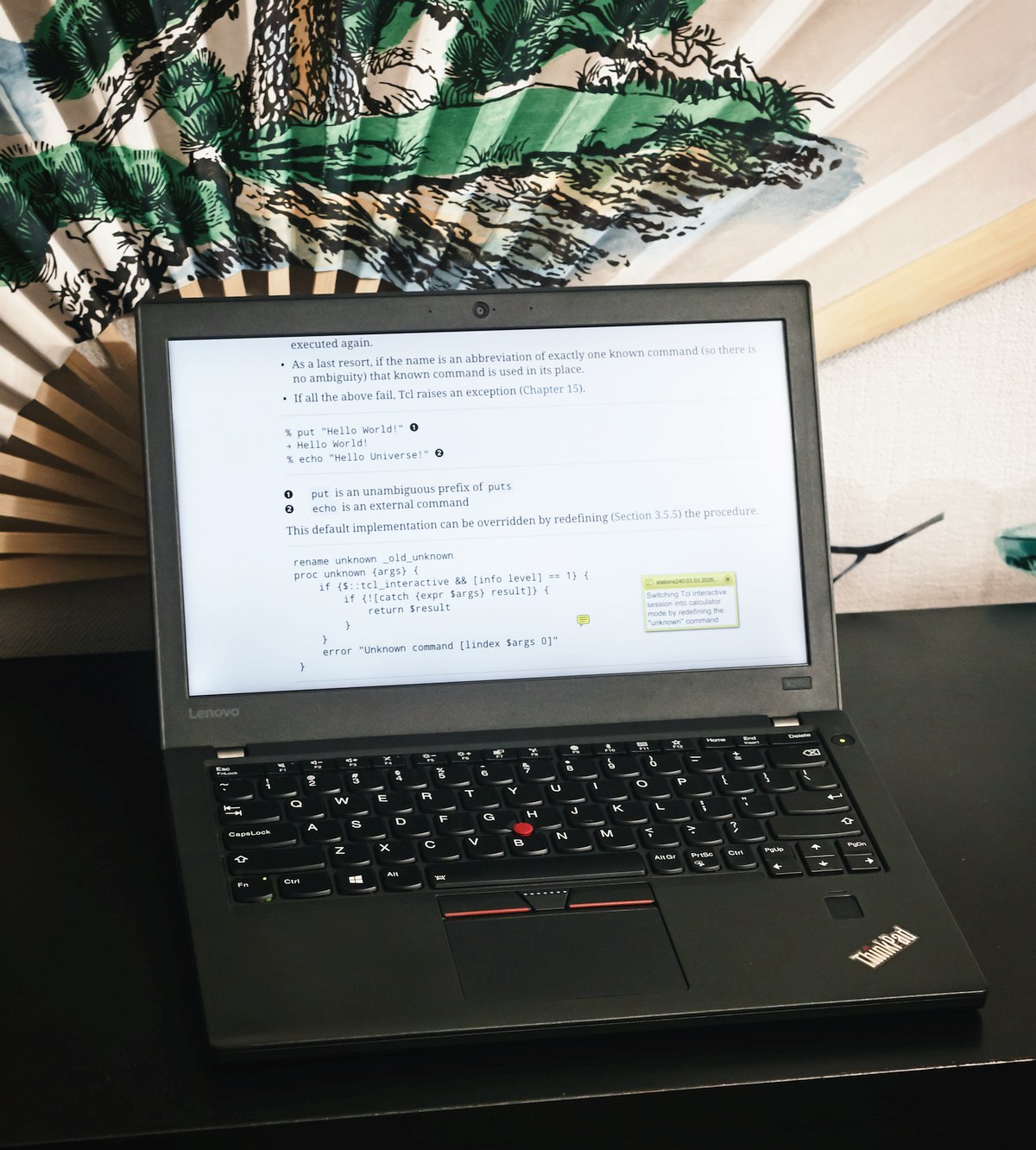
The laptop may not be fast by today's standards, but it was cheap, came with a large 48Wh battery in addition to the healthy 15Wh internal one, has 16GB of RAM, is super compact (with a 12.5'' screen), and is in great condition. So, consider buying a used laptop instead of a new one if you don't need the latest features, especially when some of those are more of an obstacle than a useful feature anyway.
And I will continue to vote with my wallet whenever some greedy corporation and its spineless manufacturing disciples decide to take away a standard piece of user utility and replace it with a useless billboard for their trendy garbage.
Develop Cross-Platform CLI and GUI Tools With Tcl/Tk. Powerful, Event-Driven, Open-Source And Future-Proof Toolkit… From the Past?!
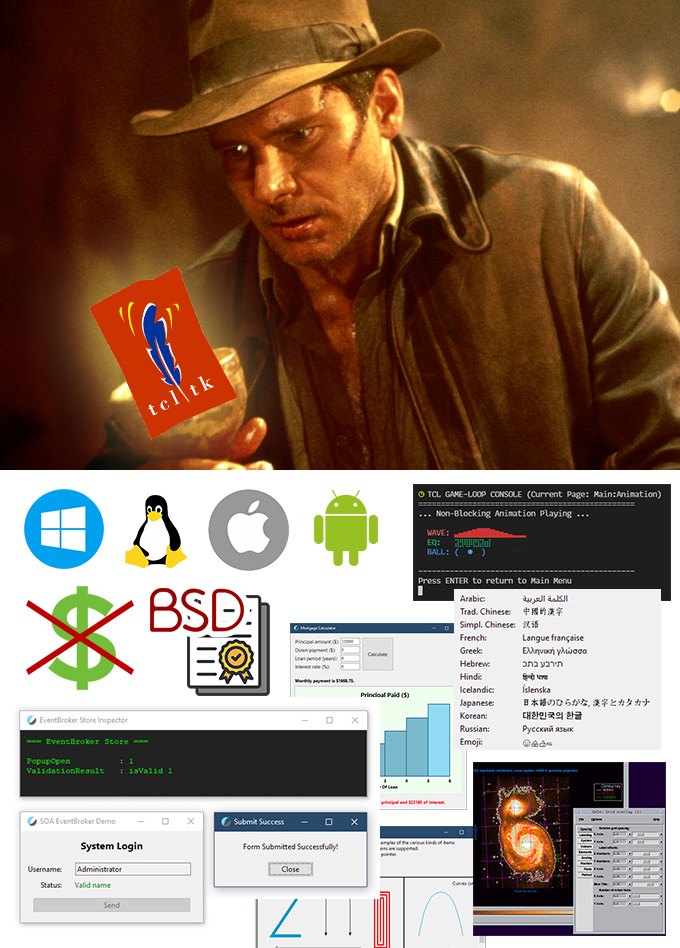
What if I told you there exists a language, or a whole toolkit that:
- Can be used to create cross-platform Console and GUI tools or apps
- Those GUI apps look native on Windows, Linux and macOS
- Supports safe and efficient threading, non-blocking events and I/O
- Has a small footprint of about 100MB with most common packages installed
- Can produce very compact single-file apps for any supported platform
- Is capable of building robust cross-platform Web Apps
- Has existed and been in use by some of the largest corporations for over three decades
- Is free and BSD-licensed, so you can do whatever you want with it, or to it
Would you believe me?
Foreword
Documenting personal experiences on fascinating or useful topics is what I do. Real-time visualization, 3D simulation, data safety, energy efficiency, or even input devices, microcontrollers, and fitness — an endless stream of ideas for new studies and exploration is always on the To-do list.
This particular topic turned out to be quite a bit more involved than I originally planned. But I promise: all information here is what I myself would've loved to have known before I started my Tcl/Tk toolkit learning journey.
I'm writing this long after my honeymoon phase with Tcl/Tk ended, and will try to be as objective and honest as possible. For your benefit, and my own. I have nothing to "sell" except my personal experience, hoping to better inform you and simplify the "onboarding" process if you ever decide to give Tcl/Tk a try.
Due to its command-centric nature, Tcl is a powerful, yet widely misunderstood language. I want to contribute to the conversation, aiming to clear up this persistent confusion with concise explanations and concrete examples. And a bit of flair, of course, to keep you entertained.
Please note: We’re skipping the "Programming 101" talk here with the assumption that you already have a baseline familiarity with general programming logic. If you know your way around an if statement and know what a function is, you're probably ready to dive straight into Tcl-specific structures and syntax. Think of this article as both a "Tcl hands-on" and a primer, hoping to make you, too, discover and appreciate this almost 40-year-old technology that quietly powers the world. And maybe convince you to try it for yourself, and spread the word.
As for the "About the Author" — if you're interested, please visit the "About" page.
Sneak Peek At Blender's DLSS Real-Time Denoiser — You Have To See This!
The Future is finally here!* (almost)
Deep Learning Super Sampling (DLSS) Ray Reconstruction might make its way into Blender (at least, it's in the works). And the potential is, without exaggeration, astonishing.
Unlike "traditional" denoisers, DLSS has a different way of reconstructing an image, and largely ignores scene lighting or polygonal complexity. Because of this, it's used in games to "upscale" a low-res native render output to a much higher-res target, like 4K or more. It's very effective and, ironically, despite being an upscaler, nowadays is almost synonymous with the "best quality" rendering preset in games. Simply because more and more devs get lazy and spend less effort on optimization, especially anti-aliasing techniques, essentially "offloading" this task to a dedicated (and, unfortunately heavily proprietary) neuralnet upscaler like DLSS.
Like me, you might have wondered whether this very approach could be used in a traditional 3DCG Creation app like Blender.
Well, wonder no more! Someone took an unfinished alpha build of the Blender codebase with a DLSS integration, and compiled it into an actual test build.
Prepare to be amazed.