How To Fix Mouse Wheel Scroll Skipping In VirtualBox Linux Guests With X11 Desktop Environments (MATE, GNOME, KDE, or XFCE And Others)
If like me you've had enough the of mouse scroll skipping in X11-based Desktop Linux Guest VMs, after years of searching, I finally have the solution.
The Problem
In all Linux distros with any X11-based desktop environment that I've ever used in VirtualBox as guest OSes I've experienced the same infuriating issue: if I were to scroll the mouse wheel slowly (especially when scrolling up-down-up-down...) — the inputs would randomly get "eaten" for some reason. This led to them not being registered, which was extremely annoying, because I had no clue why this was the case only with the Linux guests, and never with Windows XP/7/10 ones.
Backup and Restore a Live Linux System Using Snapshots. How to Install Linux Mint 20 on an LVM Partition
In my previous post on the topic of Backup and Restore I mostly focused on Windows use cases and only briefly touched upon backing up Linux and MacOS systems. This is because Windows users have access to the amazing file system snapshotting capabilities in the form of Volume Shadow Copy “by default”. As for MacOS – it comes bundled with its own backup management suite called Time Machine, so backups are possible out of the box in there as well.
As for Linux folk... It’s a bit more involved, but still perfectly possible to backup systems without any downtime. And to do this one would need to make sure their system is running off an LVM system partition.
Why LVM?
If you have no idea what LVM stands for (spoiler: it’s “Logical Volume Management”), I would suggest you first get up to speed with what LVM is and why one would want to use an LVM partition for system storage rather than a standard EXT4/XFS one.
Either way, if you want to have an ability to backup a live Linux system (like an "always on" server or a hypervisor), you need to make sure the OS is installed onto an LVM-enabled volume, which supports creation of Snapshots. In this example we’ll set up an installation for a system with an EFI System Partition for boot-loader management. If you’re planning to go with a legacy BIOS boot instead, just skip the EFI partition creation step. The process is very straightforward and only takes minutes to complete.
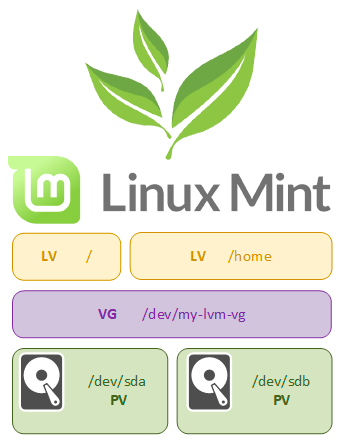
Linux Mint is my long-standing favorite among all distros, so I will be using it to guide you through the process. But the steps described here should be more or less identical for the majority of Linux distributions, especially Ubuntu Linux derivatives, which Mint certainly is. I will also assume you have basic understanding of Linux, storage systems and disk partitioning, otherwise you should certainly not follow the guide and get some more experience first.